
Legal practice management software
Manage matters, documents, billing, and client communication from one connected system. Firms rely on MyCase to stay organized, keep work moving, and reduce administrative overhead.

Release notes
Stay up to date with the latest product news, releases, and updates from 8am.
Astrid Legal turns every client call into a filed case note in MyCase or CasePeer and a written recap for the client, with attorney sign-off before anything is filed or sent.
HelloCounsel's agents answer every call, match the caller to the CasePeer file, log the note on the case, and chase medical records until they arrive. Available in CasePeer Pro and Advanced.
Date fields on the Green Card public-charge form now work like date fields elsewhere in DocketWise, I-134 tables follow the view mode you select, and Text and Number custom attributes keep their values on save — so your forms and custom data stay consistent and predictable.
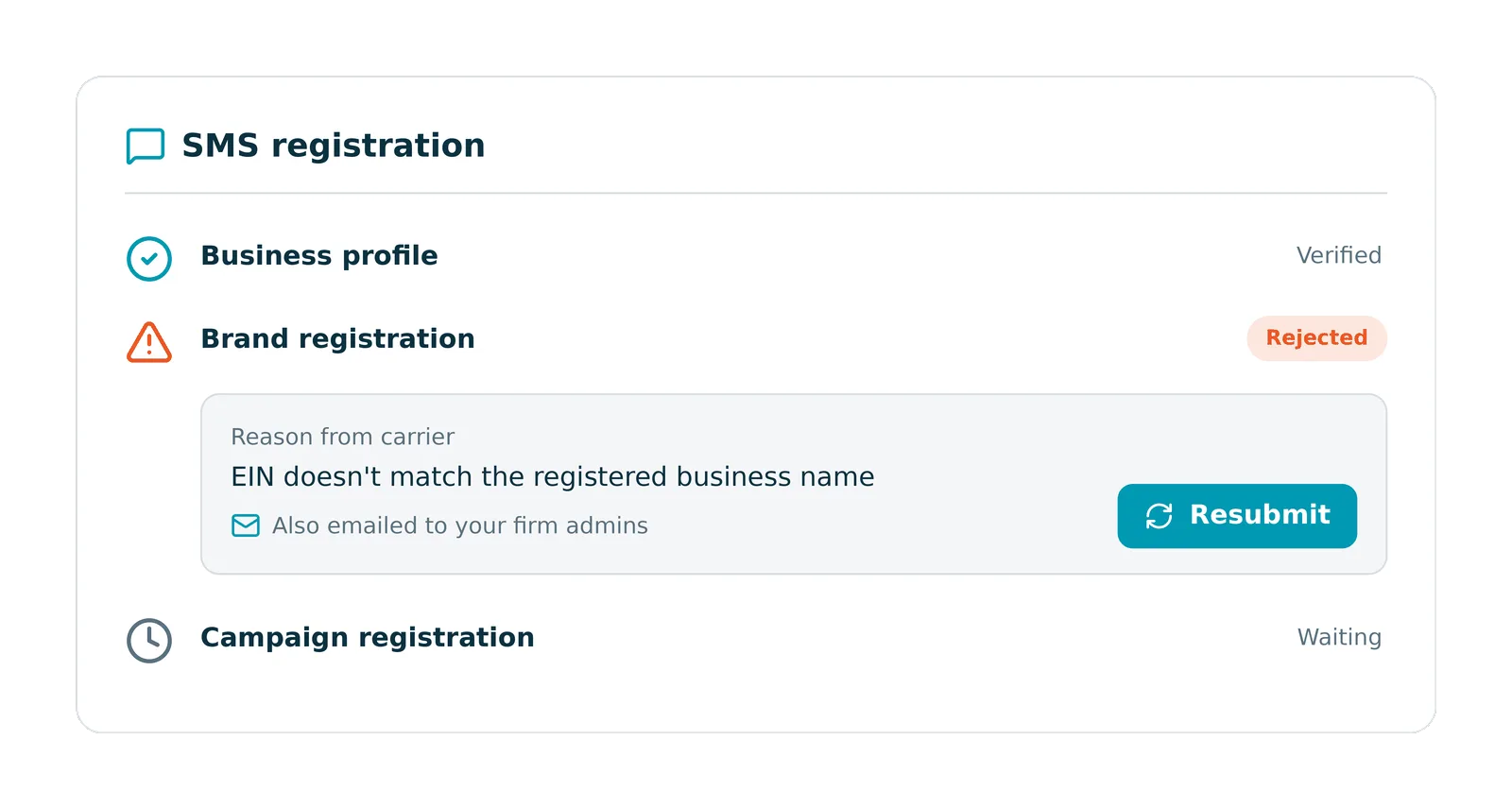
When Twilio rejects your firm's SMS (A2P) registration, DocketWise now shows the reason right in the app and emails it to your admins, and you can resubmit from the step that failed — so you can clear registration issues and get back to texting clients without starting the process over.
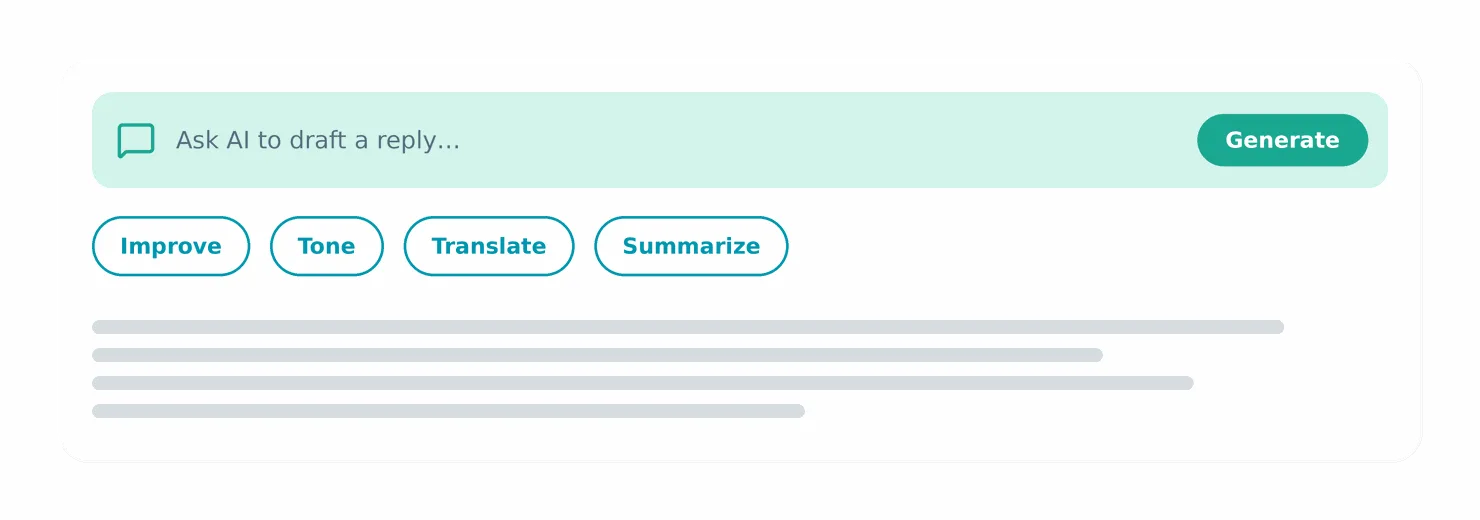
When you use 8am IQ's drafting actions — Improve writing, Change tone, Translate, Summarize — in the message composer without a case selected, the drafting bar now shows a spinner and a "Working on it…" message while it runs, so you know the action is in progress.
The Cases list now shows the total match count instead of the current page's row count, the Time Entries page loads with all entries rather than a 30-day default, the Consultation Fee Revenue Report PDF shows the correct amounts, and the Open Bills and Legacy Reconciliation tables clear their error state after a successful reload — so the numbers and lists you rely on reflect what's really there.
The LEDES filter tab and the Export LEDES 1998B bulk export on the Invoices page now appear whenever your firm has LEDES billing enabled, without a separate internal flag — so firms that bill in LEDES always have these tools available.
Document-upload fields on intake forms now submit dependably and the files land in the case's Documents tab, so client-submitted documents come through the first time.
Users restricted to only their linked cases now see just those cases in pickers across Tasks filters, global Search, phone-call logging, and Save to Case — so case visibility stays consistent with each user's permissions.
When a one-off LawPay charge fails on a saved card that also backs an automated payment plan, MyCase now keeps that card and leaves autopay on for the active plan — so a single failed charge doesn't quietly stop a client's scheduled payments.
Time entries on invoices synced between MyCase and LawPay now keep their hours, rate, activity, and attorney, and the invoice total stays in step with its line items — so your billing detail and totals stay accurate. Removed time entries and expenses can also be re-attached with their original information intact.
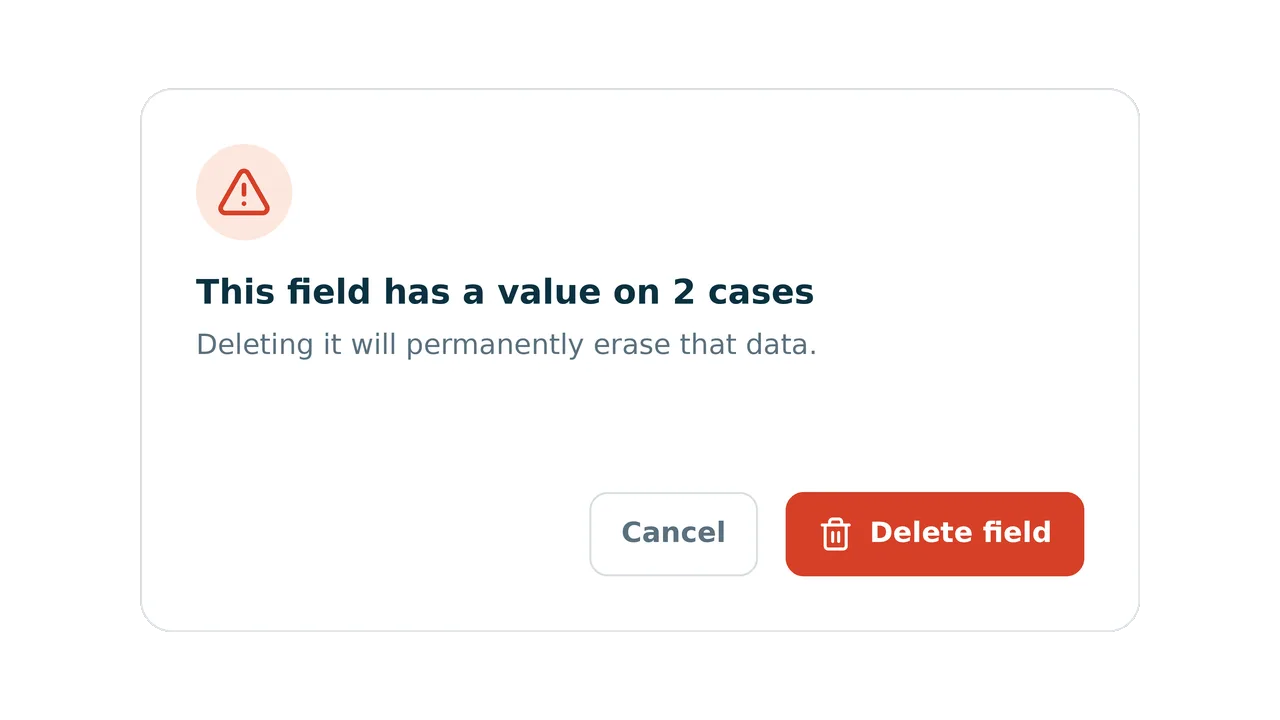
When you delete a custom field, the confirmation dialog now tells you how many cases currently have a value for it before you confirm — so you can weigh the impact before any data is erased. Affected records are also marked as recently modified for an audit trail.
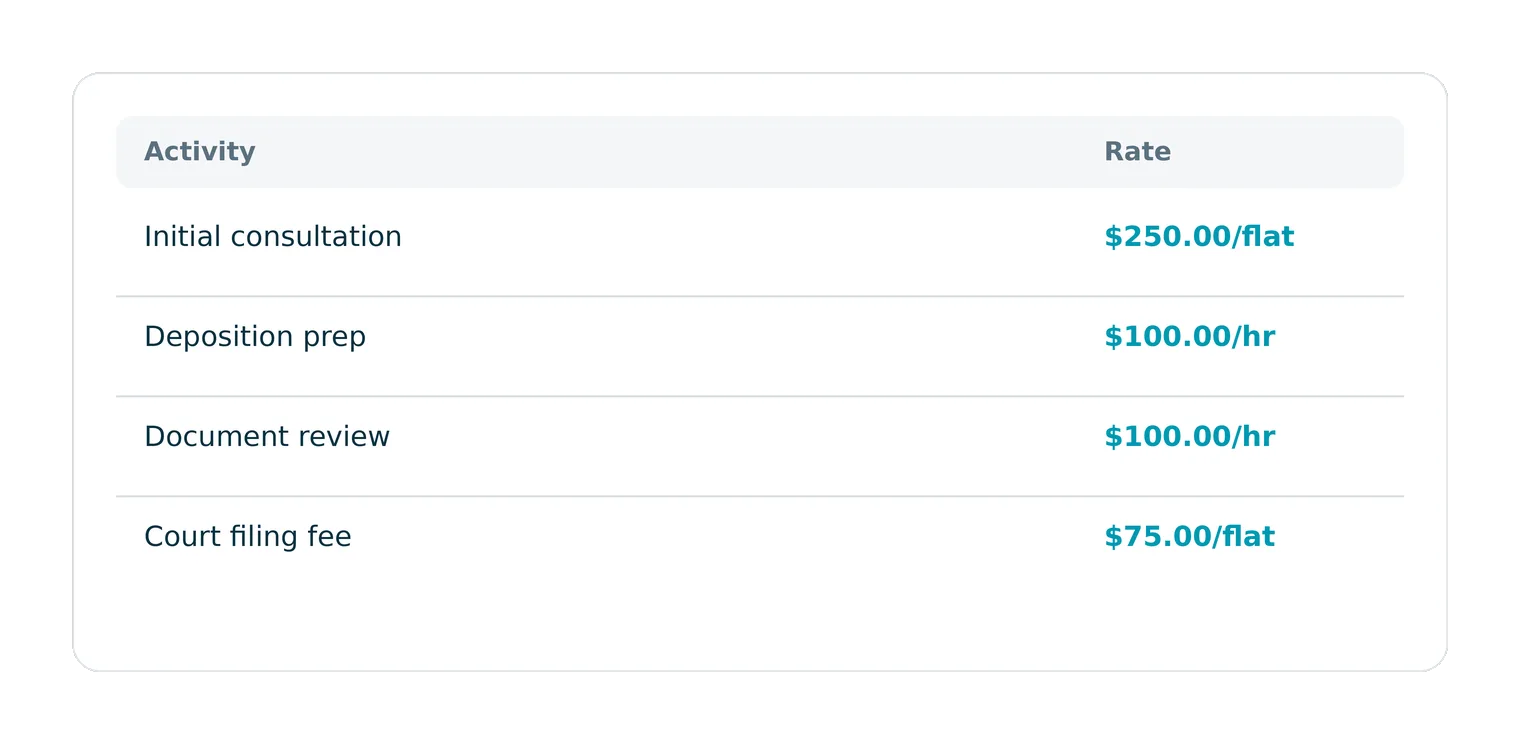
The Saved Activities table in Billing now shows one Rate column with values like $250.00/flat or $100.00/hr instead of separate flat-fee and hourly-rate columns, so you can read each activity's rate at a glance.
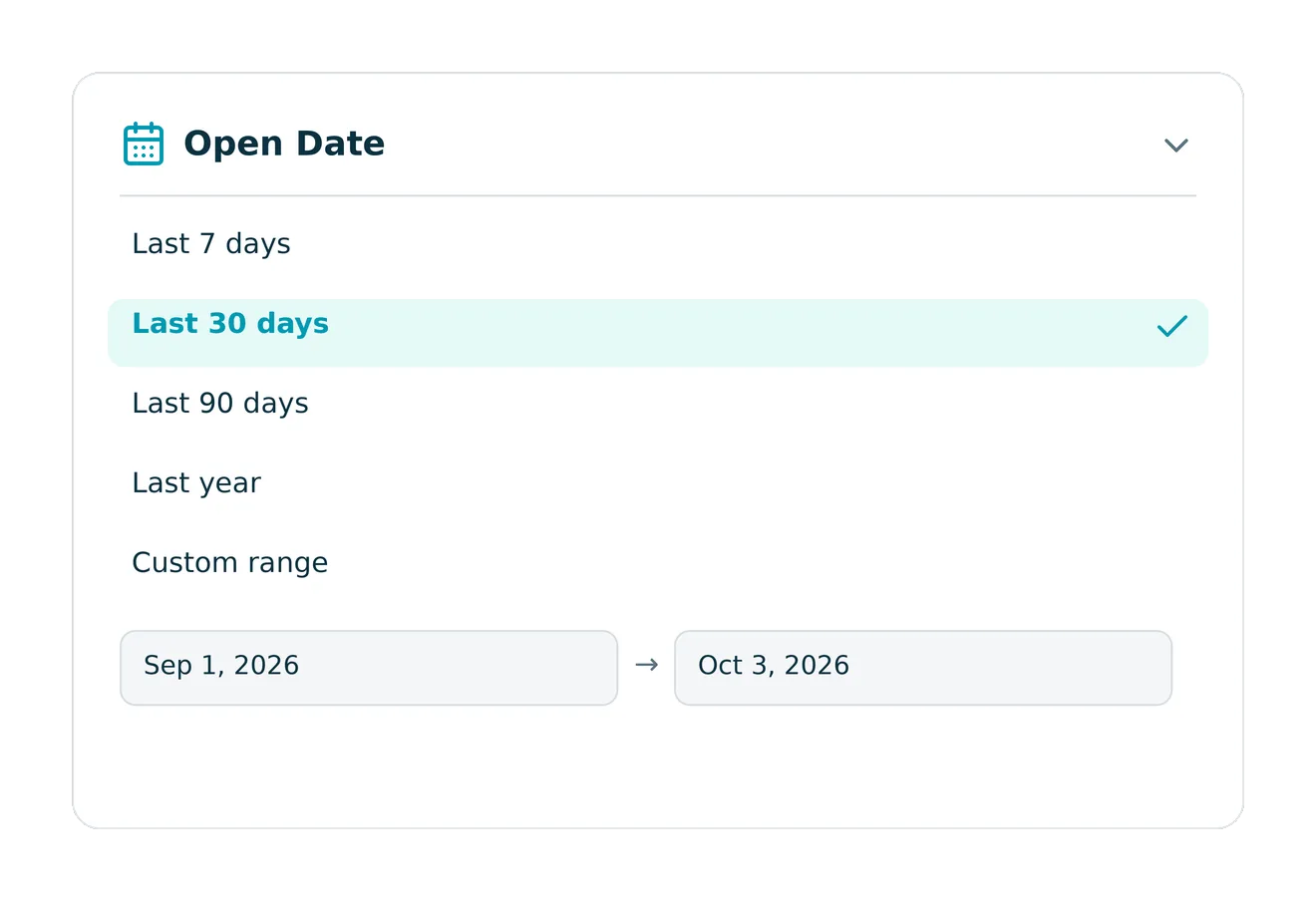
The Cases list now has an Open Date filter on the Open Cases tab and a Closed Date filter on Closed Cases, with quick presets (last 7/30/90 days, last year, month- or year-to-date) or a custom range — so you can focus on the cases from a given period without scrolling the whole list.
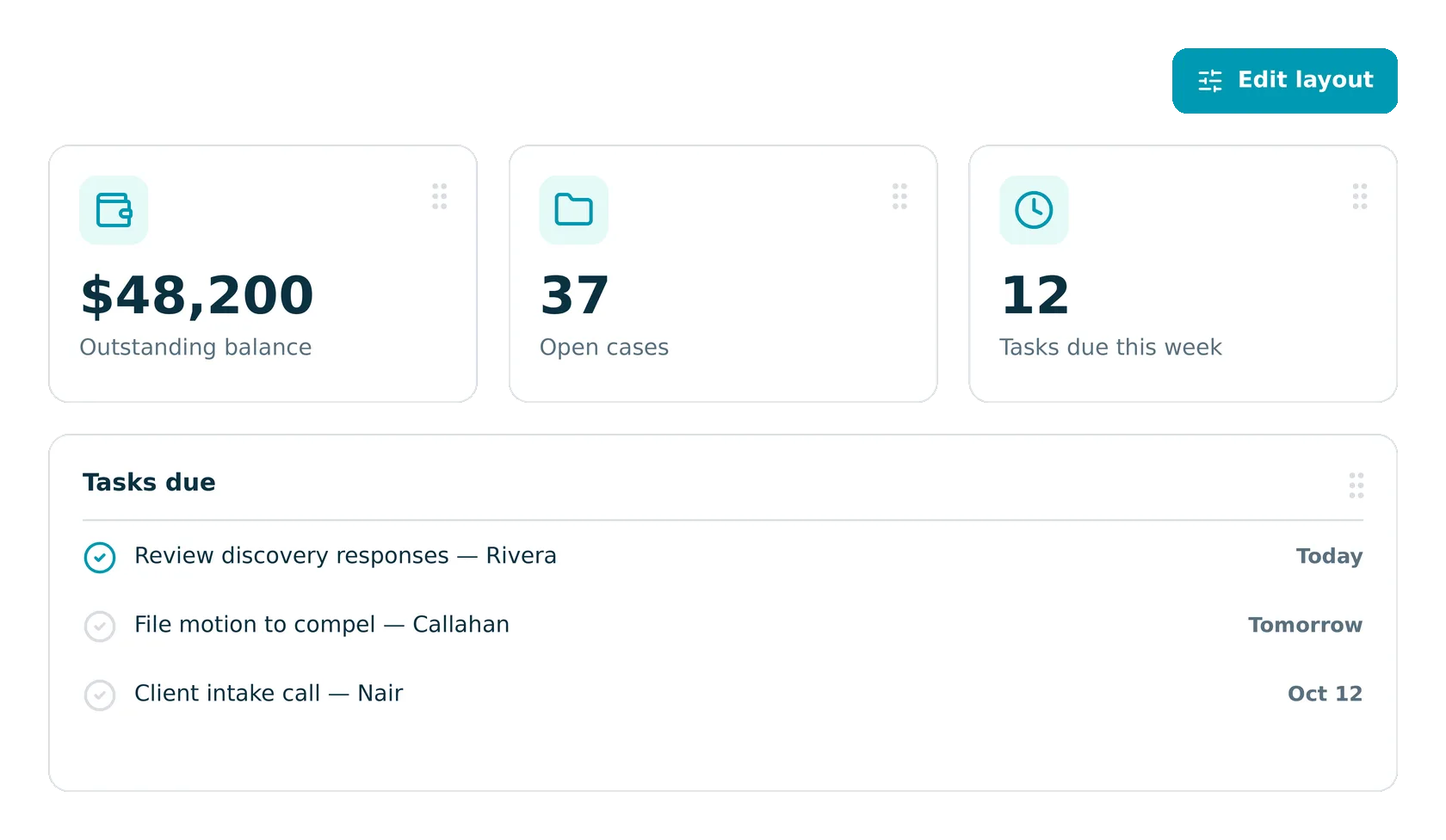
Firm staff can now show, hide, and rearrange the widgets on their own home and billing dashboards, so the to-do list, messages, and financial numbers that matter to each person are the first thing they see at login.
8am Showcase is our new digital launch experience. It shows our latest innovations, built to help firms collect what they earn, power their business, and grow with confidence. This fall, we introduced our largest AI expansion yet, plus new financial tools to help firms bill back more expenses and tap funding to grow. See what's new and what it means for your firm.

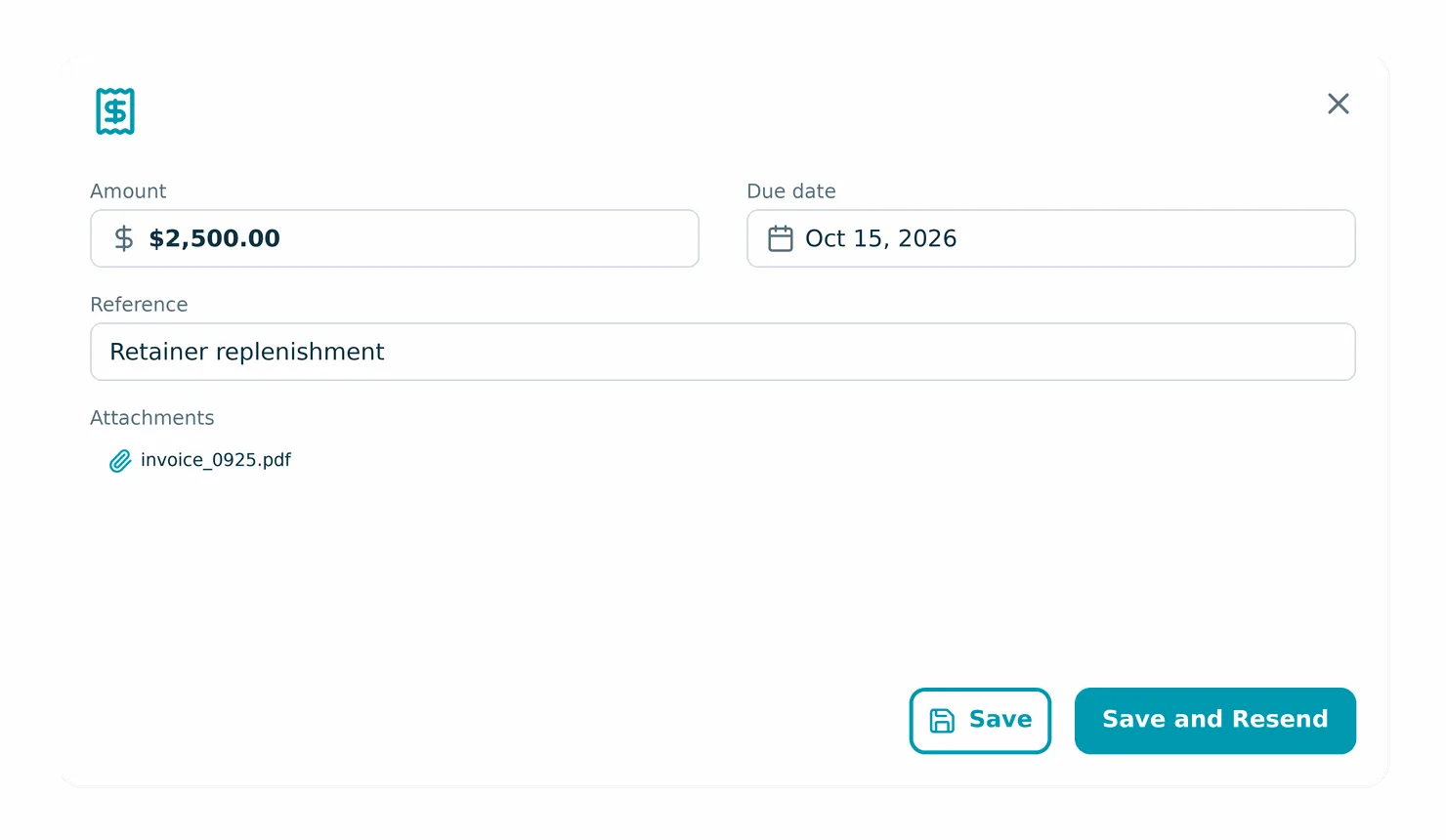
The Edit Request for Funds modal now has separate "Save" and "Save and Resend" buttons, so you can update the amount, due date, reference, or attachments without sending your client a duplicate payment request. Changes to email fields still require resending.
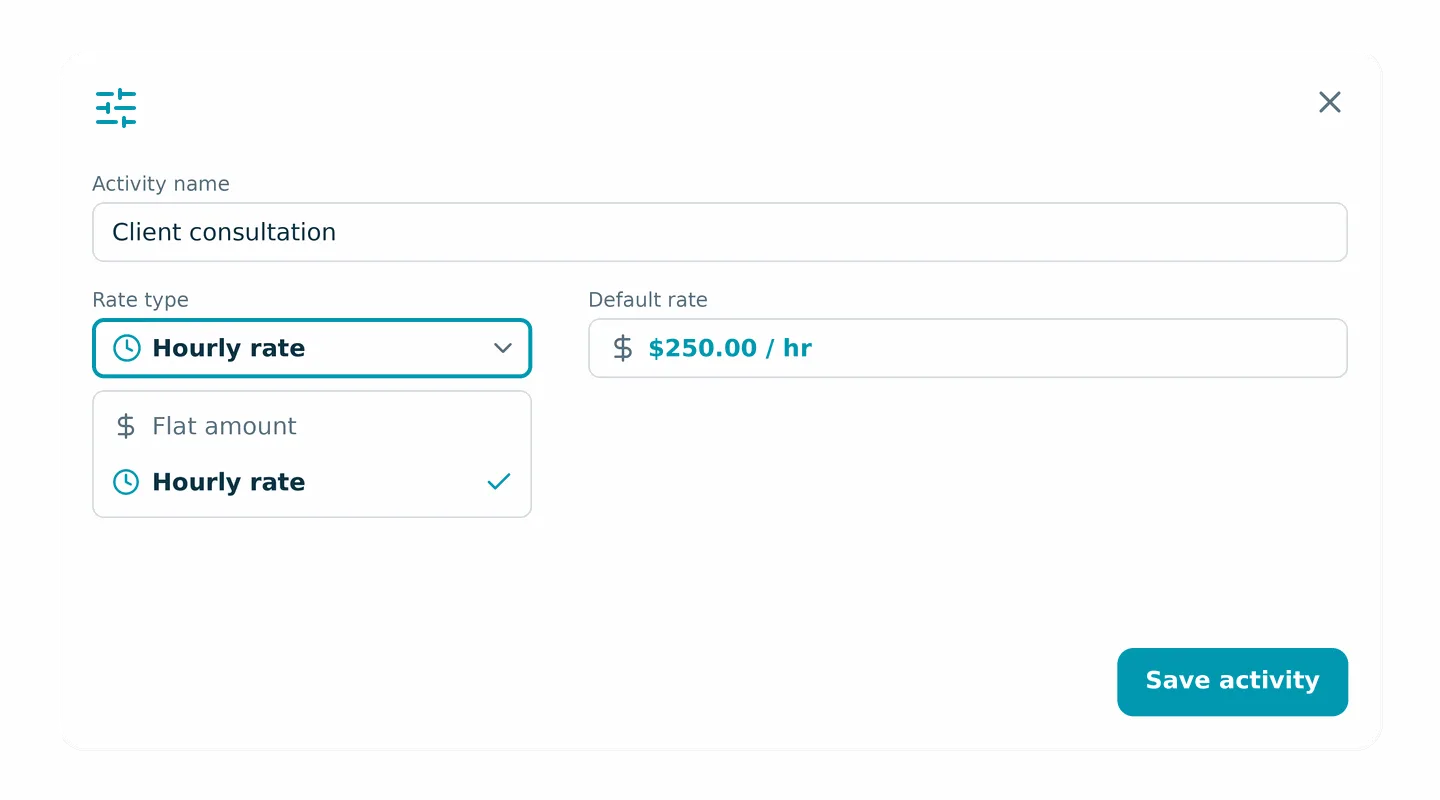
Saved activities now support an hourly default rate as well as a flat amount, and selecting an hourly activity while logging time auto-fills the rate. The New/Edit Activity dialog now includes a rate type dropdown.
Restricted lawyers now see only the cases they belong to in the Case Revenue Report — across rows, totals, record counts, and exports — so case access permissions carry through to firm revenue reporting. Accountants and lawyers with full access still see every case.
When you close a case and archive its linked contacts, each archived contact now gets its own entry in Recent Activity on the Home Dashboard and All Activity page, so there's a clear record of what changed and who made the change.
On LawPay-tier firms, the billing rate fields on the Edit Case and Add Case modals are now disabled for non-admin users and show that admin access is required, so it's clear upfront who can change rates. Admins keep full access.
Several updates keep MyCase data consistent across the app: the Case Billing Expenses table now honors the date range filter so totals and rows match, filtered lists and reports always reflect the most recently applied selection, the Leads Referral Source report PDF again includes its summary page, and reconciliation pages load cleanly for firms with deleted financial accounts.
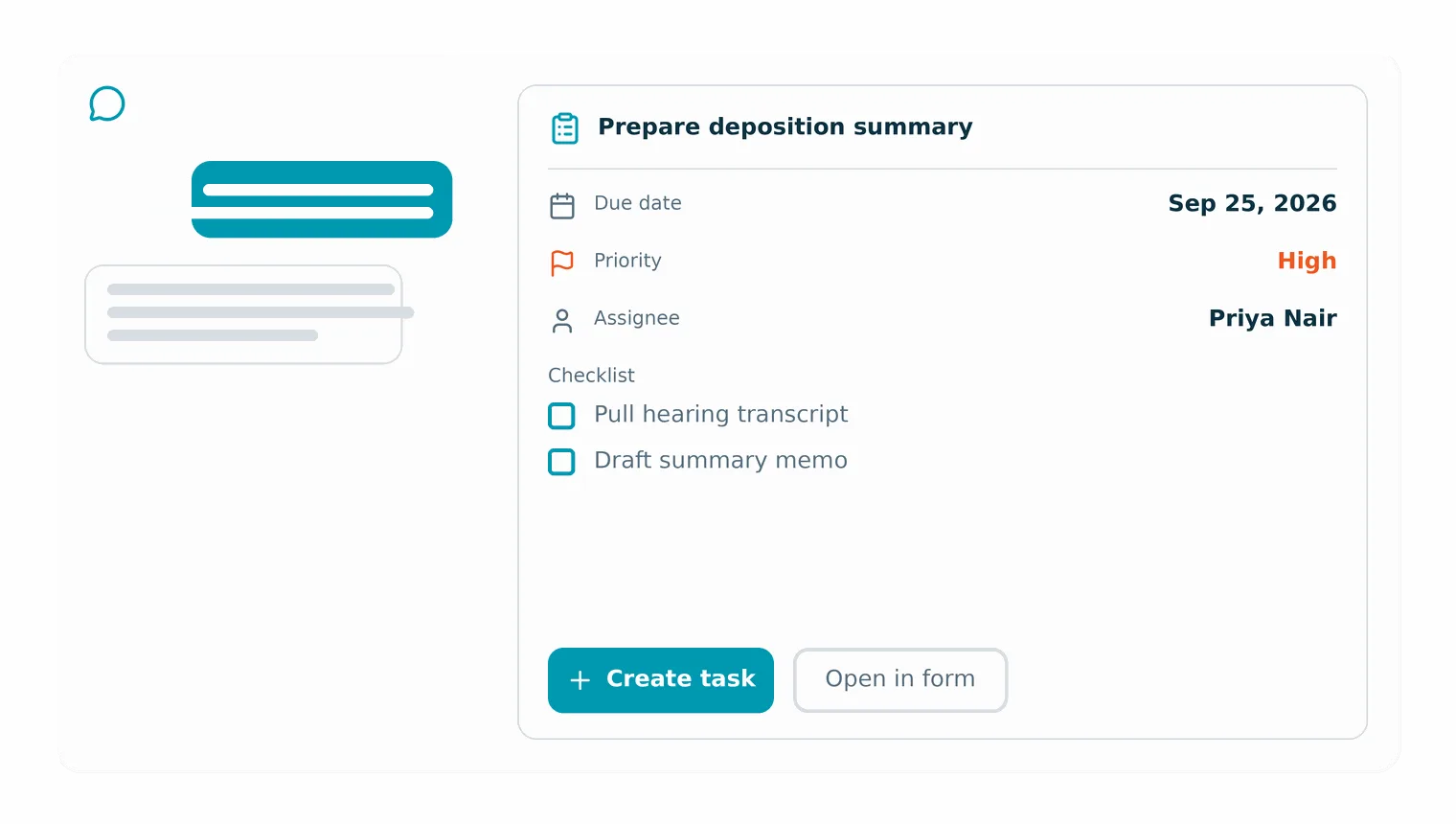
While chatting with the case agent in IQ, you can now turn its suggestion into a task in one click, with the name, due date, priority, assignees, and checklist pre-filled so you can review and adjust before saving.
The Translate dropdown in the AI drafting bar now has an "Include translation disclaimer" option that appends a language-appropriate disclaimer to the translated message, so clients know the text was machine-translated. The option is off by default.
Linked emails now show a clear notice when a message body isn't available instead of a blank screen, Outlook add-in attachments download reliably after a user switches firms, and contact imports keep processing when a single row fails to sync — so day-to-day work continues without a full stop.
The automated biller now detects when a firm has already recorded a manual payment on an autopay payment plan and skips that installment, so clients are charged once instead of twice during the same billing window.
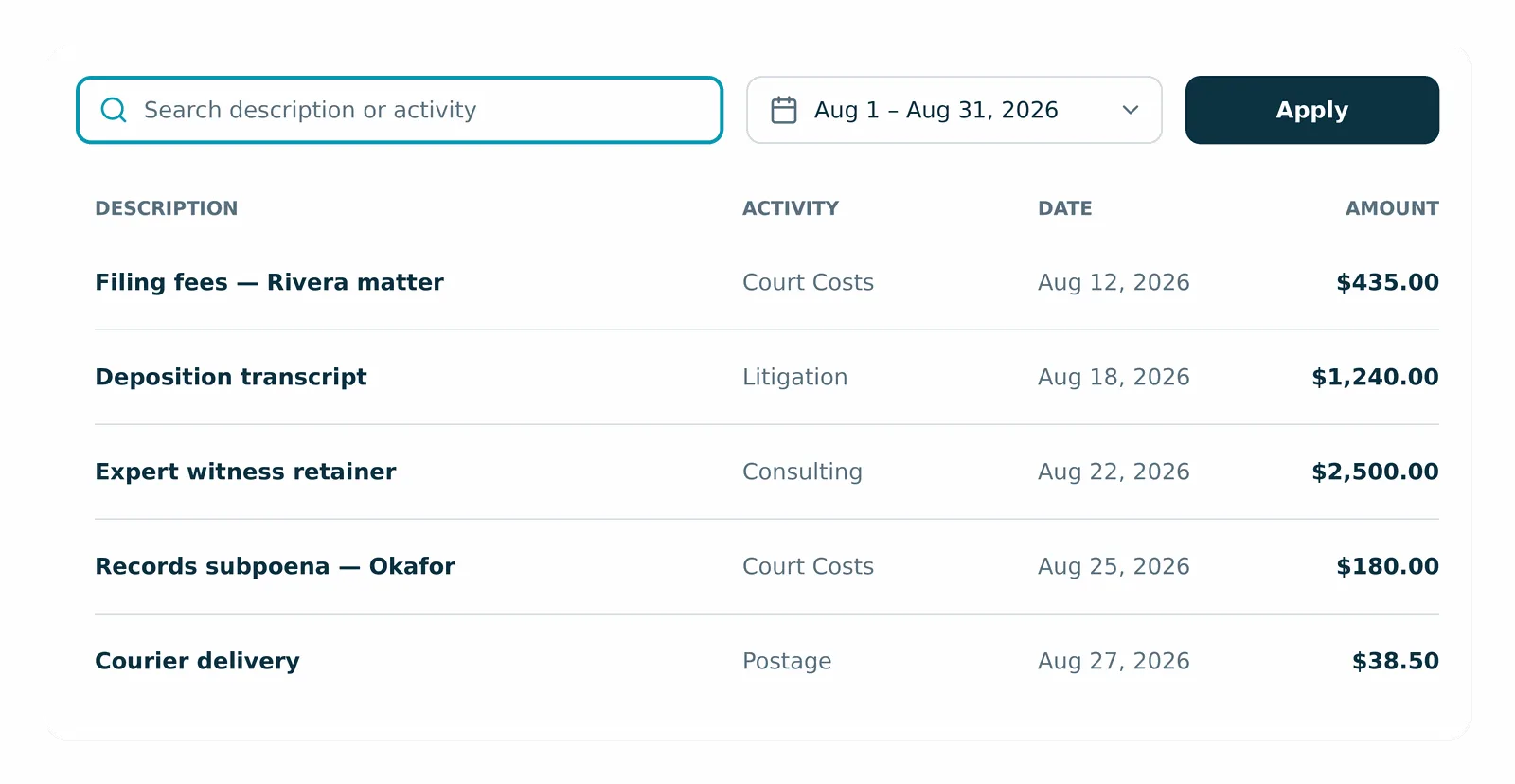
The Expenses page now has search and date-range filters so you can pinpoint expenses by description, activity, or date instead of scrolling the full list.
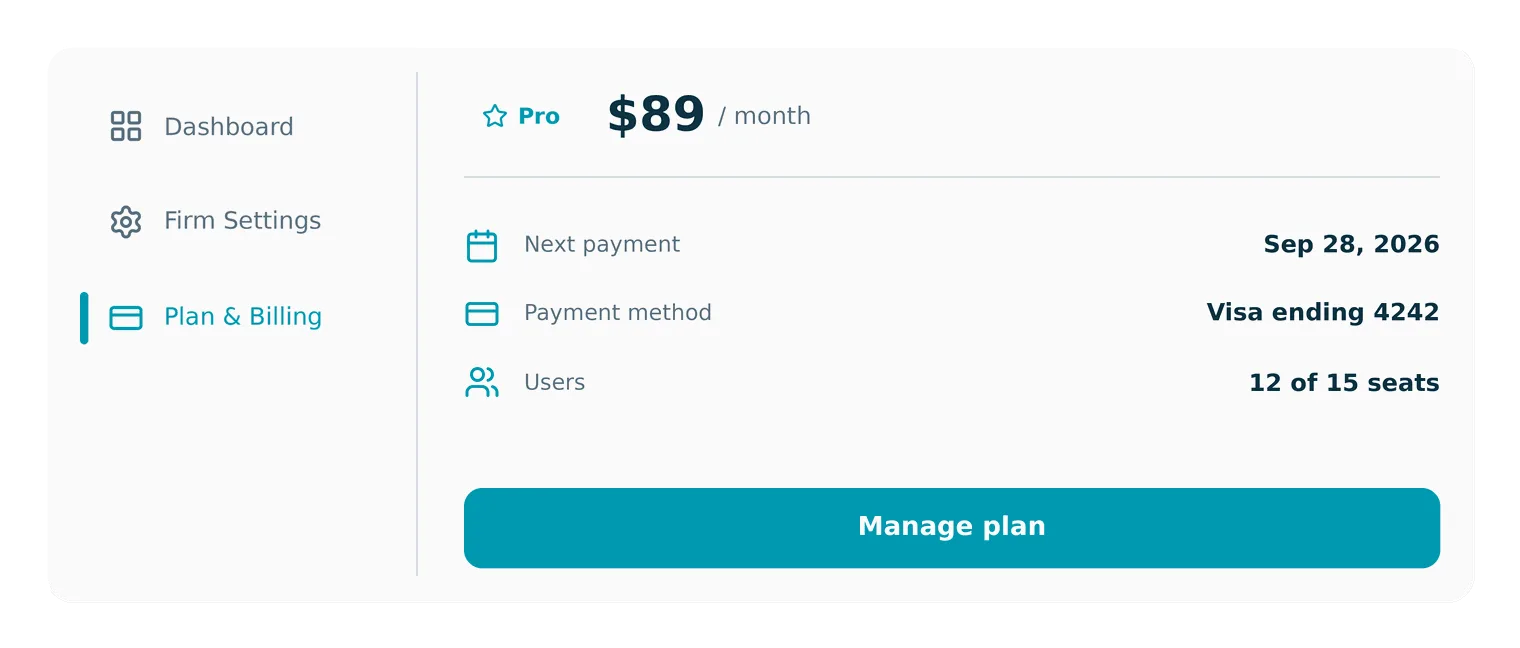
The Plan & Billing page is viewable to all eligible Basic and Pro users — so firm owners can view their plan and billing details anytime without contacting support.
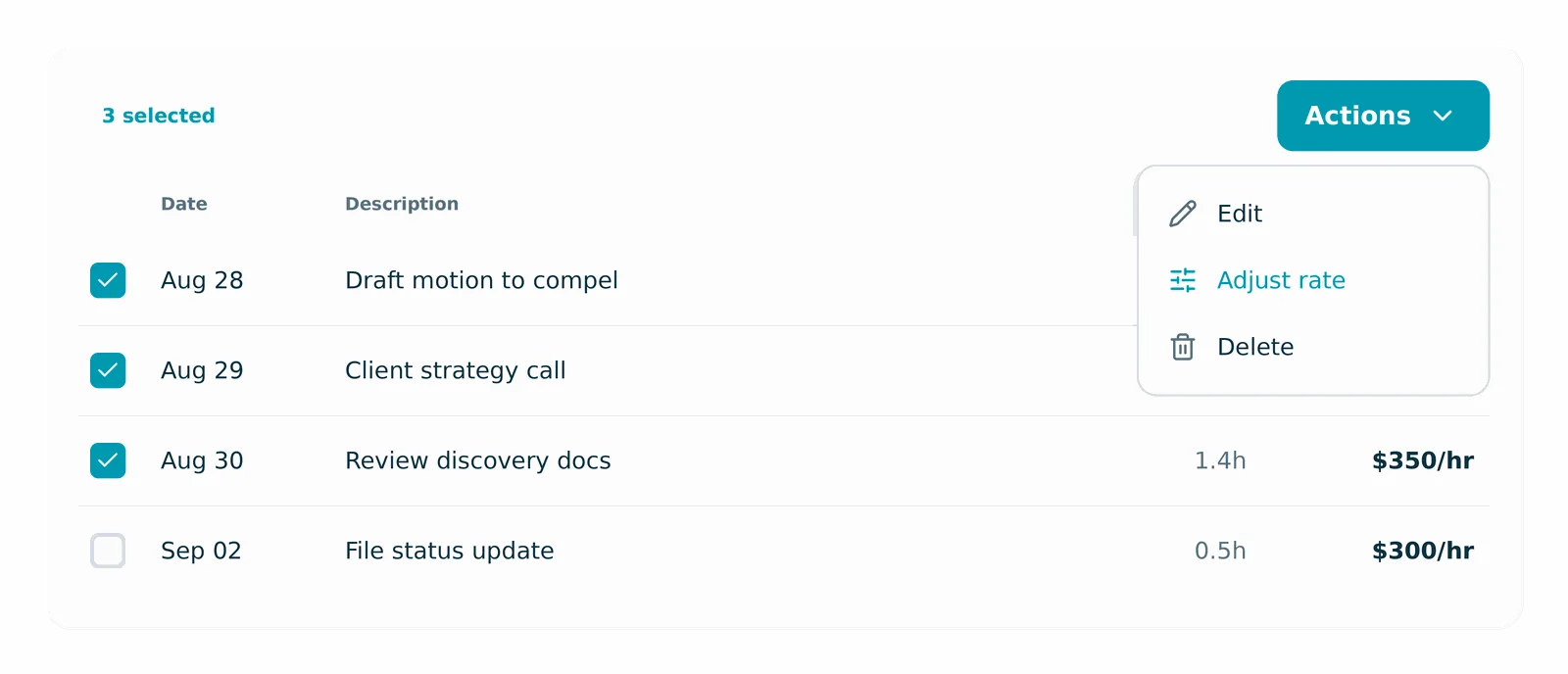
Set a new hourly or flat rate across multiple time entries at once — so billers can correct rates in seconds instead of editing entries one by one. Already invoiced entries are skipped automatically to protect billing.
The People list now offers name search and a practice area filter alongside People Groups, so you can easily find the right contacts in a long list.
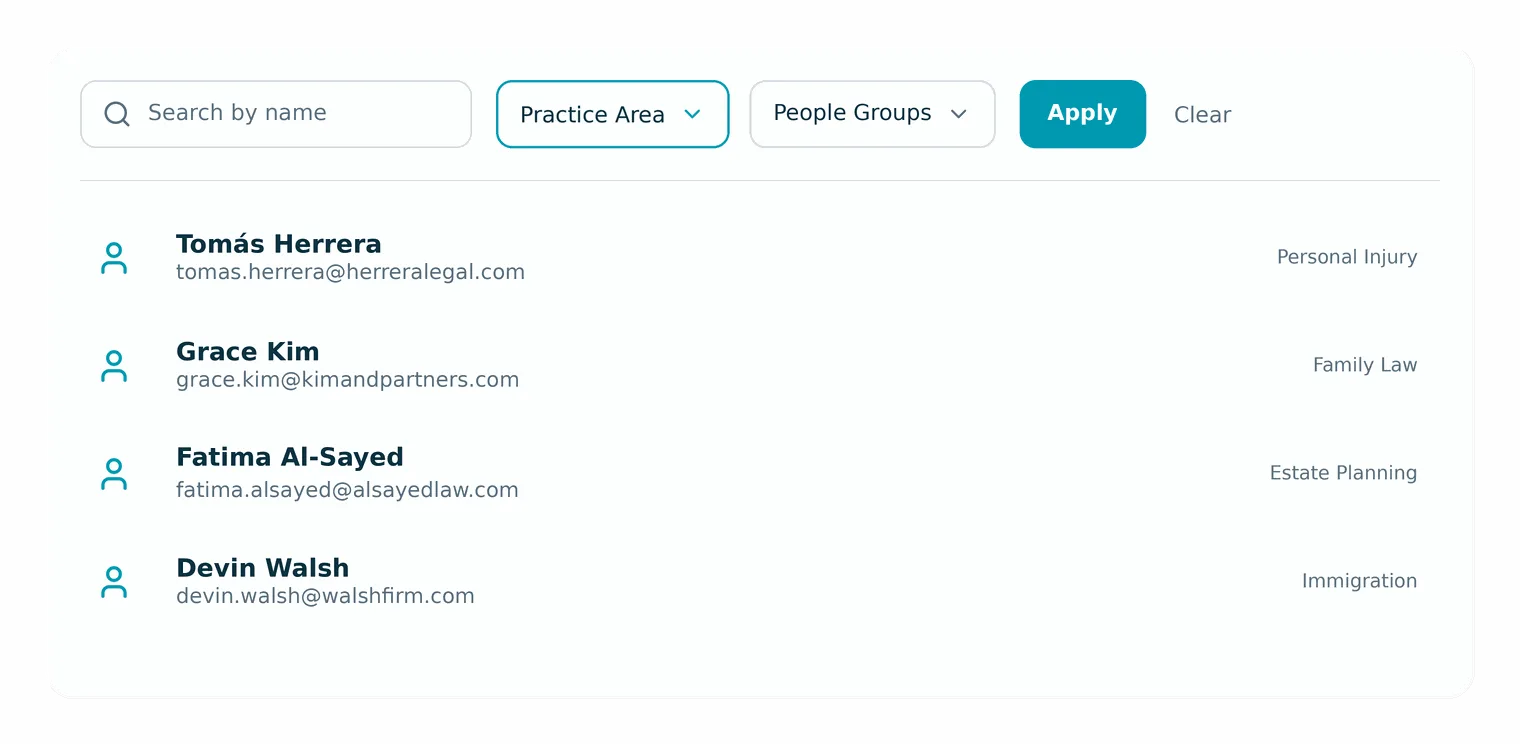
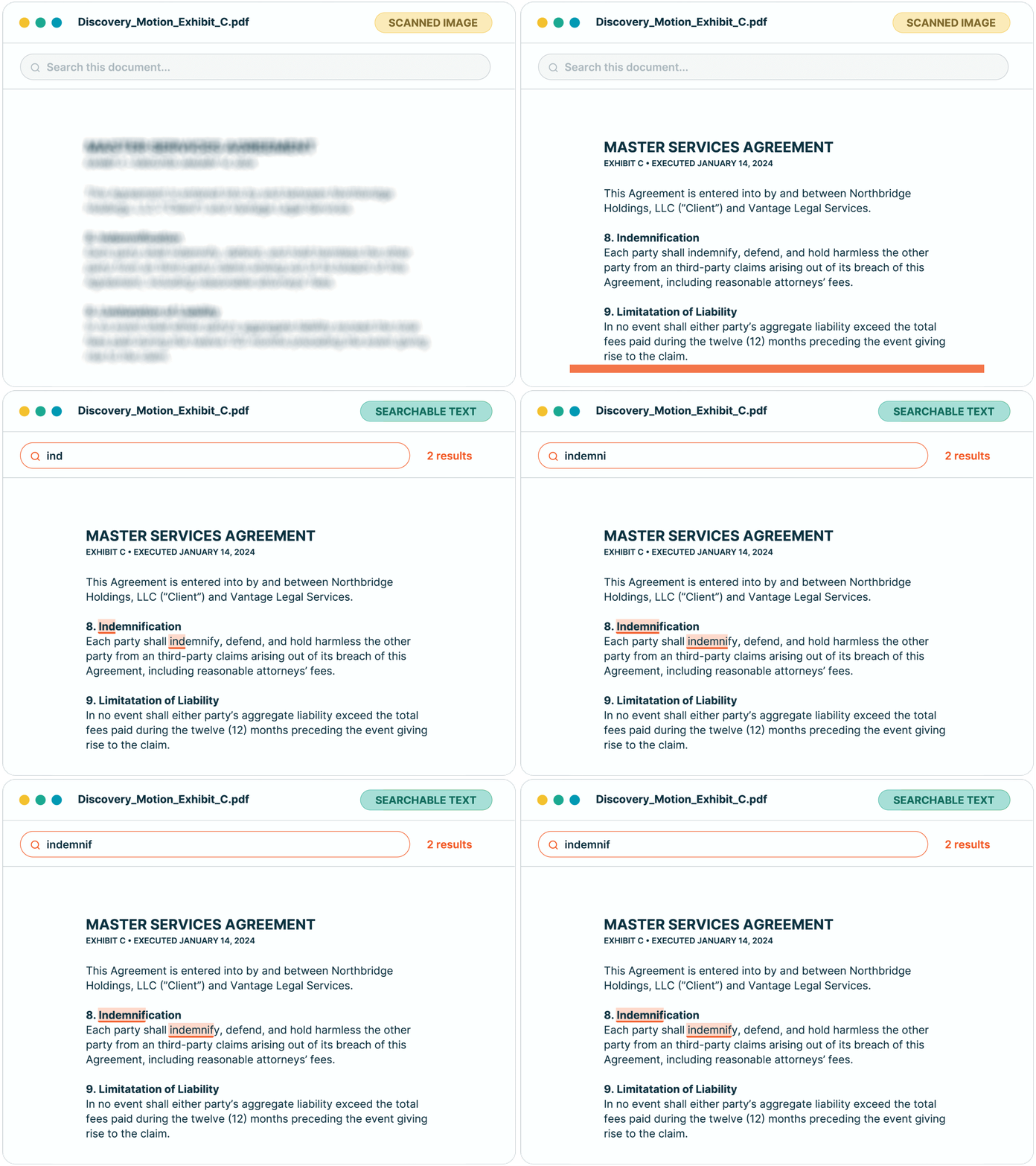
Numbered and bulleted lists now keep their formatting in messages, and documents stay marked as processing until indexing is complete.
Two inbound texts arriving at the same time from a new number now both land in the conversation, registered firms can text without a false "registration failed" block, linked Outlook emails show full content instead of a blank or signature-only message, and a single unreadable message no longer stalls an Outlook thread or batch sync.
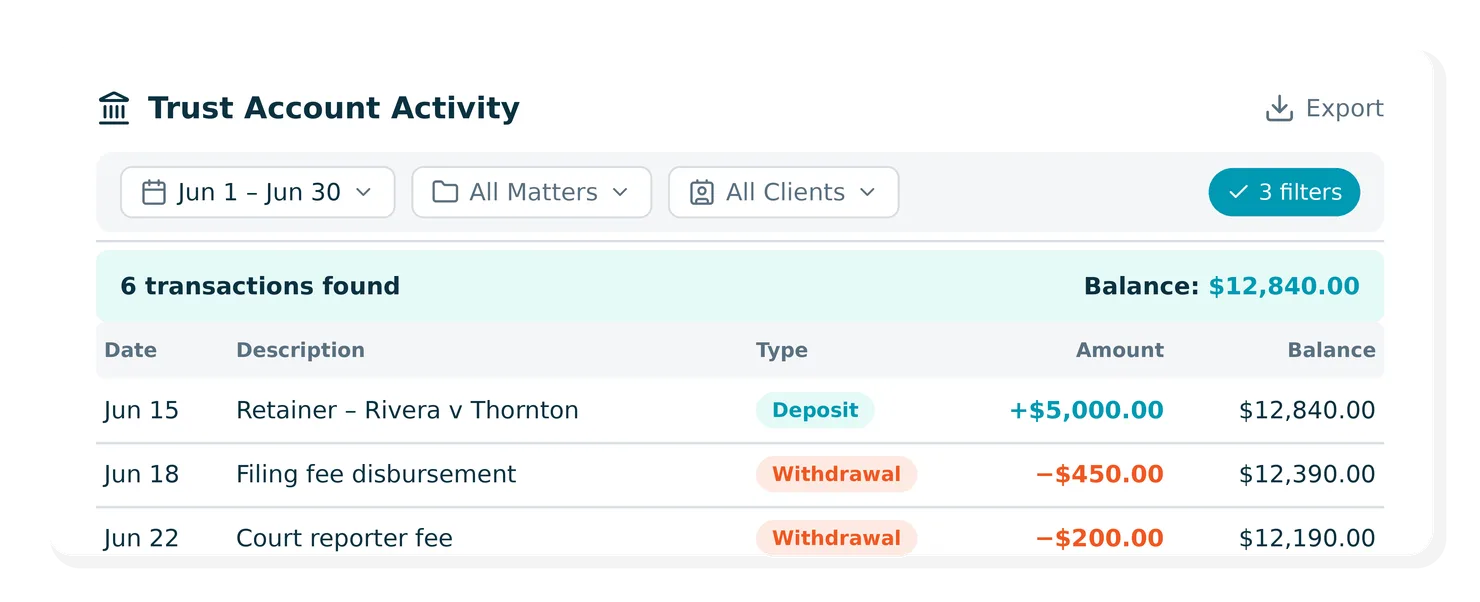
Each trust transaction now appears once on the Trust Account Activity report, so credits, debits, and running balances reflect true trust figures for reconciliation and compliance.
LEDES 1998B and PDF invoice exports now queue and download in the background instead of locking the screen while the file builds — so you can keep working, even on another page, and the download starts on its own when it's ready.
Clients who pay from an emailed invoice link now see every outstanding invoice on the payment page — so they can settle multiple bills in one transaction instead of one at a time.
Editing a bill or recording a payment now posts a single, clean cash journal entry — so your books stay accurate and reconciliation doesn't surface phantom duplicate transactions.
8am IQ now detects a stalled response and recovers it automatically, and chat history shows a spinner while an answer is still generating — so you get your answer without closing and reopening the sidebar.
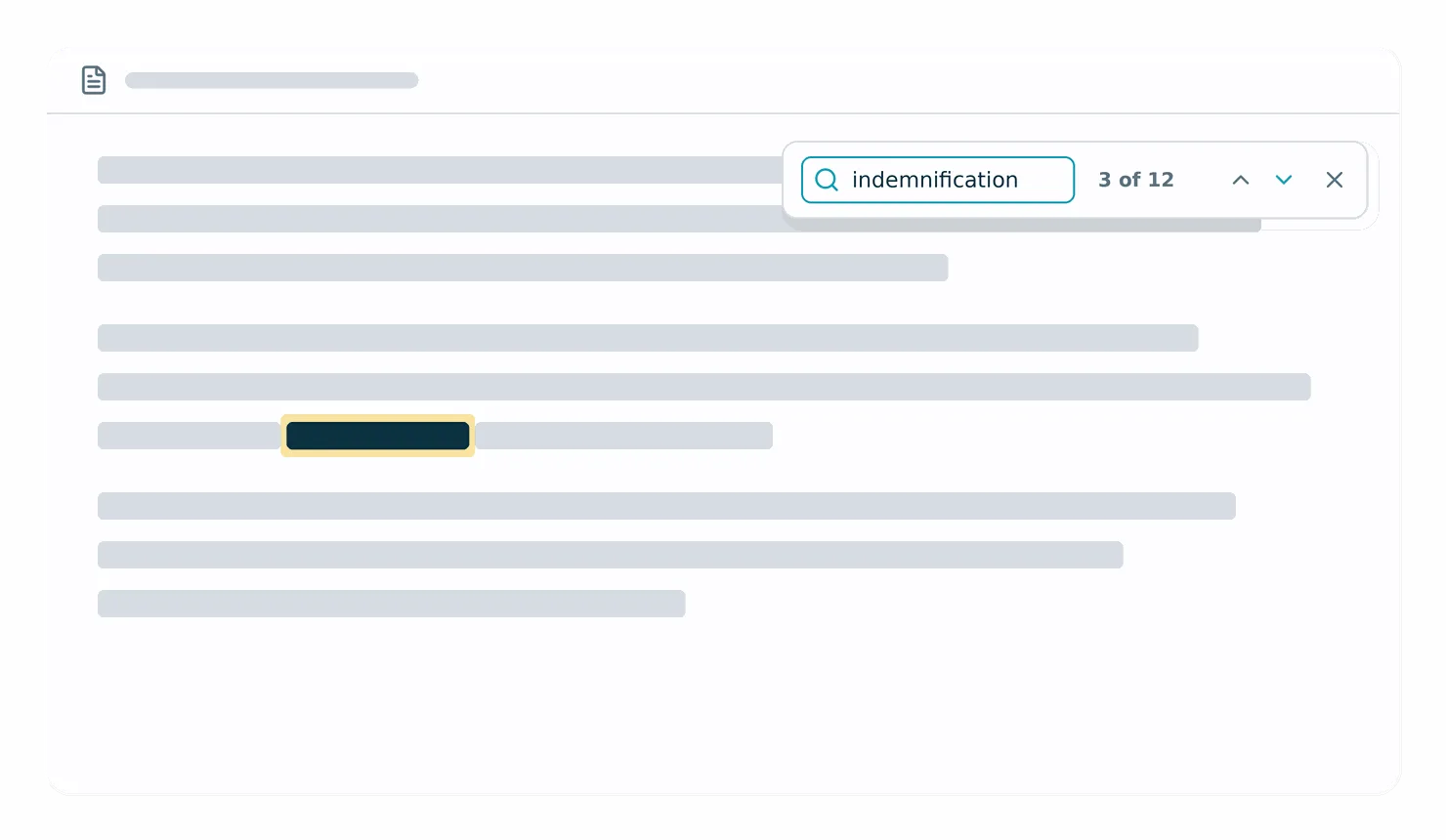
The Doc Gen template editor now has a find bar — open it with Cmd+F (or Ctrl+F), see a live match count, and jump between matches — so you can locate and check language in long templates without scrolling.
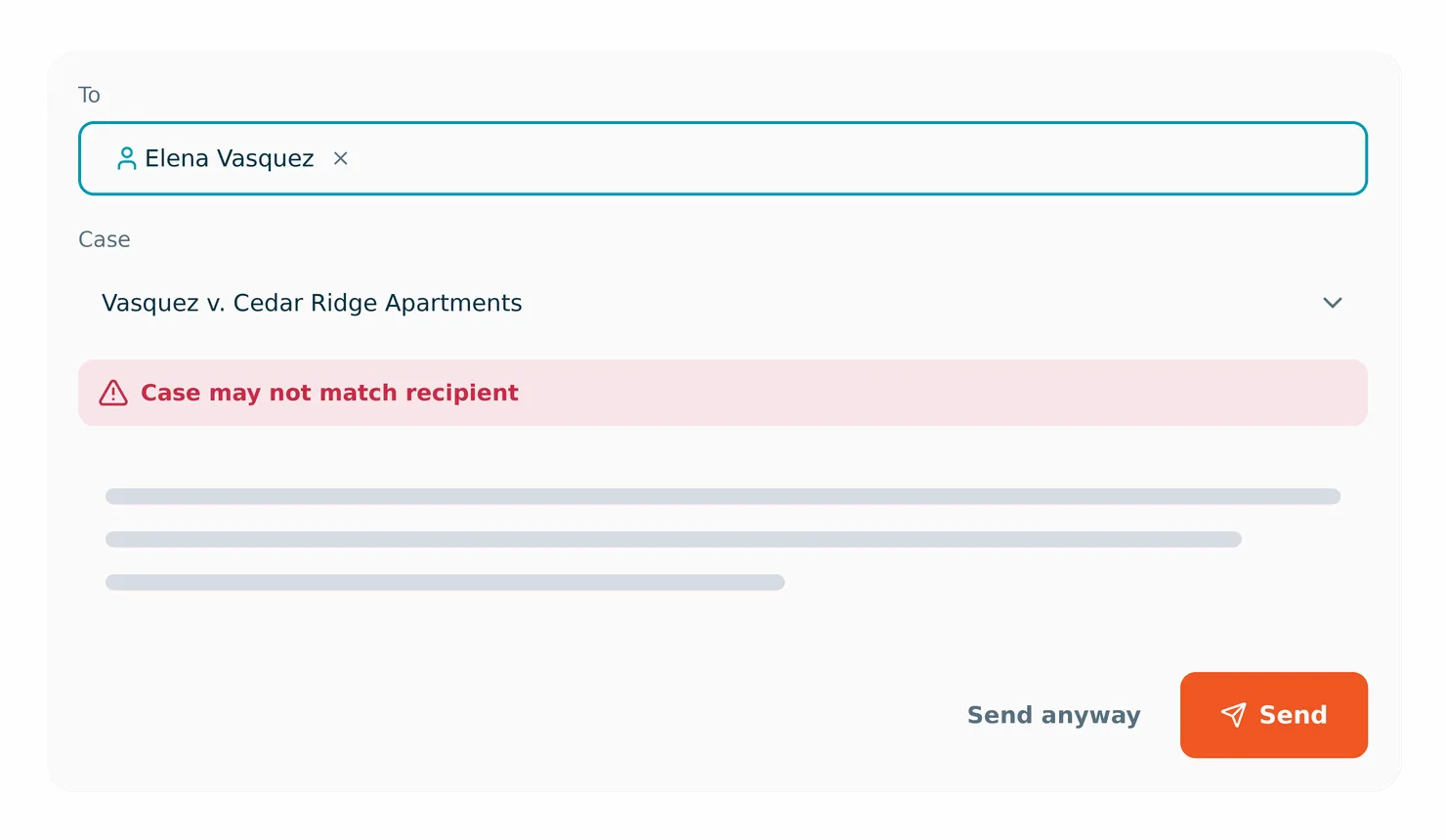
The New Message composer now groups a recipient's linked cases at the top of the Case field and warns you when the selected case doesn't match — so you can catch a misfiled message before it goes out. Sending is never blocked; you can always choose Send anyway.
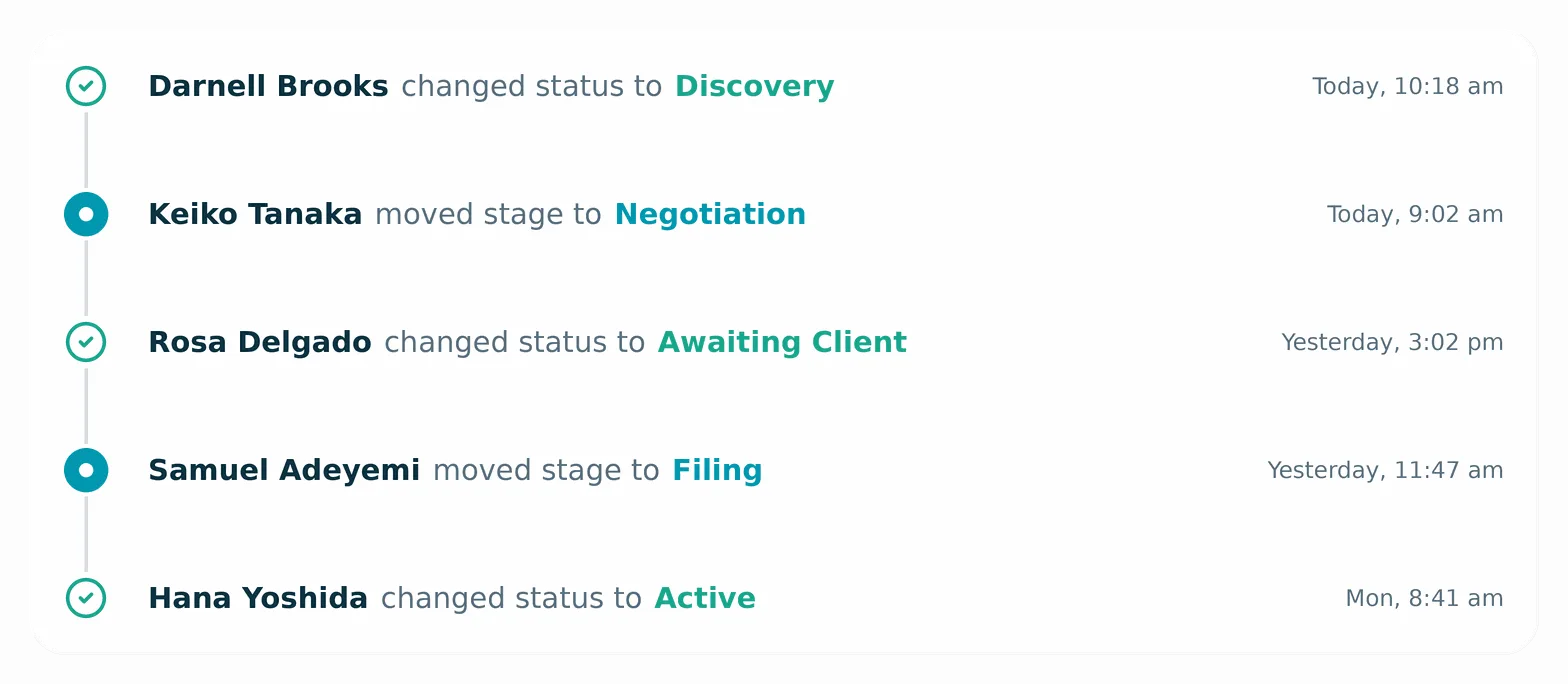
The Recent Activity timeline on a case now records who changed a status update or moved a case stage, and when — so the timeline is a complete audit trail of case progress, not just structured cards.
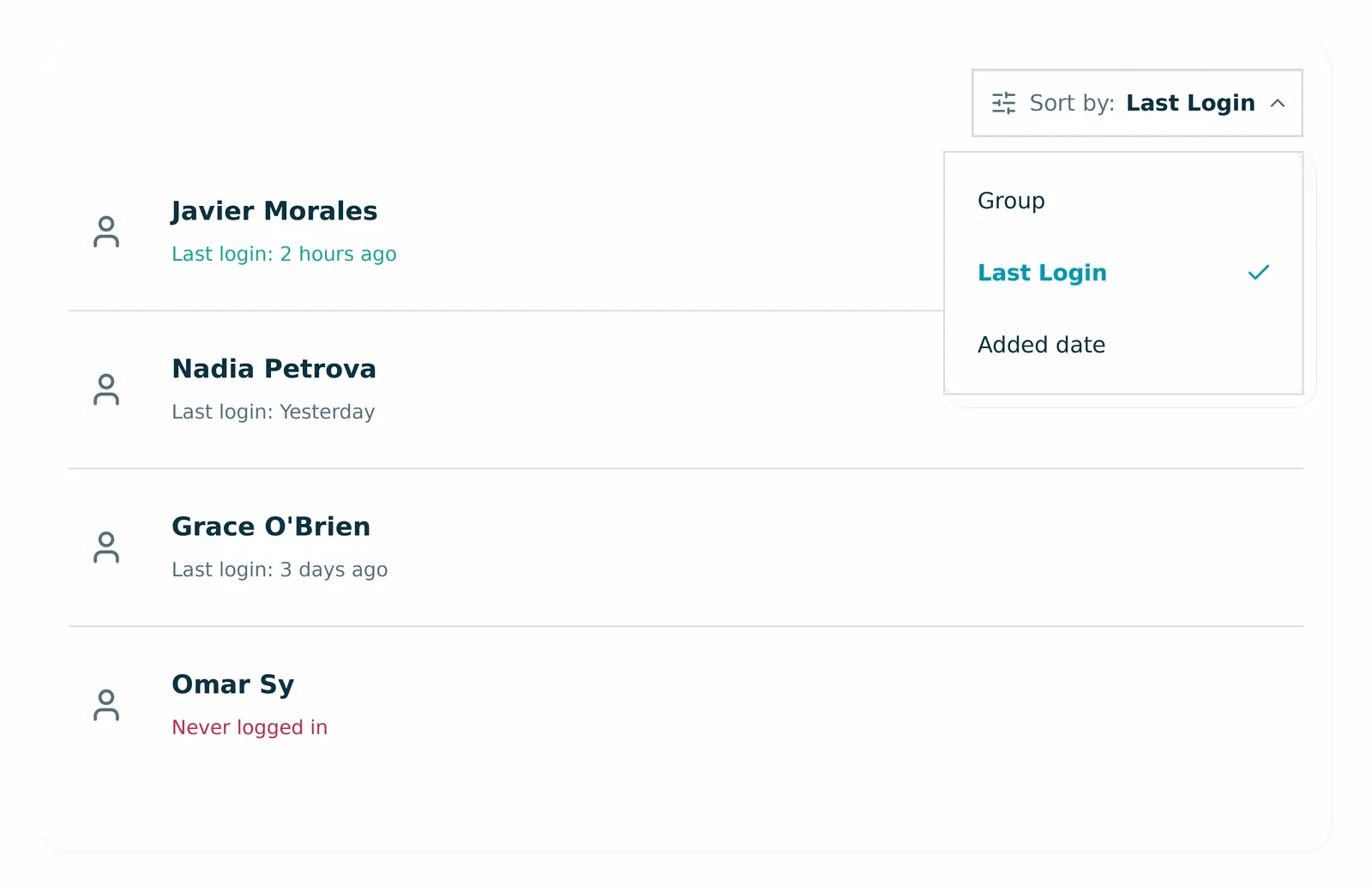
The Contacts page now sorts People by Group, Last Login, and Added date, and Companies by Added date — so you can quickly surface your newest contacts or spot who hasn't logged in.
YoCierge now runs medical record retrieval from a CasePeer case, so nobody on your team chases providers and completed records file back onto the case.
Finch's paralegals run intake through demand inside your own CasePeer account, so caseload can grow without adding support staff.
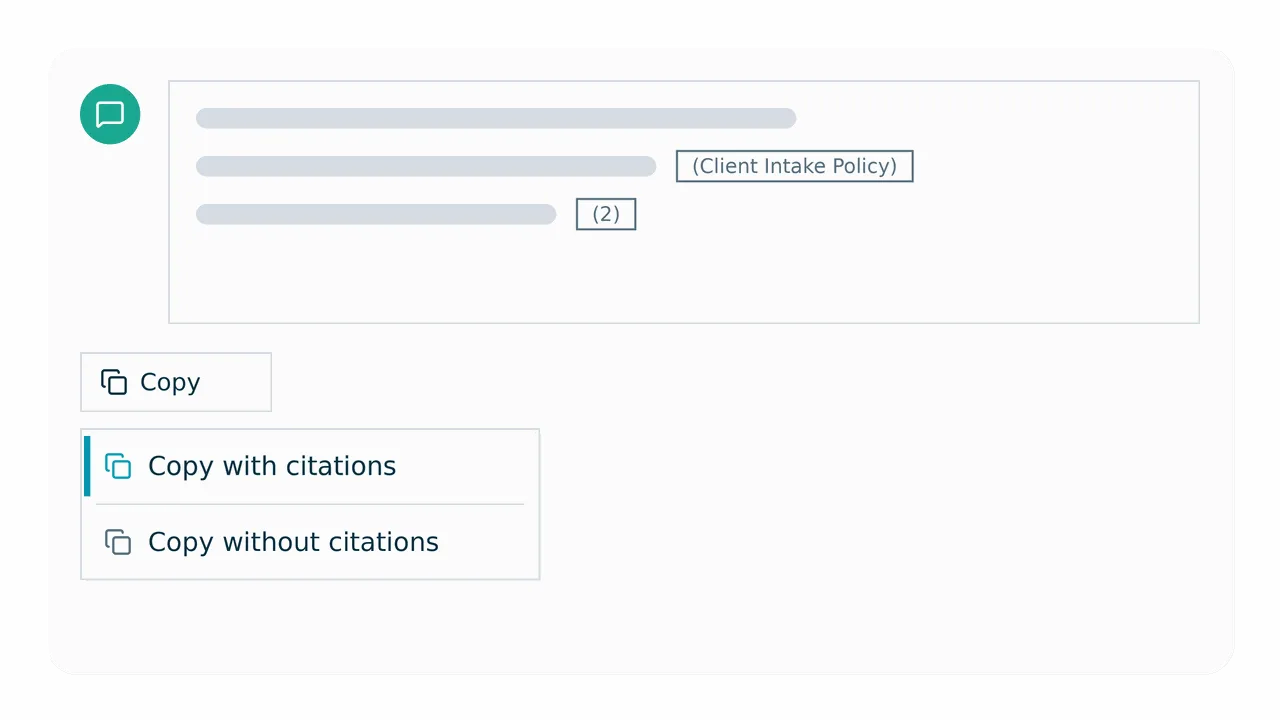
Copying an 8am IQ response now offers two choices — keep citations as the cited document's title in parentheses, or strip them for clean prose — so you can paste a polished answer or a fully sourced one, whichever the moment calls for.
A new AI drafting bar at the top of the New Message editor lets you prompt 8am IQ to write message content, then refine it with improve-writing, tone, translate, and summarize tools — so replies to clients start from a solid draft instead of a blank box. Requires a case linked to the message; rolling out to firms now.
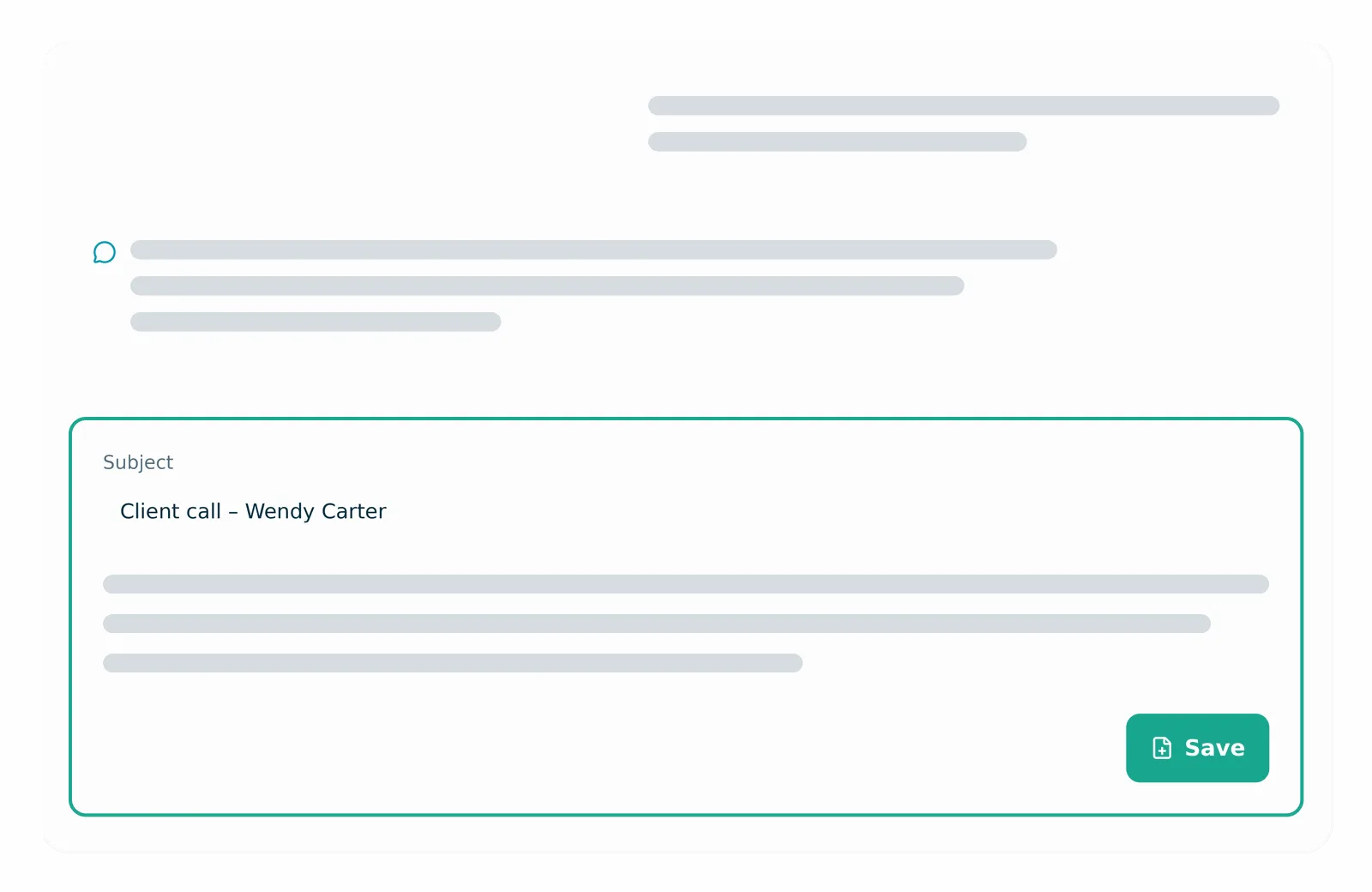
When 8am IQ drafts a case note, a card now appears in the chat sidebar with the subject and body and a Save button — so you can turn a chat answer into a saved case note in one click. Rolling out to firms now.
Select multiple time entries and reassign them to another active user in one action, so moving work across the team no longer means editing entries one at a time. Billed or restricted entries are skipped automatically.
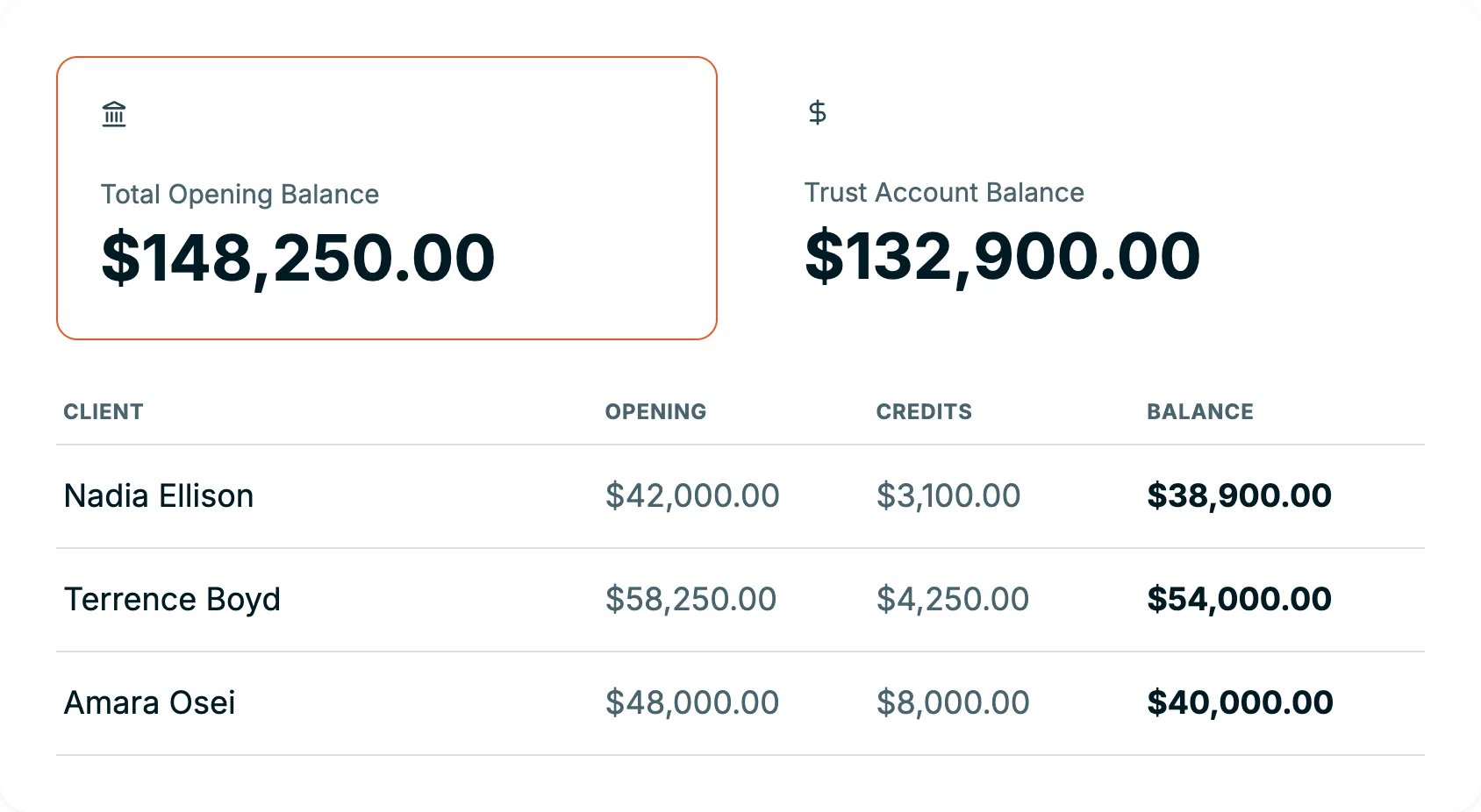
The report now shows a Total Opening Balance summary, and the Trust Account Balance reflects the true balance (opening plus credits minus debits) instead of only the change within the report period — so trust reconciliation lines up at a glance.
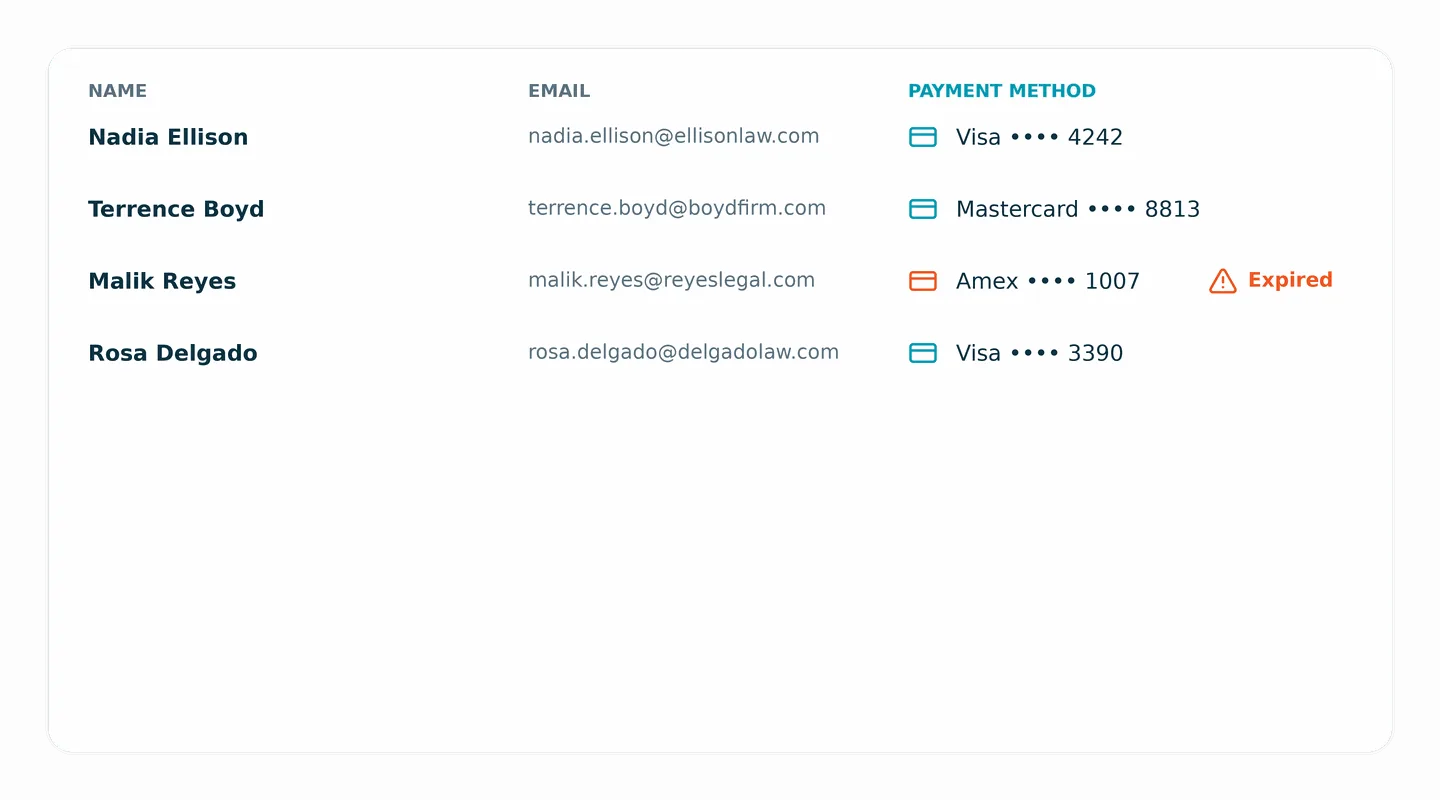
The Contacts > People list now shows each client's saved card type and last four digits, with a warning icon when a card is expired, so you can catch payment issues before billing. The column is sortable. Available to firms with the payment vault enabled.
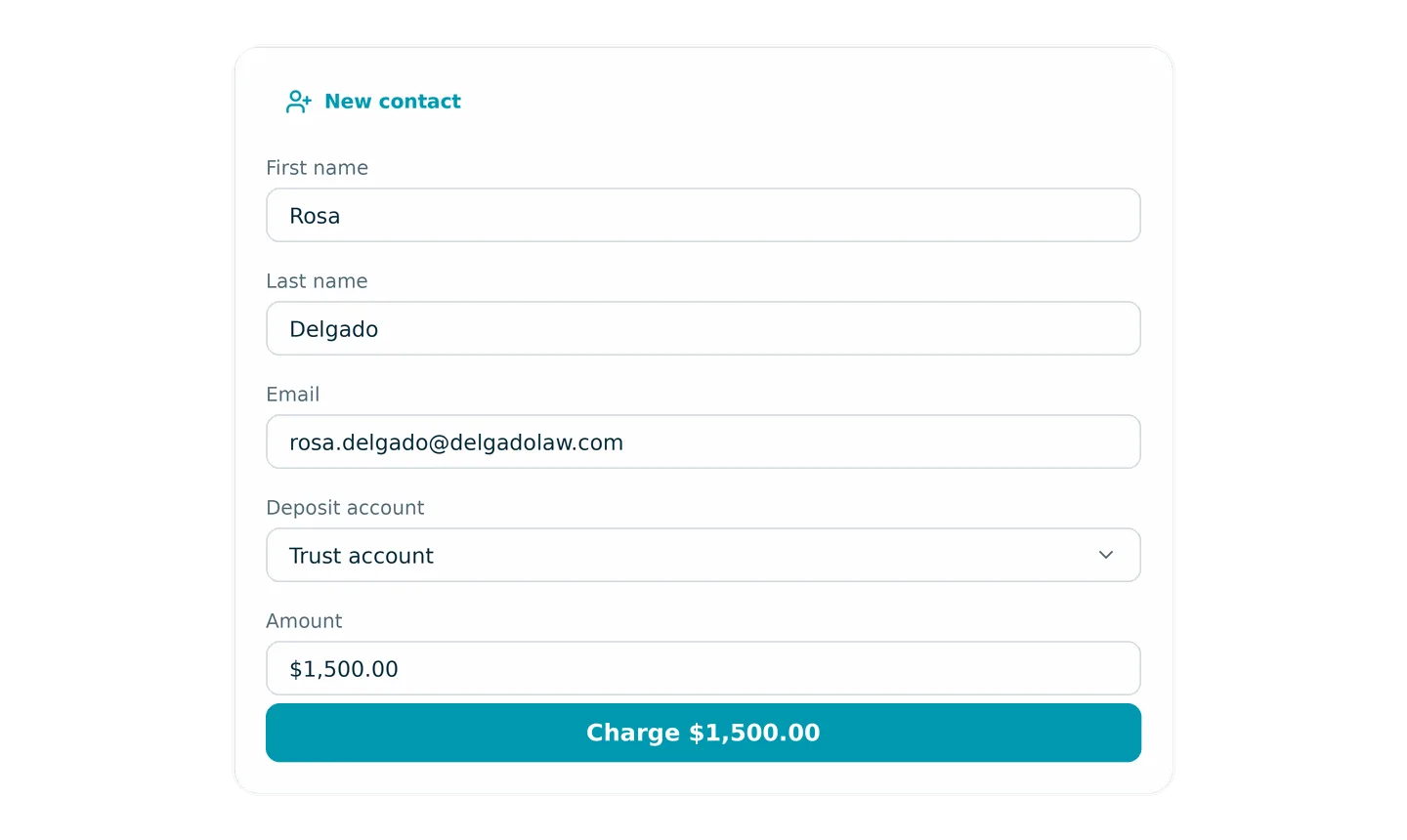
You can now add a brand-new contact and choose a deposit account directly inside the Charge a client flow, so you can collect from a first-time client without stopping to set them up first. Duplicate detection is built in.
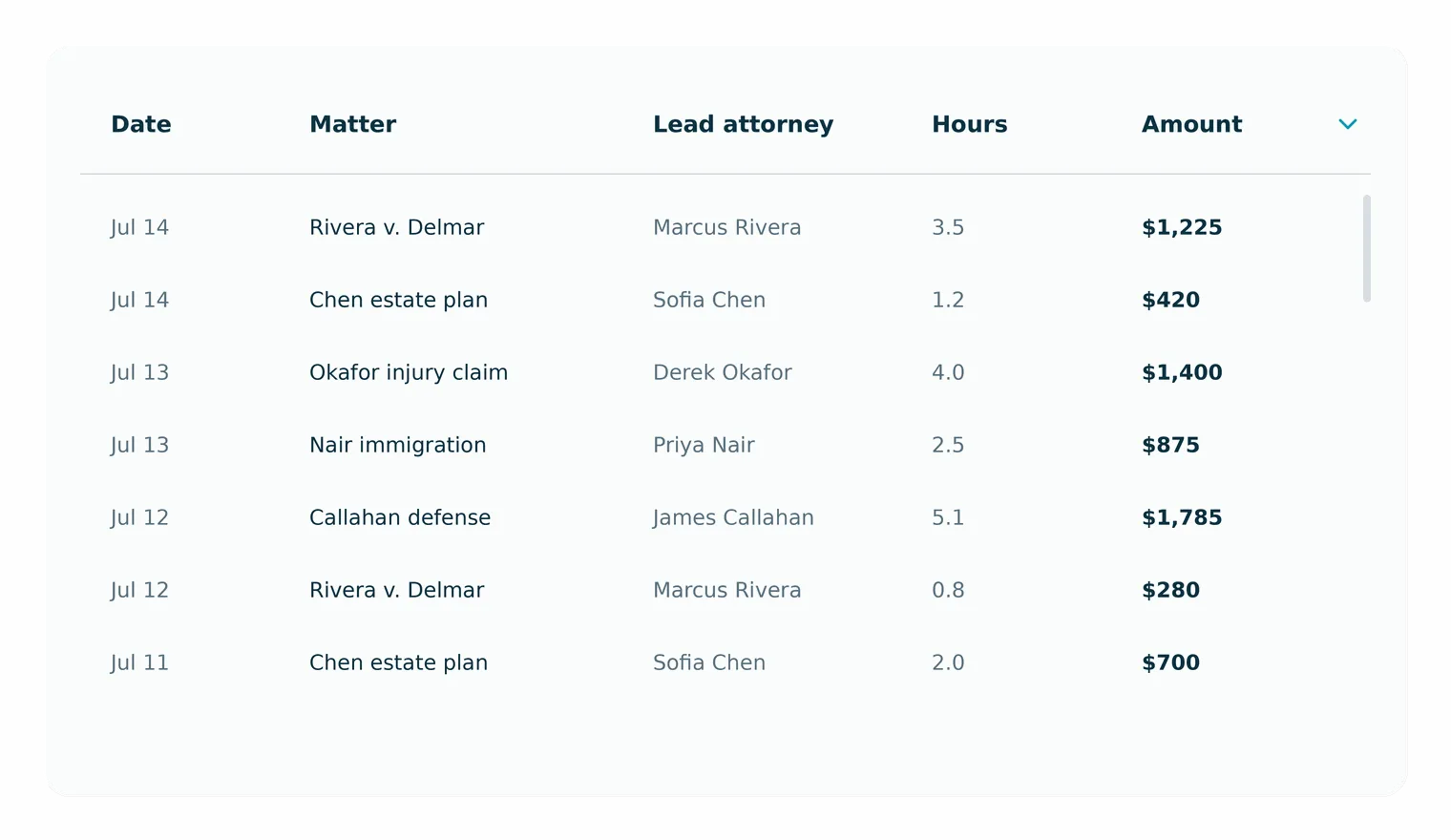
Report column headers now stay pinned at the top of the table as you scroll long reports, including grouped and nested Time & Expense reports, so you never lose track of which column you're reading.
Clients now see and pay only the invoices you've shared with them, so unsent and draft invoices no longer surface on portal payment pages. Anonymous payment links show only the single invoice tied to that link.
Restricted lawyers now see only the cases to which they're associated in customizable Case List and Event reports — across rows, totals, and counts — so per-case confidentiality holds in reporting. Full-access lawyers and accountants are unchanged.
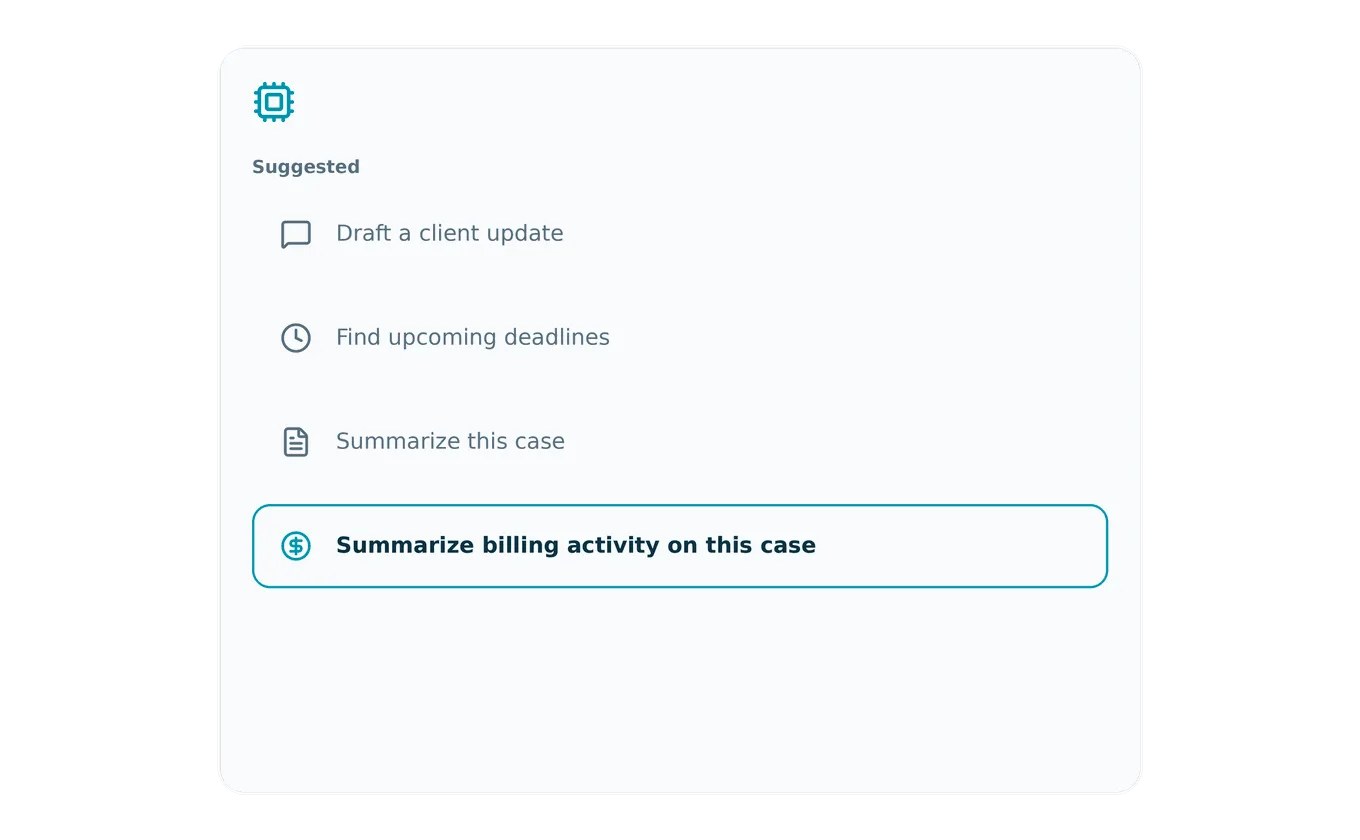
Case Assistant now offers a "Summarize billing activity on this case" prompt that returns outstanding and overdue amounts, recent invoices and payments, unbilled work in progress, and trust and credit balances — so you get a billing status read in seconds. Visible to users with billing permissions.
When a user has only one issued card, the unlock control now appears on the single-card view, so cardholders with card-management permissions can unlock it without needing multiple cards present.
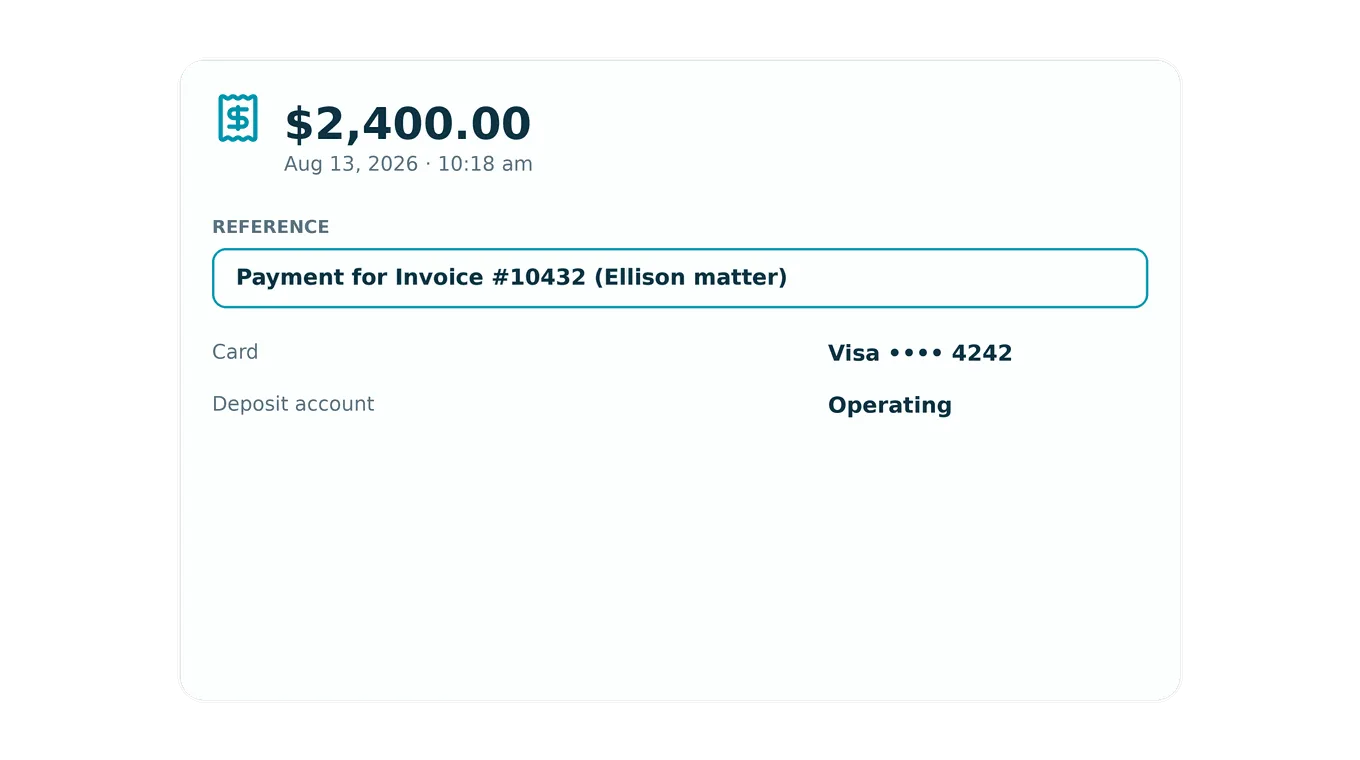
When a client pays an invoice, the LawPay transaction reference now always starts with "Payment for Invoice #<number>," so payments are easy to match back to their invoices on transaction records and receipts. Any payer note appears in parentheses after the number.
The calendar displays events more dependably: dark event-type colors stay readable in Monthly view, imported and untyped events remain visible with event-type filters applied, and the timesheet updates immediately after you log time from Quick Actions.
Importing and undoing imports is smoother: undo reverses trust balances correctly, shows live progress without a page refresh, and re-importing the same file on LawPay-synced firms restores contacts instead of erroring on duplicates.
Check printing is more consistent across layouts: Trust Withdrawal and Bill Payment checks use your configured layout, horizontal alignment shifts fields in the direction you expect, and the Raised and Lowered Standard layouts save without false errors.
Payments and invoices stay in sync with LawPay more consistently: credit-account retainers deposit accurately and appear in Credit History, consultation-fee bills sync at the right amount, QuickBill and retainer requests surface the actual rejection reason, and edited invoices keep a single, up-to-date PDF and total.
Trust and billing reports are more dependable this cycle: the Trust Account Activity Report shows accurate opening balances and keeps same-named clients separate, the Case Balance Summary no longer shows negative trust under case groupings, and the Time & Expense, Aging Invoices, and Work in Progress reports load reliably for larger firms.
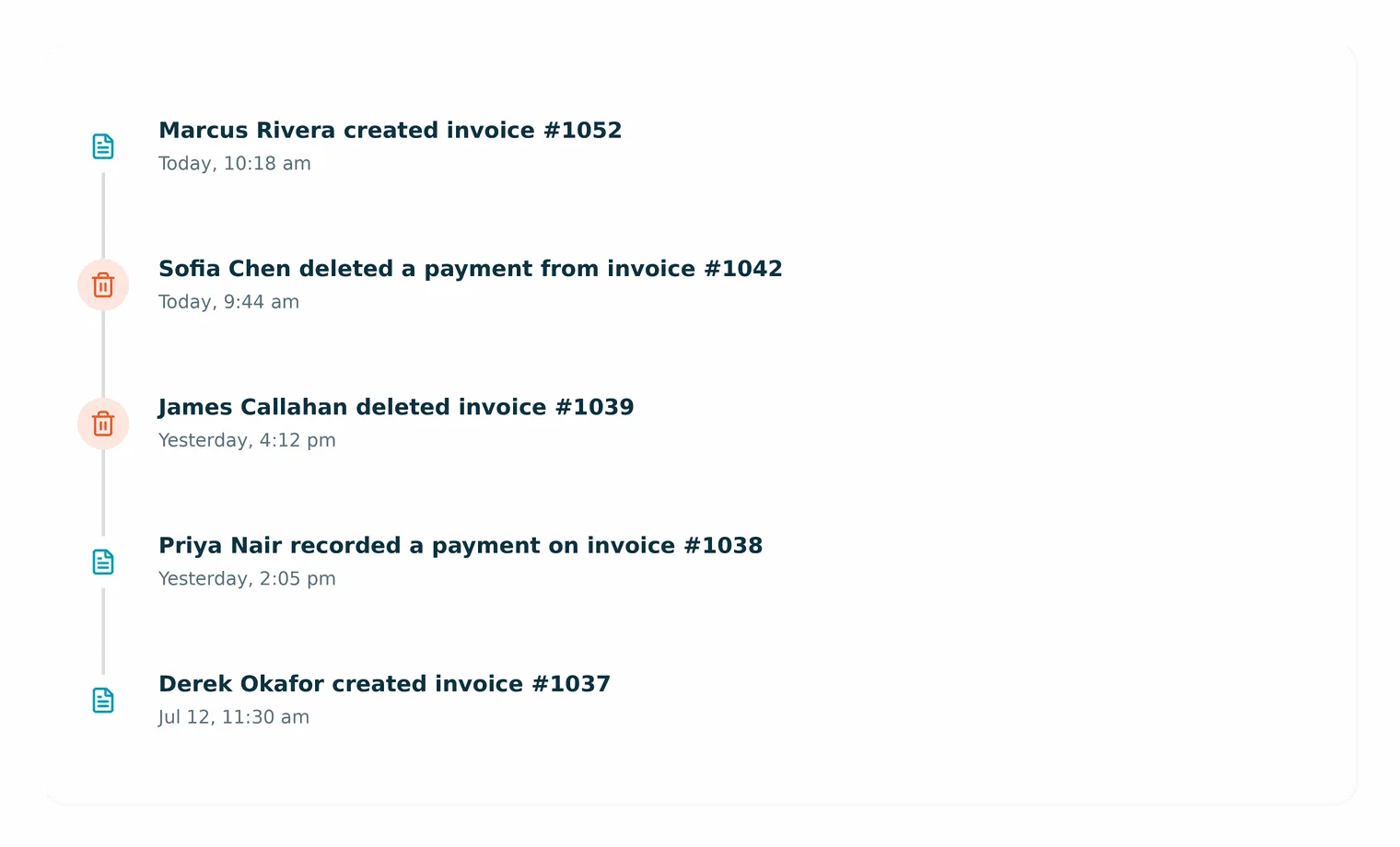
Deleting an invoice or payment now records the event on the case Activities tab and keeps the original creation entry, so every case keeps a complete, readable history of billing changes.
The customizable Case List Report now shows firm staff only the cases they're assigned to — across rows, totals, and counts — so case visibility matches each person's access level in MyCase.
The Trust Account Summary grand total is now the same whether you group by attorney or by client, so your trust reporting reconciles no matter how you view it.
Several everyday screens are steadier this cycle: failed report runs now show an error immediately instead of spinning, the bank reconciliation Categorize button stays enabled after you pick a GL account, the invoice bulk Actions button keeps working after browser back-navigation, and the dashboard loads even when a user's name contains special characters.
When you recharge a LawPay transaction, the Notes field now carries over the original transaction's reference, so recharge receipts keep the right context instead of coming through blank. The field stays fully editable.
Finishing Smart Spend onboarding now refreshes your session automatically, so updated roles and permissions take effect right away instead of requiring you to log out and back in.
When a staff member is archived or deleted in a Smart Spend–enabled firm, that change now syncs to Smart Spend automatically to remove the user and lock their cards, keeping card access aligned with your active roster.
Firms reporting more than $10M in annual revenue can now complete Smart Spend onboarding — the earlier eligibility block on higher-revenue firms has been removed, so more firms can apply.
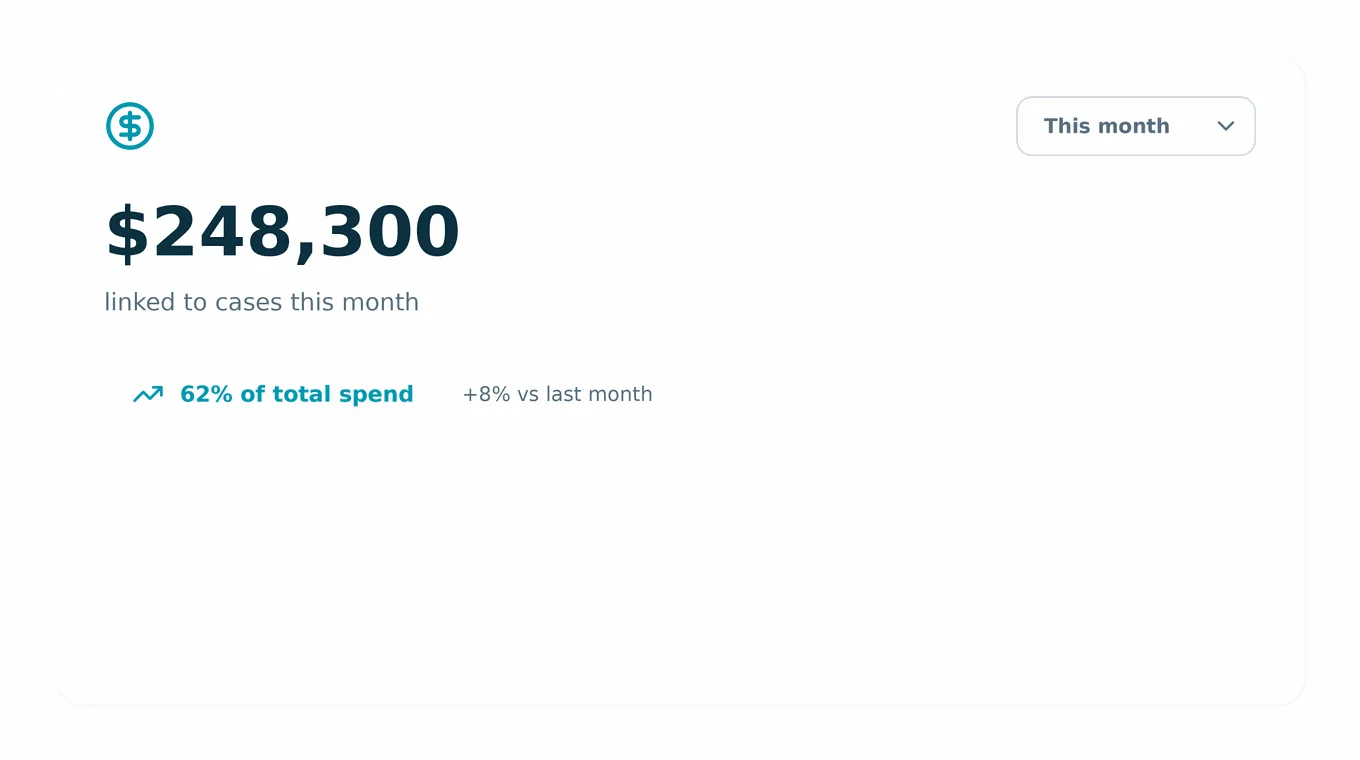
The Admin and Reviewer dashboard now includes a Spend Insights card showing how much spend is linked to cases and what share of total spend that represents, with this-month, last-month, and year views plus a period-over-period comparison.
Document and integration workflows are steadier this cycle: large uploads through partner integrations no longer time out, Dropbox root-folder setup is searchable and keeps case folders in the right shared location, auto case notes list each uploaded filename only once, and sending selected costs to QuickBooks Online completes reliably.
The Case Statistics, Productivity, and Firm User Activity reports now load and scale more efficiently — using the same on-demand pagination as other reports — so the team reaches billing, oversight, and productivity insights faster, even with heavy history.
If a case's OneDrive folder is deleted or disconnected, CasePeer now shows a clear message right away instead of stalling, so you know immediately that you need to reconnect it.
Downloading or sharing batches of case documents and photos over 1 GB now completes reliably, so large evidence and record sets come through in one go.
Signature requests with multiple signers now move reliably from one signer to the next, so agreements that need several signatures complete without stalling after the first person signs.
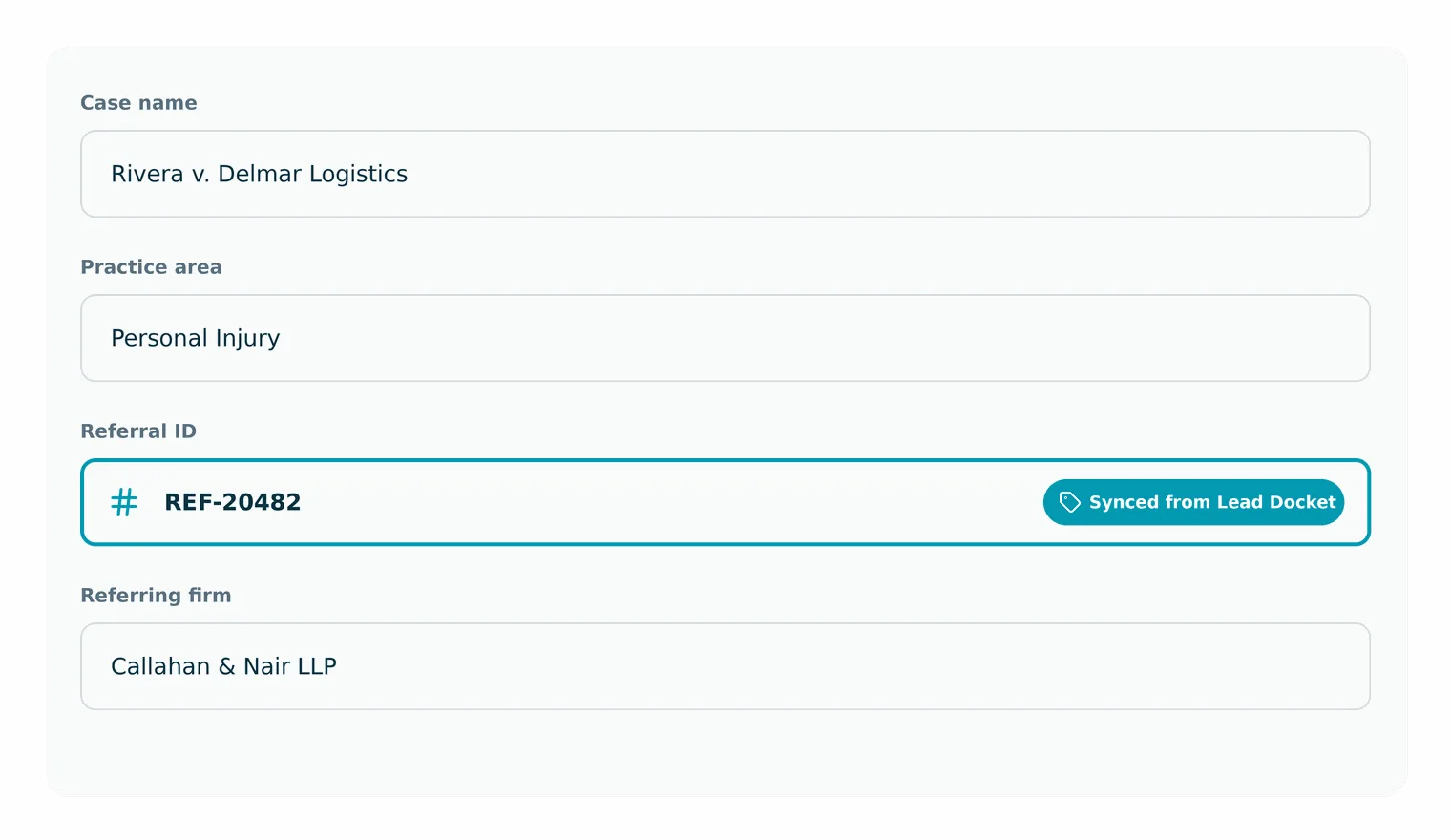
You can now add a unique Referral ID to any case — typed in manually, synced from Lead Docket, or set through Zapier — so referral fee-splitting agreements are far easier to reconcile.
The settlement fee percentage dropdown now includes 38.33%, so firms on that contingency rate can select it directly instead of calculating the split each time.
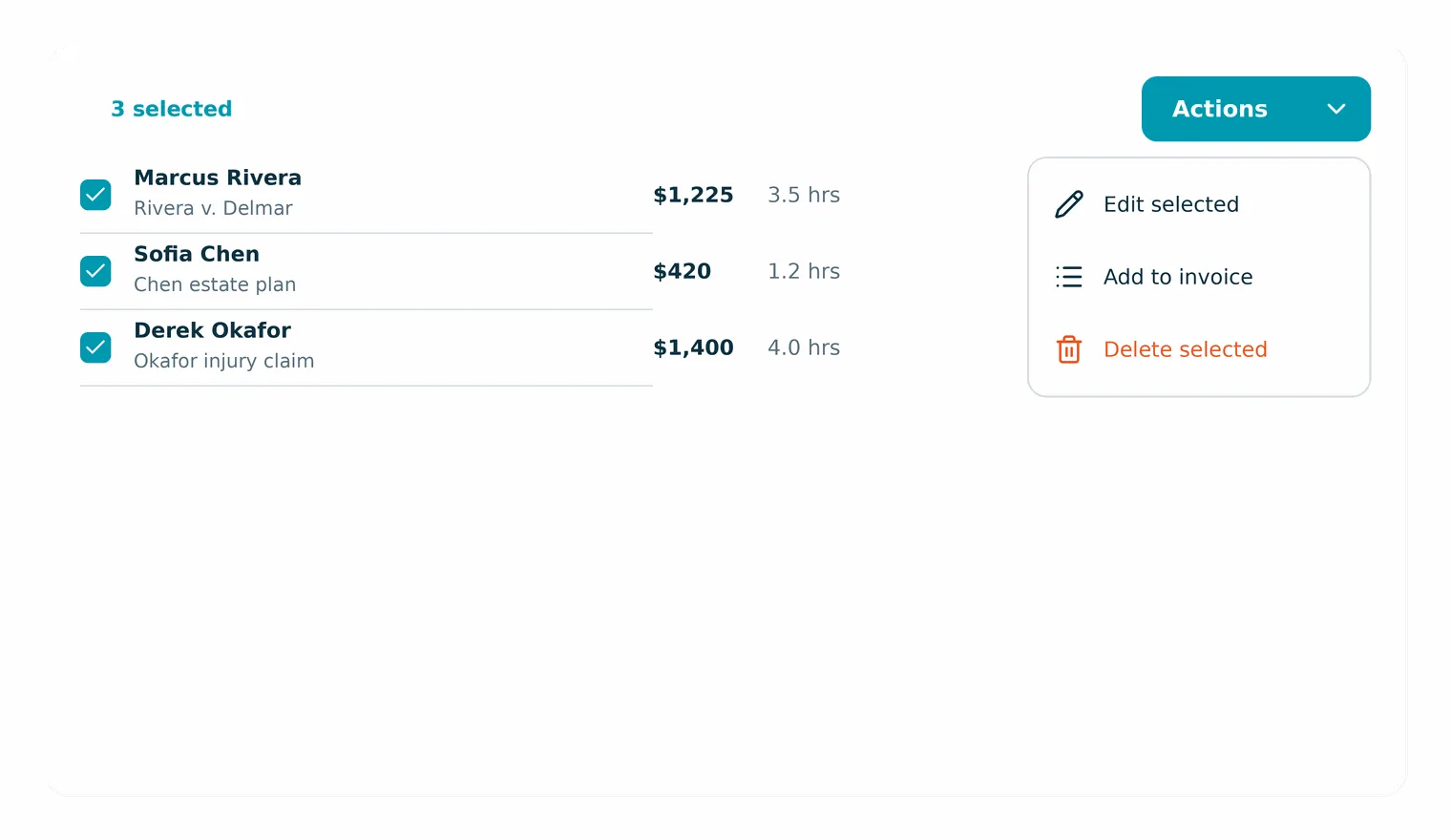
The Time Entries billing page now groups bulk actions under one Actions menu, matching Expenses, so you can delete several entries with a single confirmation and see the list update instantly with a summary of what changed.
The customizable Case List Report now shows firm staff only the cases they're assigned to — across rows, totals, and counts — so case visibility matches each person's access level in MyCase.
The Case Balance Summary report now reports true client trust balances when grouped by lead attorney, practice area, office, case stage, or revenue account, so the trust figures you rely on for compliance stay accurate.
Column headers now stay pinned to the top of the table as you scroll long customizable reports — including grouped and nested views like Time & Expense — so the column header is always in view.
The Firm Inbox loads consistently, message template editors open at full height, unread counts update right after you reply, global search recovers instead of hanging, and firms with approved A2P registration can send texts without being blocked.
Several additional reporting improvements: modernized report exports now download reliably, respect per-case permissions, and match on-screen columns; the Work in Progress report stays stable while loading; and "is not" filters, client grouping, and clickable invoice numbers all work across reports.
Transaction Report summaries now include Venmo, Zelle, Cash App, and wire transfers in dollar totals, so offline revenue reflects what the firm actually collected.
Trust and Credit Account Activity reports now show correct opening balances and totals across every view, flag rejected payments, and display full invoice numbers, so reconciliation matches reality.
The transactions table now displays the case for trust payments once reconciled, so allocations are easy to trace.
A voided or rejected payment now correctly reduces the invoice's paid amount, so balances stay right even when the reversal arrives first.
Firms now have a Feedback and Support link in the left nav that opens a dedicated support page where you can submit product feedback.
Every bank-account dropdown now shows operating accounts before trust accounts, each sorted alphabetically, so you pick the right account faster.
Firms that never set up message templates now start with two ready-to-use ones — a new-client welcome and a retainer replenishment reminder — so you can send polished messages right away.
A company's main phone number now shows as a click-to-call link on a case's Contacts & Staff tab, so you can reach a company without opening its profile.
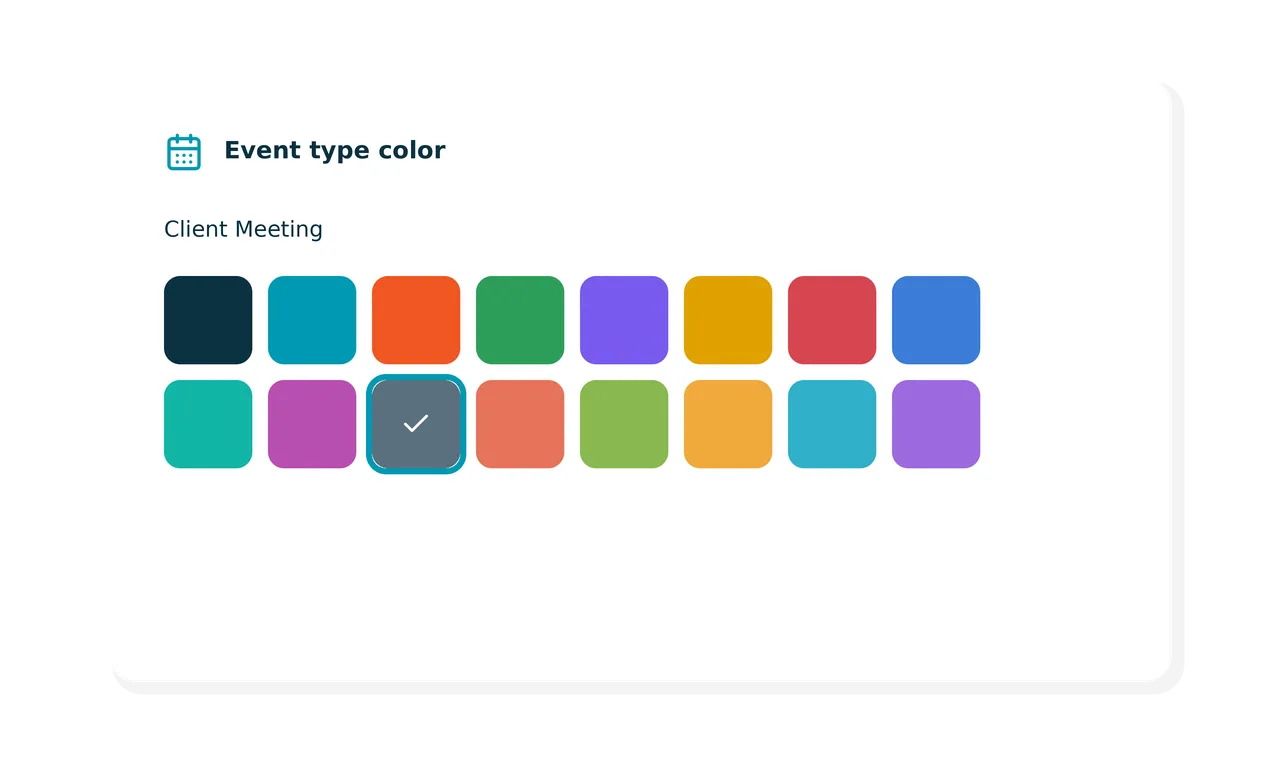
You now have an expanded palette when customizing calendar event types and firm-user calendar colors, so your team can color-code schedules with more precision.
Opening a new call from a case now auto-fills the person called and their phone number from the case's first client, so logging outgoing calls takes fewer clicks. Every field stays editable.
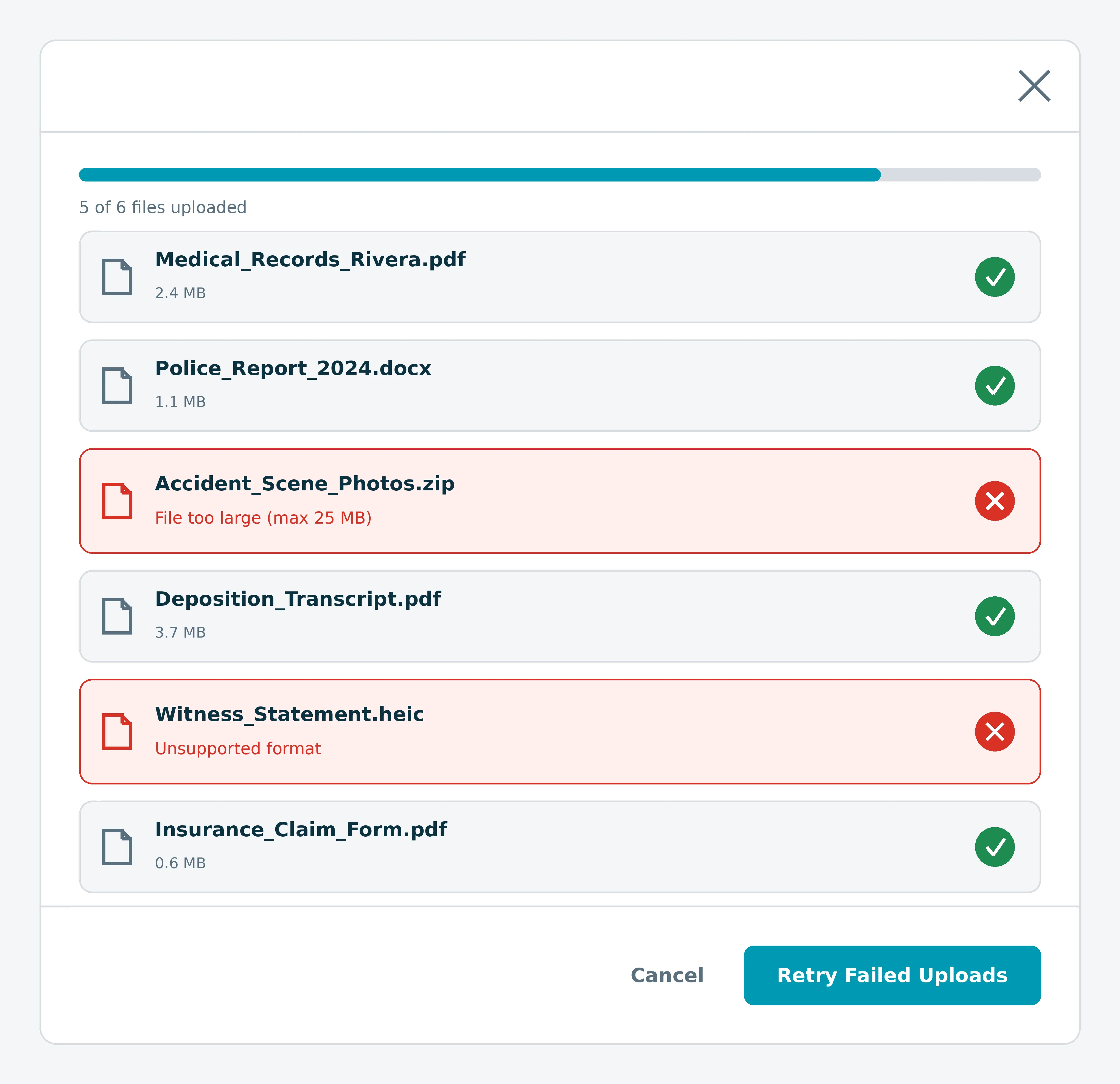
When one or more files fail to upload, CasePeer identifies each file that didn't complete and adds a case note automatically. Your team can resubmit the right files immediately and keep the case moving, without reprocessing an entire upload.
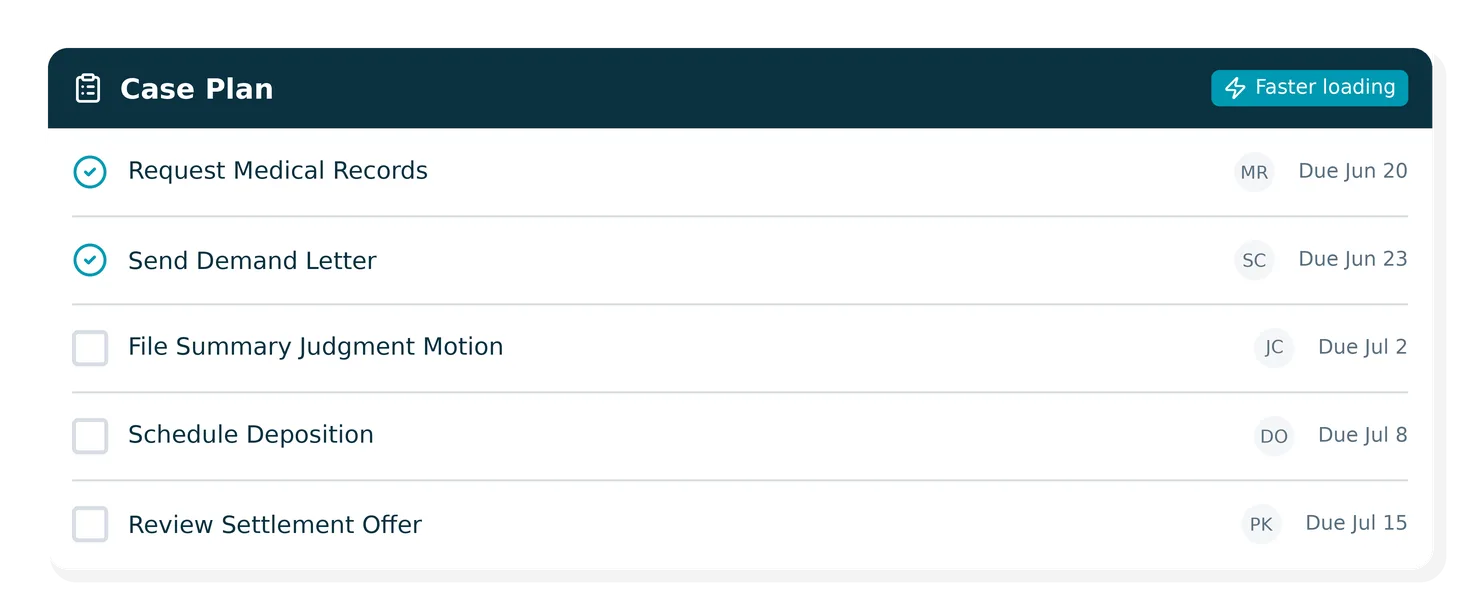
Case Plan Tasks now load significantly faster, so staff can move across matters without waiting for the page to catch up. On high-volume days, that lag adds up.
Templates assigned to an office or team now appear reliably for all authorized team members, so your staff can access shared demand letter and intake templates whenever they need them. Learn more.
Time zone information is now recorded when bulk-completing tasks with a time entry, so time data stays accurate for staff across all offices and regions.
The Intake Report now loads and responds more quickly, so your team can review incoming matter data and act on leads before momentum stalls. Particularly useful during high-volume intake windows when every minute of delay has a cost. Learn more.
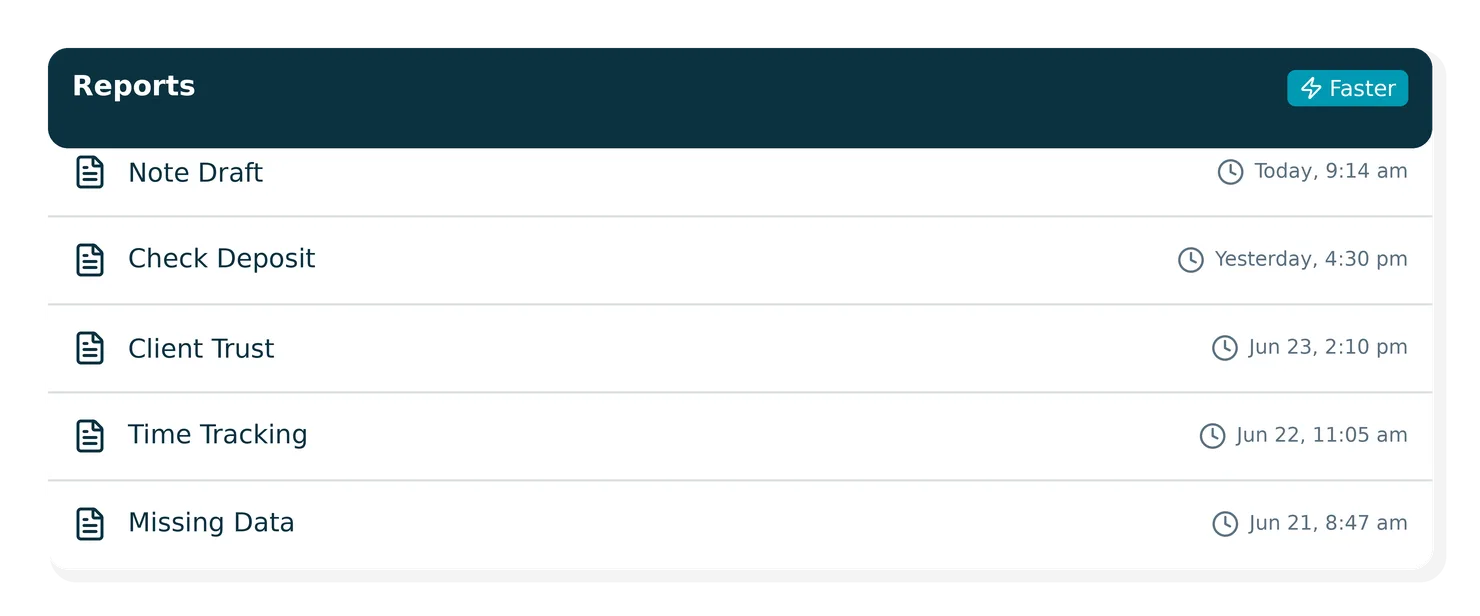
Note Draft, Check Deposit, Client Trust, Time Tracking, and Missing Data reports now load and respond more quickly, so the team members who rely on these reports for billing, compliance, and case oversight get to decisions faster.
The Cards and Transactions pages now show loading indicators while data fetches and descriptive text when fields are empty, so you always know what's loading or missing.
Selecting Copy card #, Copy expiry, or Copy CVV now works reliably when switching between cards, so you can pull the details you need without interruption.
When a session expires, the app now redirects to the login page automatically, so you can sign back in right away.
You can now create and update contact records, including addresses, phone numbers, email addresses, and websites, through the CasePeer Partner API.
Caseworker record updates now save every time Changes to caseworker information save successfully across all cases, so your team can update records and move on.
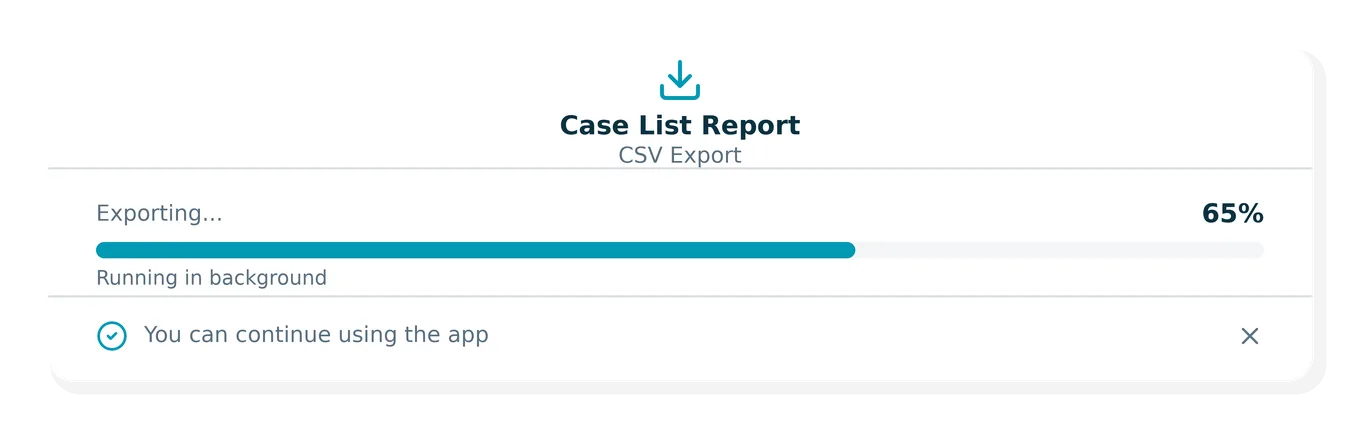
Exports from the Open Cases Report now complete successfully across CSV, Excel, and email.
The Open Cases Report now loads faster for firms managing cases with multiple linked matters, so the capacity and case status picture you rely on for business decisions is ready when you need it.
CSV and PDF exports for large reports now run as background tasks with a progress bar, so exports finish without timing out.
Discovery Assistant uses optical character recognition (OCR) to automatically index scanned and image-based files (PDFs JPGs, PNGs, TIFFs), making them searchable in MyCase, the moment they're uploaded.
"Last run" time on reports now reflects the timezone set on your account.
When you delete a cash or check payment in MyCase, the corresponding record is removed from LawPay automatically. keeping your payment data consistent across both solutions.
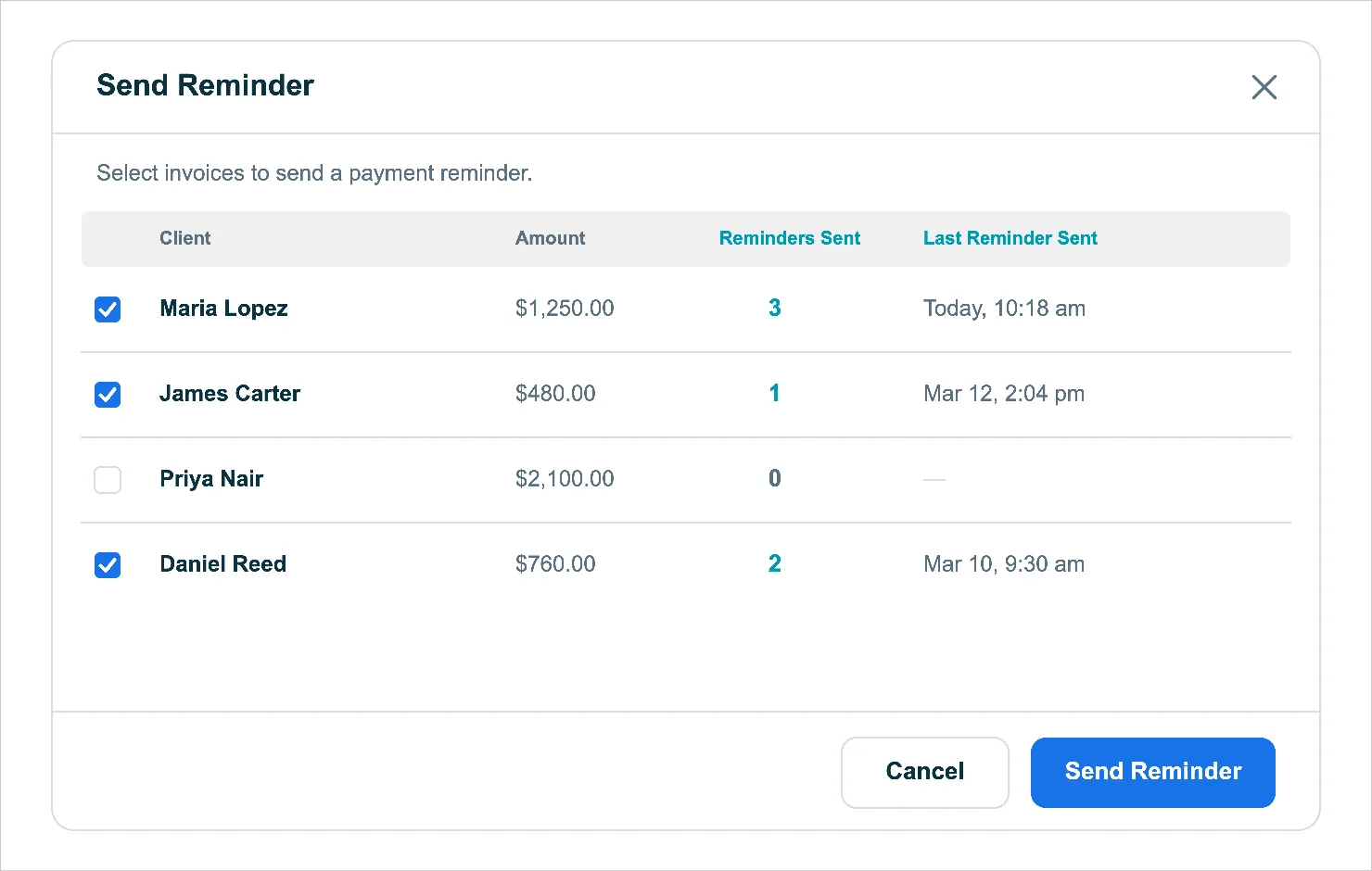
The Send Reminder modal on invoices and quick bills shows how many reminders have been sent and when the last one was sent — so you always know where each client stands before following up.
Notes entered on a bill in MyCase now pass through as the charge reference in LawPay's dashboard and receipts — giving you better context on every transaction. Bills without notes continue to use the auto-generated reference.
CSV exports from Firm, User, and Case Time & Expense reports now include User and Type as the first two columns. The in-app view and PDF exports are unchanged.
Search bar no longer applies auto-correct, auto-capitalize, or spell-check, so what is typed is exactly what gets searched.
Headings within AI-generated responses for 8am Case Assistant now appear at an appropriate size relative to the "8am IQ" title, keeping the sidebar layout clean and easy to read.
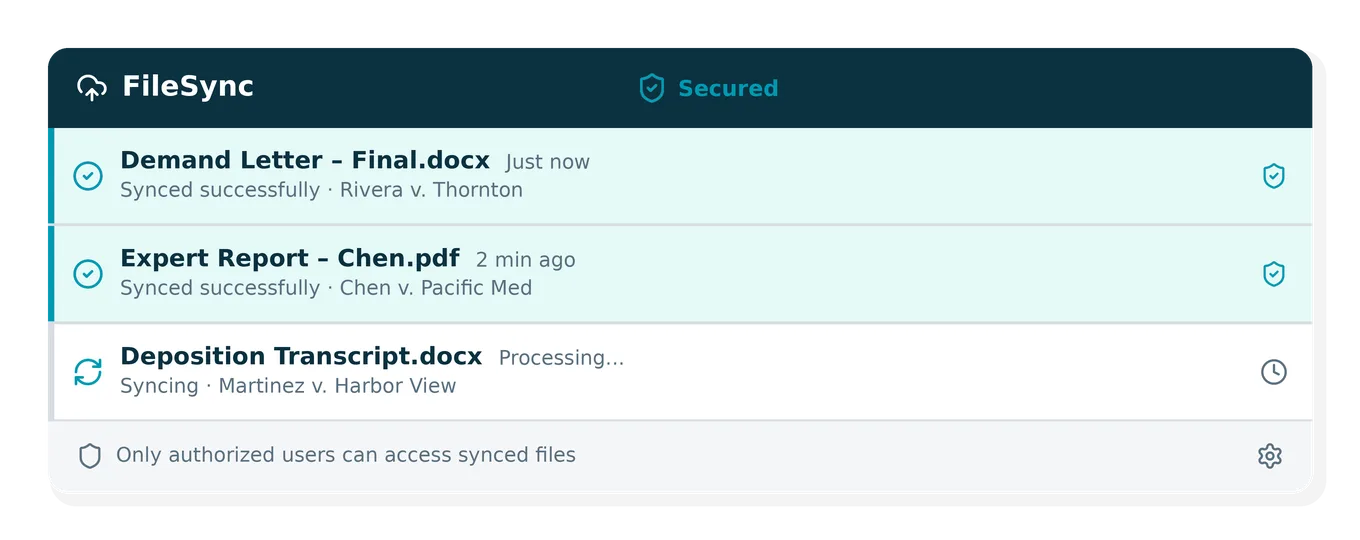
The latest version of FileSync surfaces desktop notifications for file activity and includes security enhancements for a more reliable and secure sync experience.
The document category and file location admin page now loads more quickly, providing a faster experience when managing storage settings.
MotaWord brings certified document translation directly into MyCase, so firms can request, track, and receive translations without breaking case flow.
Document tagging has been updated to ensure files are always stored in the intended location when tagged.
The Case Status & Rejected Cases Report, E-signature Templates, and the Office & Team Admin page now load faster and handle large datasets more efficiently.
Third-party integrations can now search contacts by name before creating new ones, reducing duplicates. Connected tools also have access to additional lookup data — expert witness types, treatment categories, and yes/no/maybe values.
Firms can now send bulk invoice emails without needing to open each individual invoice.
EDEX Mailing + MyCase lets firms send and track USPS legal mail from each matter with proof of service, synced costs, and no manual prep.
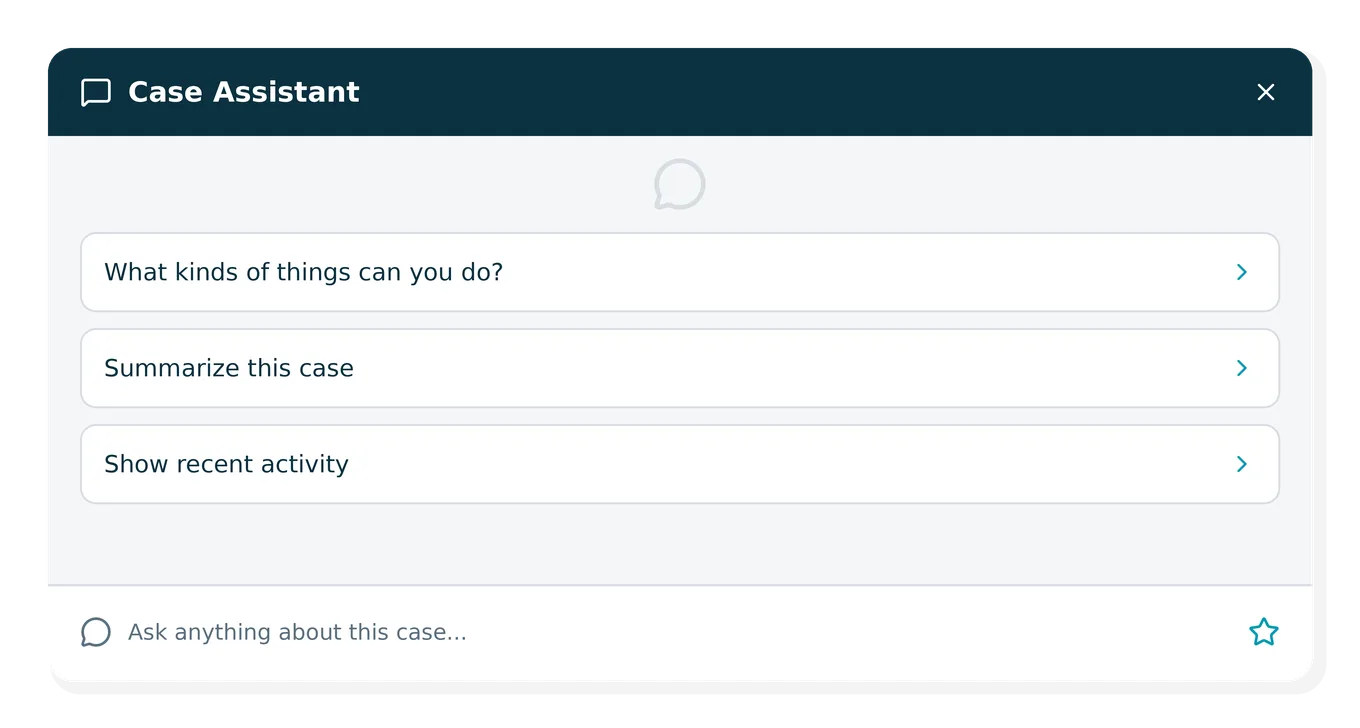
When Chat Assistant is opened, users now see three updated prompts to help them get started quickly, including a new "What kinds of things can you do?" prompt.
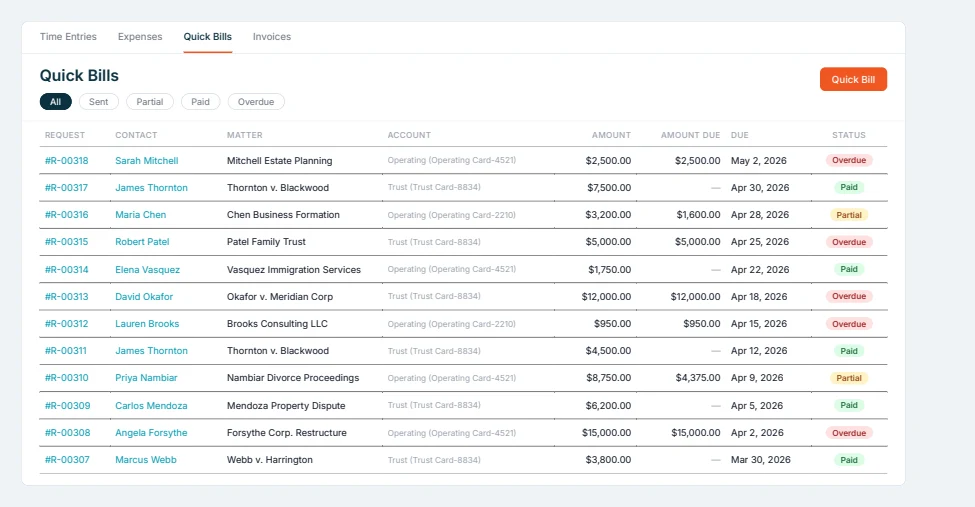
Check printing fields (name, date, amount, memo) now align properly across all four check layouts. Note: Firms with previously saved custom alignment adjustments may need to recalibrate.
Linking or unlinking a NetDocuments workspace instantly updates the Send to NetDocuments button and column on the Case Documents tab without a page refresh.
Invoice amounts and overdue status now reflect correctly when multiple payment events are processed simultaneously for the same invoice.
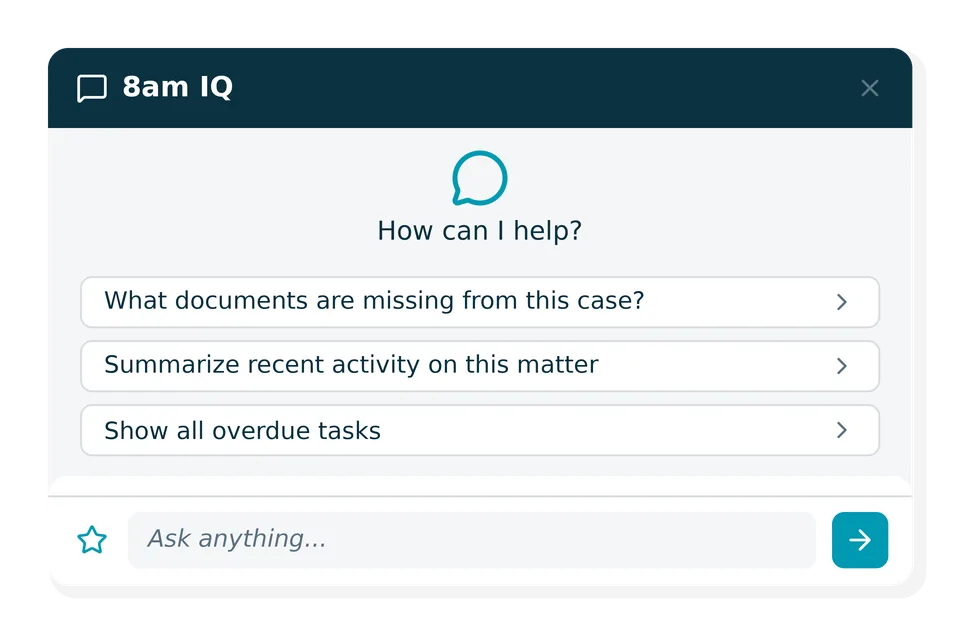
Your saved prompts are now accessible directly on the 8am IQ launch pad, with up to 5 shown at a time. A star icon in the chat input opens the full list so you can start a new conversation with any saved prompt.
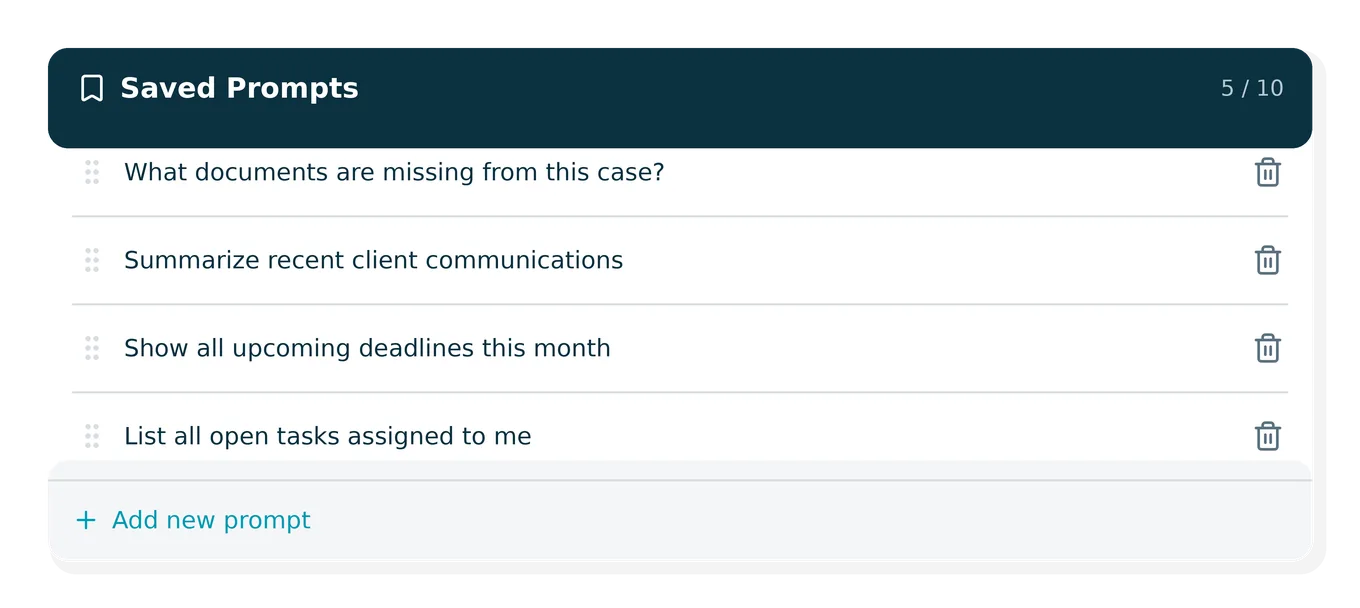
A new "Manage saved prompts" page lets you view, reorder via drag-and-drop, and delete saved prompts, with a limit of 10 total. The top 5 are displayed prominently for quick access.
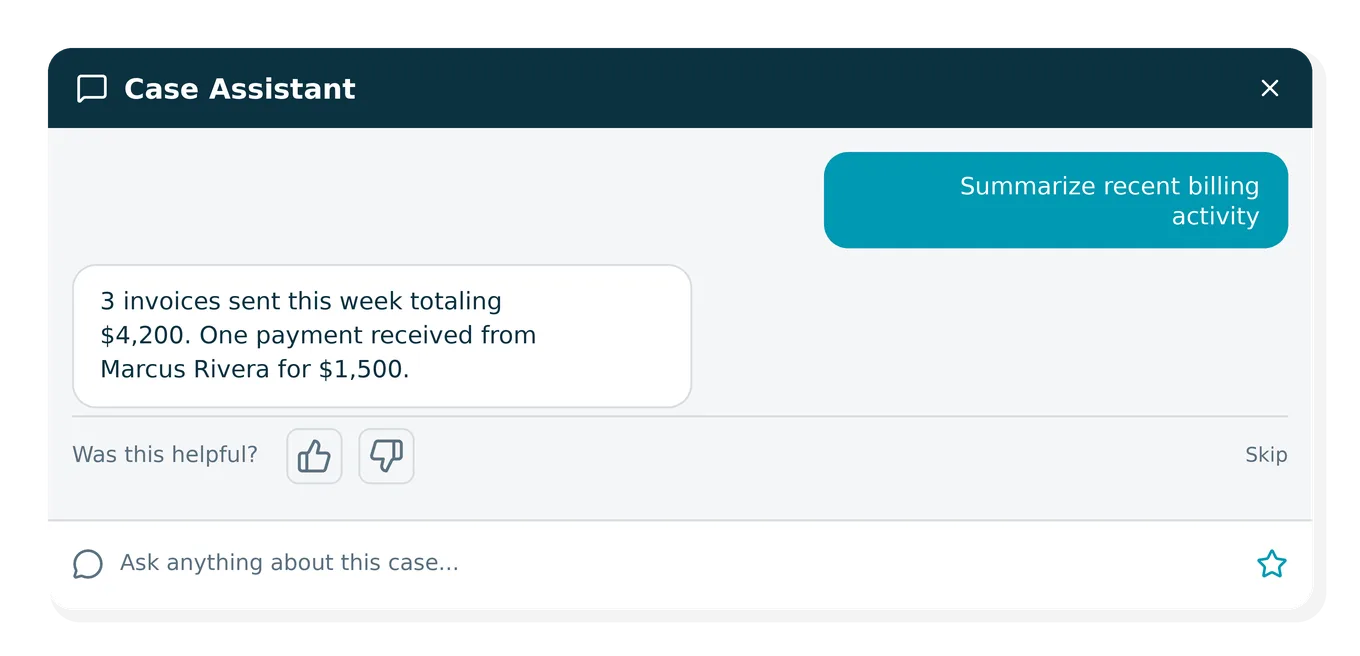
A periodic feedback prompt now appears in 8am IQ conversations asking whether the response met your needs. You can respond with a thumbs up or down, add optional text, or skip it.
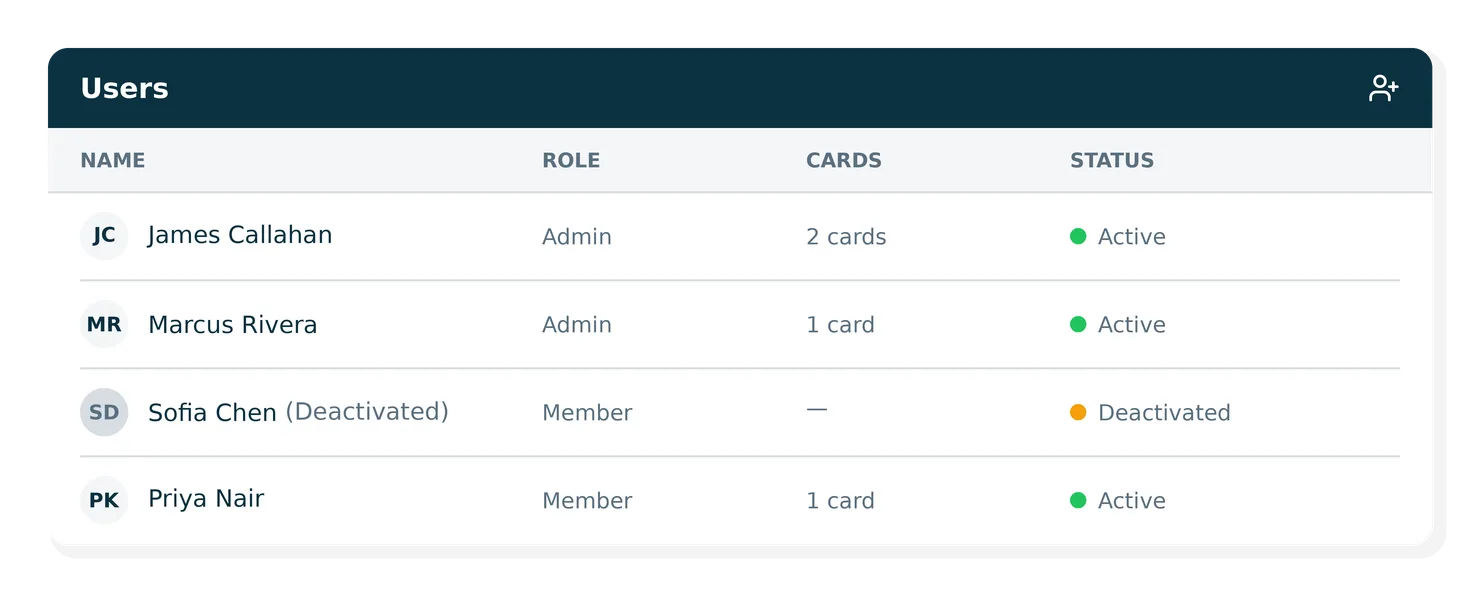
When a user is deactivated, their name now appears as "Firstname Lastname (Deactivated)" in the Cards and Transactions tables, and their cards cannot be unlocked.
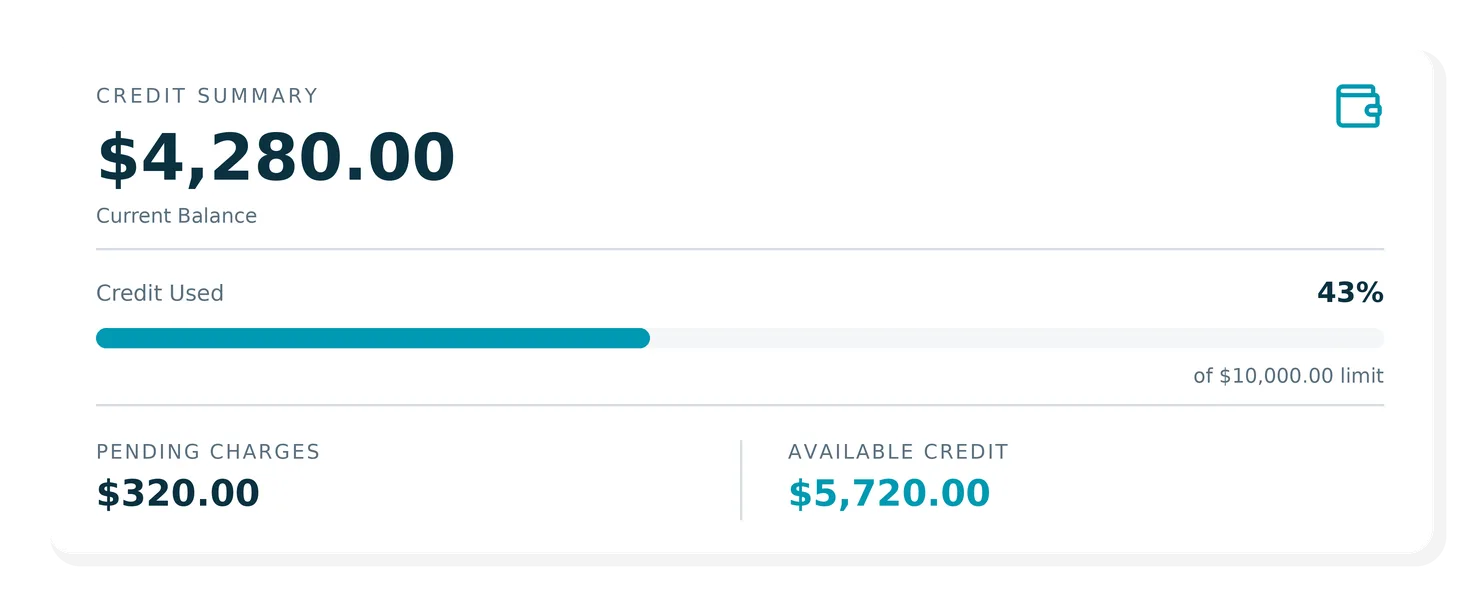
The credit summary card now displays Current Balance, Credit Used, Pending Charges, and Available Credit with clearer labels and visual progress bars showing usage against your credit limit.
CSV and PDF exports for Time & Expense and Work in Progress reports now return the full dataset. Previously, exports were silently capped at 2,000 rows, which could result in incomplete data results.
LawPay retainer requests created before an upgrade to MyCase can now be saved and updated normally. Previously, attempting to edit them returned a validation error.
Load times for the Case Revenue, Work in Progress, and Fee Allocation reports have been significantly improved, particularly for large datasets. The reports now generate in a fraction of the time the previously required.
Closing and reopening the 8am IQ sidebar now returns you to your most recently created conversation. Previously, the sidebar would open to the last conversation you viewed.
When a report's results exceed 1,000 rows, a clear banner now lets you know the view is truncated. Exports continue to return all rows and are unaffected.
Our new prompt library gives you a ready-to-use collection of your saved prompts so you can get consistent answers from Case Assistant without starting from scratch every time.
When creating quick bills, the duplicate contact alert now considers only active contacts, so deleted contacts no longer trigger a false warning.
Same-day transactions now appear oldest-to-newest; the Payment Method column shows readable descriptions (e.g., "Mastercard #D11-0017C via portal") instead of raw values; and a "Starting balance" card now appears in each client ledger section when running a date-range report.
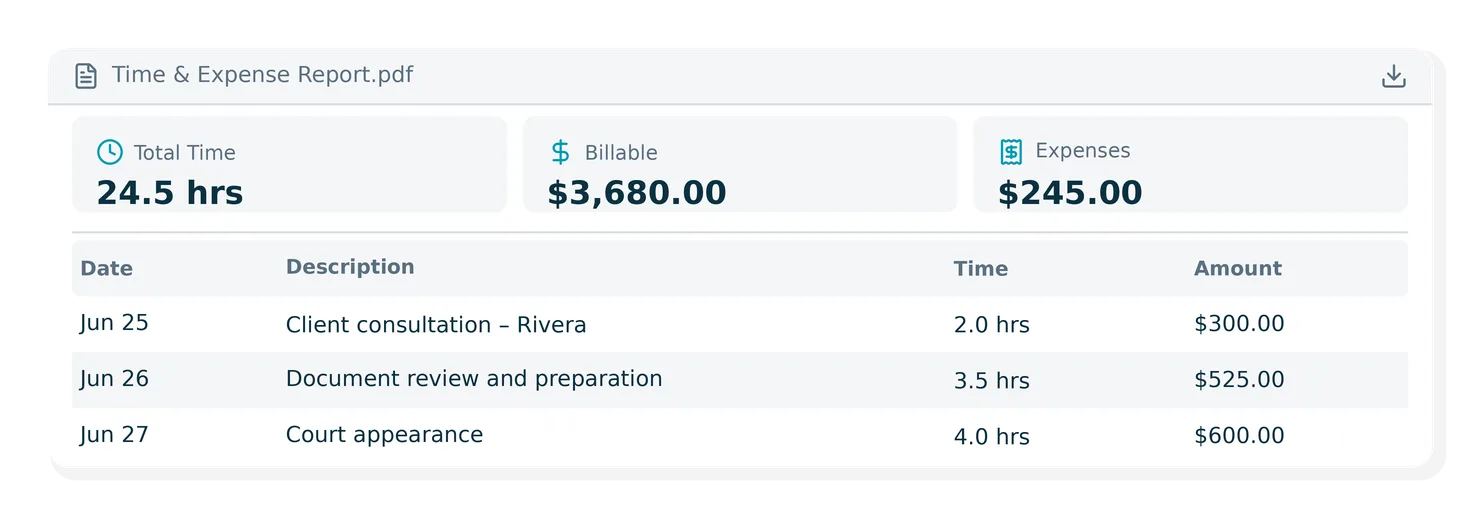
PDF exports for the User, Firm, and Case Time & Expense reports now display summary cards (Total Billable Hours, Total Billable Amount, Total Billable Expenses) at the top of the export, matching the on-screen layout.
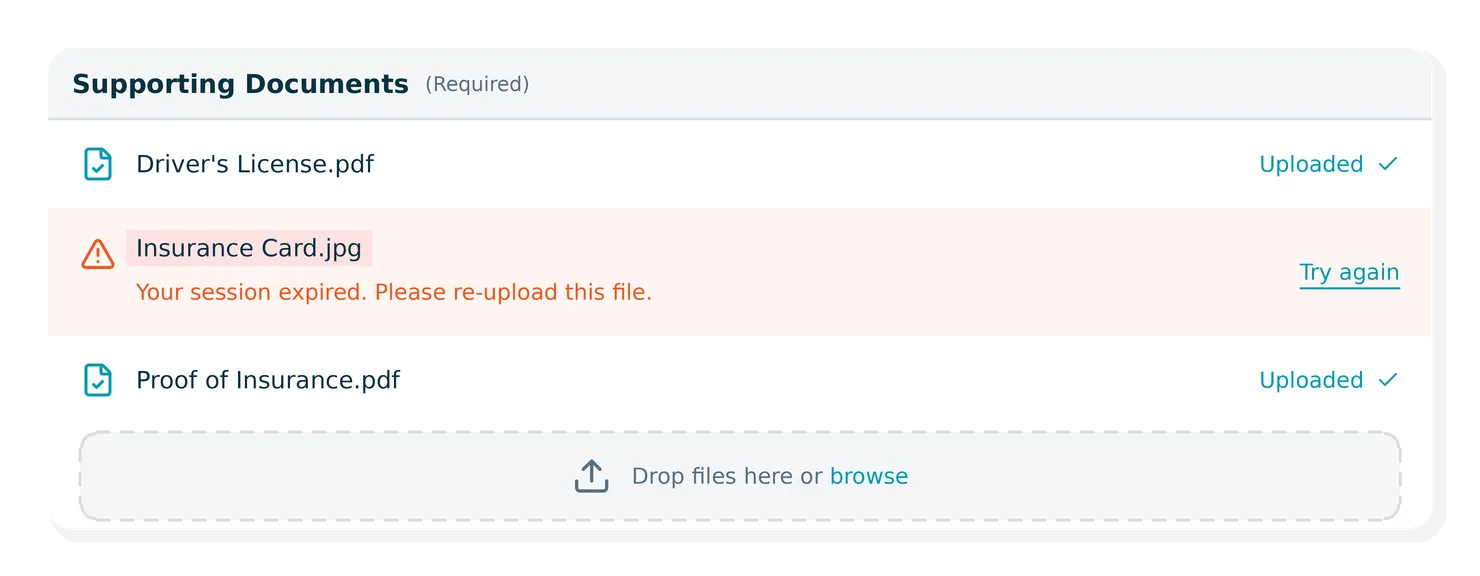
When a document upload fails on an intake form (such as due to an expired session) clients now see a specific, actionable error message instead of a generic one. If email delivery also fails during form submission, the form status is rolled back so clients can retry.
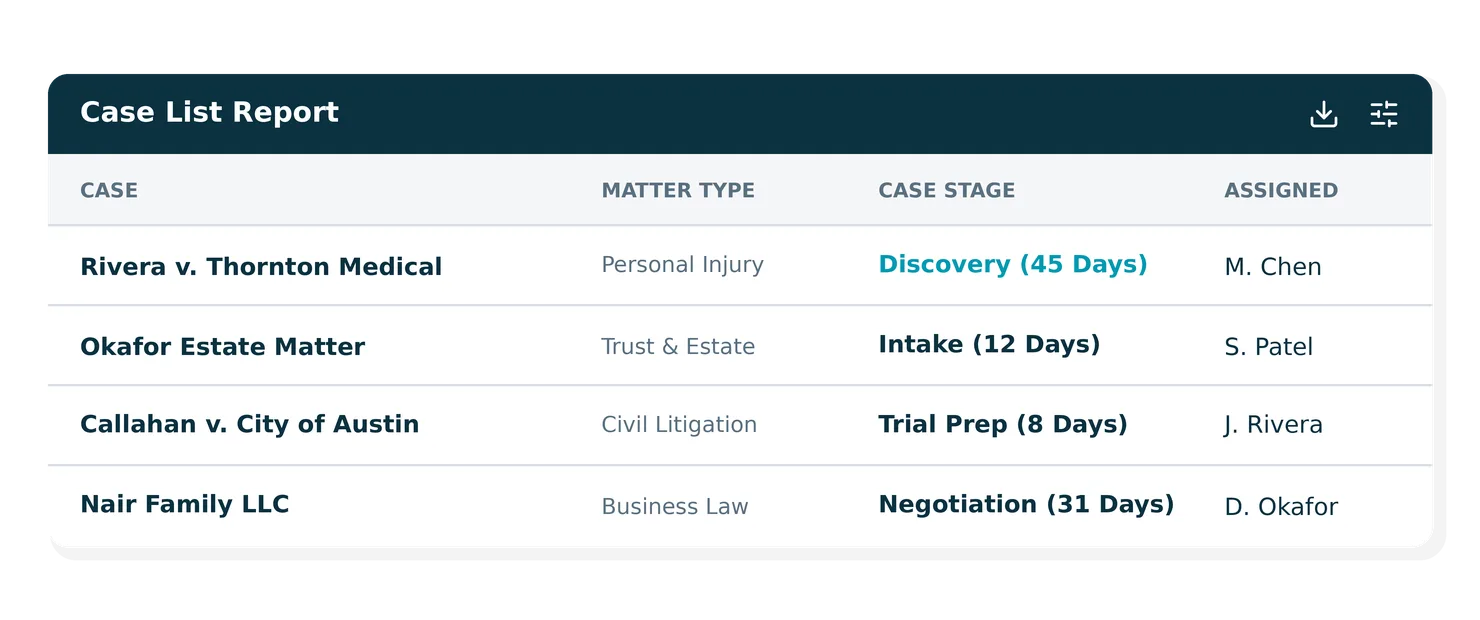
Case Stage now includes how many days a case has been in its current stage, shown in parentheses next to the stage name. For example, "Discovery (45 Days)." This detail is also included in CSV and PDF exports.
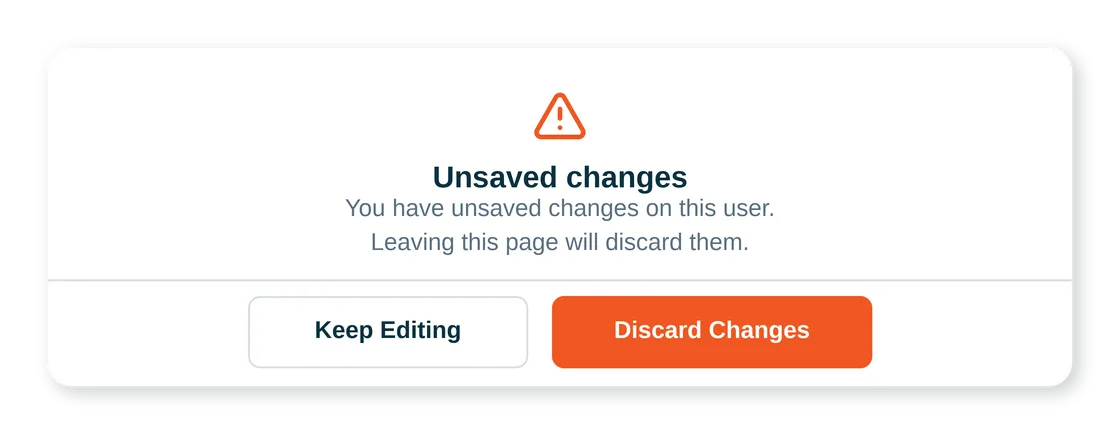
When editing a user, a confirmation prompt now appears if you try to paginate, invite a new user, or log out while changes are unsaved so you can choose to discard or stay on the page.
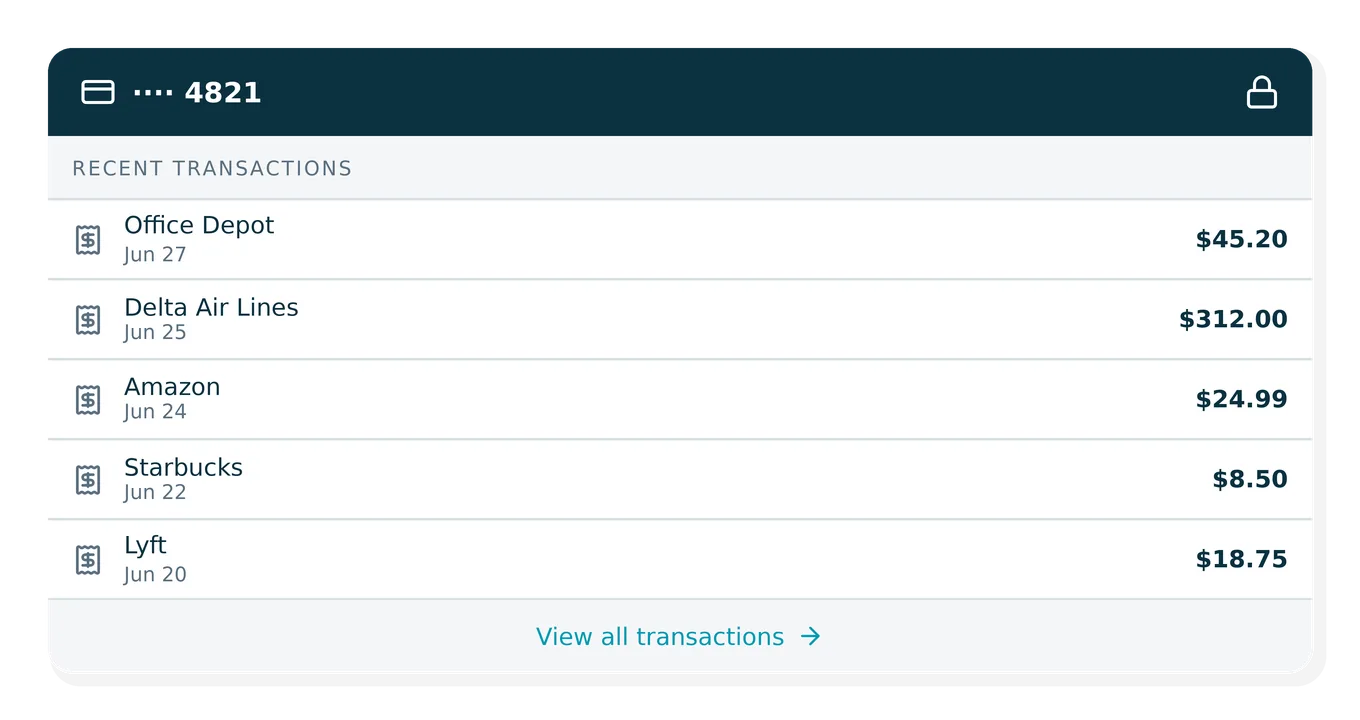
The side panel on the Users and Cards pages now displays the 10 most recent transactions for a card (previously just 1), renamed from "Last Transaction" to "Recent Transactions." The lock card button has also been moved to the top of the panel.
Advanced client cost amounts no longer appear as revenue in the cash-basis Profit & Loss report when an expense's paid status changes after journal entries have been created.
The thumbs up/down feedback buttons on 8am IQ capabilities show a highlighted background when selected, so your choice is visually clear.
Invoices on payment plans show the correct next installment due date in the Accounts Receivable report rather than the original invoice due date.
Custom field columns can be freely reordered among standard columns in both reports. PDF exports of saved Case List reports also now correctly include custom field data in the right column order.
When editing a task, changing the case, and switching back to the original case, linked documents are now correctly restored instead of being permanently cleared.
When "Statements & Payments," is selected, a dialog now confirms you're being redirected. If the new tab is blocked or the request fails, a clear message with a retry option appears.
Searching for an exact email address in double quotes in Advanced Search now returns the correct match, with the email highlighted in results.
Large firms no longer experience long load times, timeouts, or export failures with the Fee Allocation report. The report and its exports have been optimized to handle large data sets.
Users with the Reviewer role can now only access card numbers, CVV, and expiry dates for their own cards. Admins retain full access and are unaffected.
Replacing a document file via upload no longer causes all subsequent downloads of that document to fail.
Case List Report now handles any number of custom field columns.
When linking expenses, the accounting category now automatically defaults to Advanced Client Costs for firms without an active accounting license, as expected.
Reviewers could previously reach Statements & Payments by navigating directly to the URL, despite the menu item being hidden. This is now fully blocked.
Canadian firms can now successfully connect to the NetDocuments integration after selecting the Canada data center, a sign-in error that was blocking setup has been resolved.
A file size mismatch between the original and signed PDF was causing some uploads to fail. All signed documents can now be sent to NetDocuments without errors.
The entry details filter now hides individual entry rows when set to "Hide" (the default). Previously, detailed rows always appeared regardless of this setting.
The Case List and Case Balance Summary reports open with only Open cases displayed by default, with adjustable filters
Health insurance lien amounts that were missing from the Settlement tab and Worksheet after being added are now displayed as expected.
DropBox Sign templates can now be edited and saved without interruption.
Editing and saving generated documents no longer fails with a schema error when OneDrive is set as the default document storage.
Partners can now retrieve all contacts, retrieve a single contact by type, create contacts, and update contacts via the CasePeer Partner API — enabling more complete integrations with contact data.
Users can now connect the EvenUp integration directly without requiring a firm administrator to enable it first.
Address fields are now automatically trimmed before saving, preventing validation errors caused by leading or trailing spaces.
Deposit reports now handle high-volume and extended date ranges more effectively.
Notes added during a recharge transaction now appear on the emailed receipt and in the LawPay transaction record.
Firms now have an improved invoicing flow for generating or sending invoice PDFs.
Turn your inbox into a command center for legal work with our Candle AI integration. Candle AI connects your inbox to MyCase, bringing client, matter, and case activity into email so you can respond and take action without switching systems.
PDF exports of the Trust Account Summary and Non-Trust Retainer and Credit Account Summary reports now include a "Balances as of" date and total record count in the header, making it easy to confirm the report period.
A new "Reviewer" role has been introduced for Smart Spend. Users with this role can view cards, transactions, users, and dashboard pages, as well as edit expense details and export transactions. However, they cannot issue cards, edit cards, invite users, or apply for credit card approval.
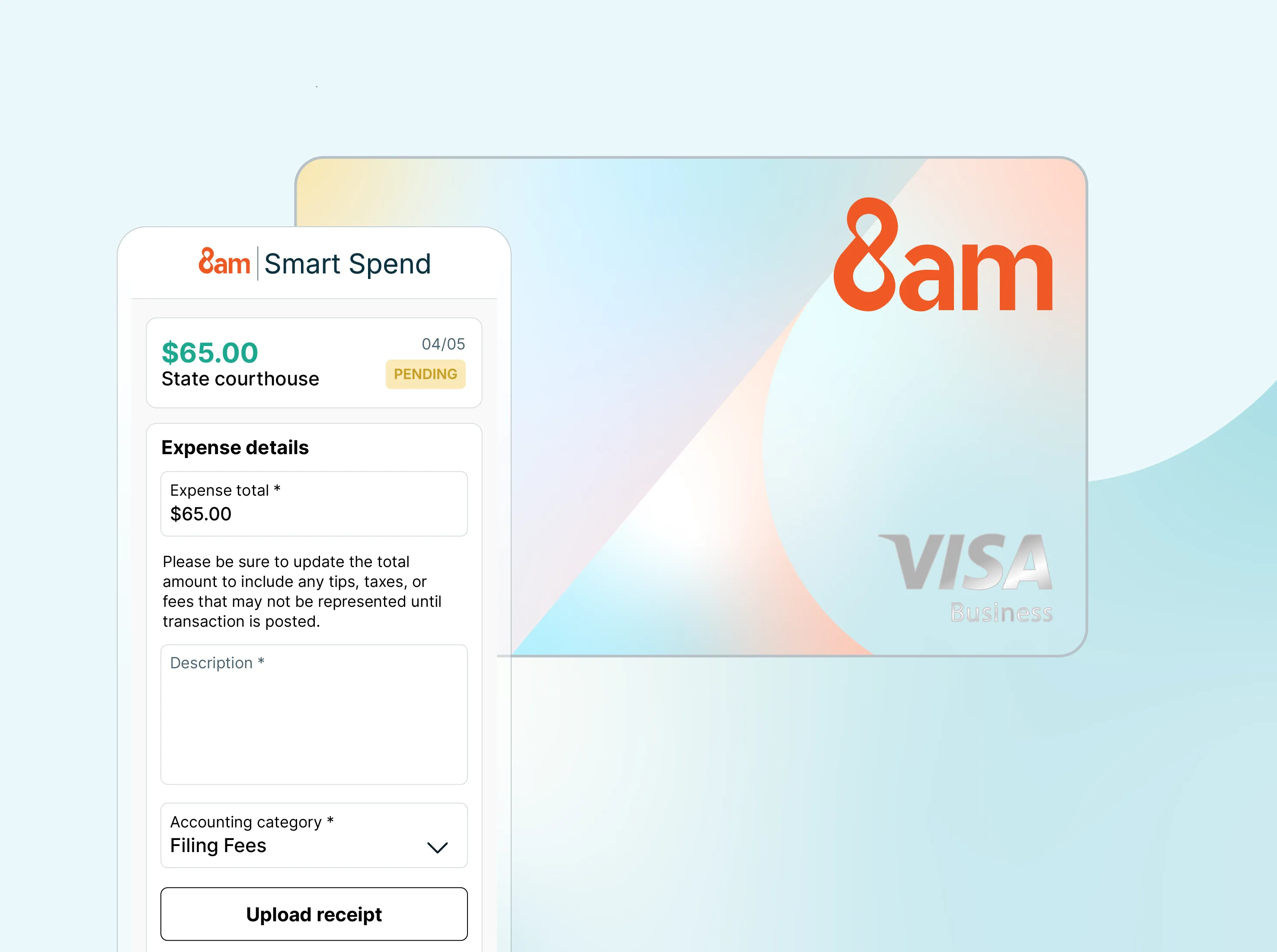
The 8am™ Visa® Business Card is issued by Emprise Bank, pursuant to a license from Visa U.S.A., Inc
The Duration/Quantity column in Firm Time & Expense reports now shows correct totals. Previously, when not grouping by Entry Type, time durations and expense quantities were being added together.
Follow-up suggestion buttons in the 8am IQ sidebar now wrap long document filenames cleanly within the button, rather than overflowing outside the boundary.
Customers with an Accountant role can now fully access customizable reports including running, exporting, and viewing saved reports.
When sending a document to NetDocuments, the upload now correctly shows a success state — including a version badge and "sent on" timestamp — once it finishes.
The document upload status in the NetDocuments integration now updates in the correct order, preventing stale "uploading" messages from appearing after a transfer has already completed.
Dragging checklist items to reorder them now keeps items within the pop-up window.
The Case List report now displays one row per case, even when both the Client and Firm User columns are active. Cases with multiple contacts or users no longer appear as multiple entries.
Users who have opted out of payment-related email notifications will no longer receive automatic payment success or failure emails from payment plan installments. Notification preferences are now honored consistently.
DOCX and XLS files now upload successfully when submitted via the Partner API.
You can now select and delete multiple eSign templates simultaneously using multi-select, making it faster to clean up and manage your document library.
The Time Tracking Report now includes all time entries within your selected date range. An informational tooltip has also been added to clarify how entries are shown when viewing or editing logs across time zones.
The deposit account dropdown in Quick Bill for LawPay firms now only shows bank accounts that support online payment processing, preventing invoice sync failures from selecting an incompatible account.
Invoices emailed to clients now maintain their "Sent" status correctly.
LawPay users on legacy accounts can now successfully resend or share invoices that have already been fully paid.
Firms that transitioned from MyCase to LawPay and had invoices billed to multiple contacts can now access the Invoices page consistently without errors.
Cases with EB4 priority dates before January 1, 2023 now correctly display a "Current" filing status in line with the April Visa Bulletin. These cases were previously erroneously marked as "Not Current".
Emails sent through DocketWise now correctly show the firm's name as the sender, rather than the individual user's name, ensuring your communications consistently reflect your firm's identity.
8am IQ Case Assistant now supports searching communication data in MyCase. This includes client portal messages, SMS, and call logs, allowing 8am IQ to retrieve important case details often buried in text messages or call notes.
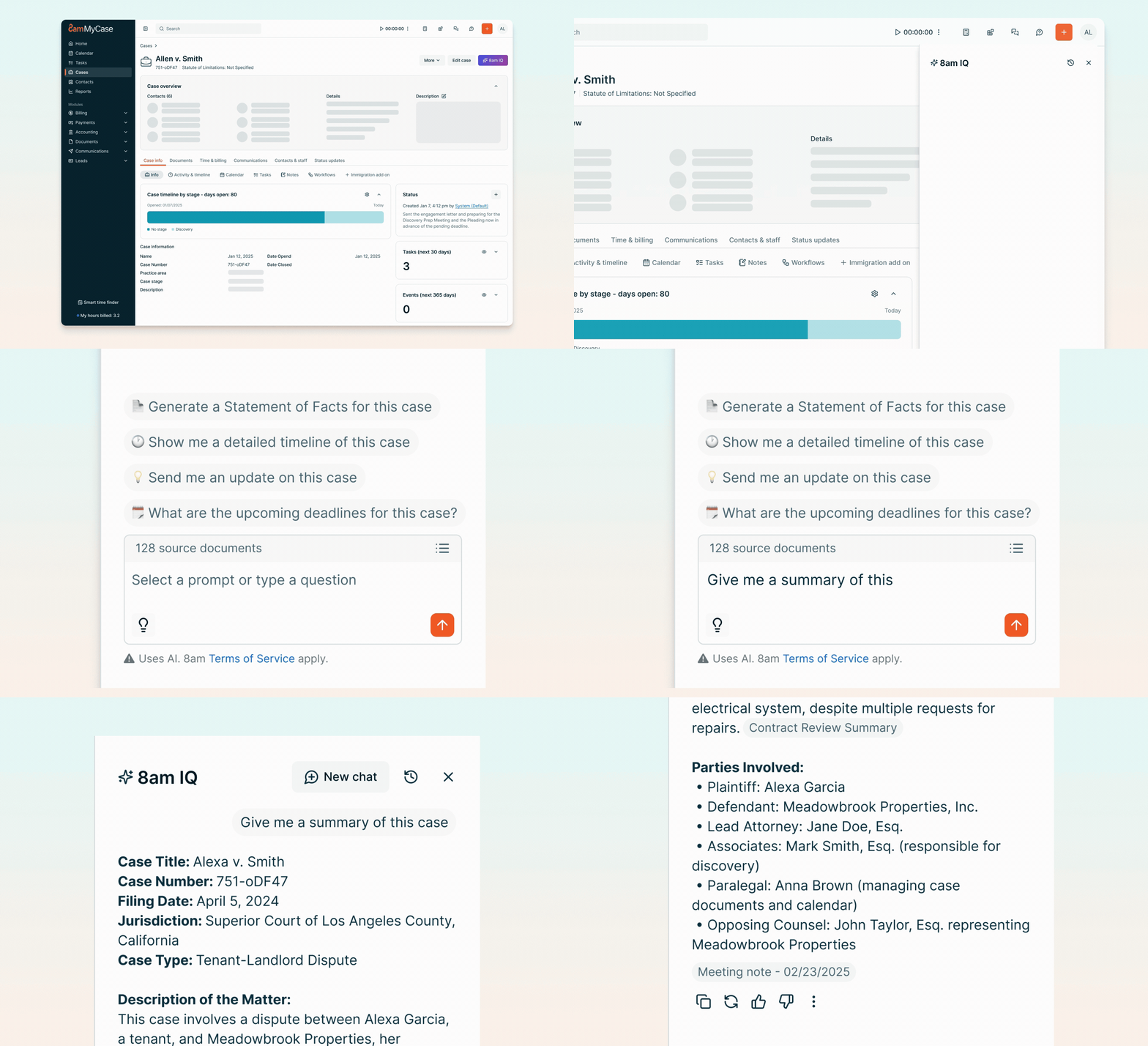
The regenerate response button in 8am IQ Case Assistant is now fully functional, letting you refresh a response or switch between previous versions as expected.
Automatically turn CasePeer data into clear performance insights with LawKPIs. Track case activity, team workload, and operational performance through dashboards powered by your CasePeer data.
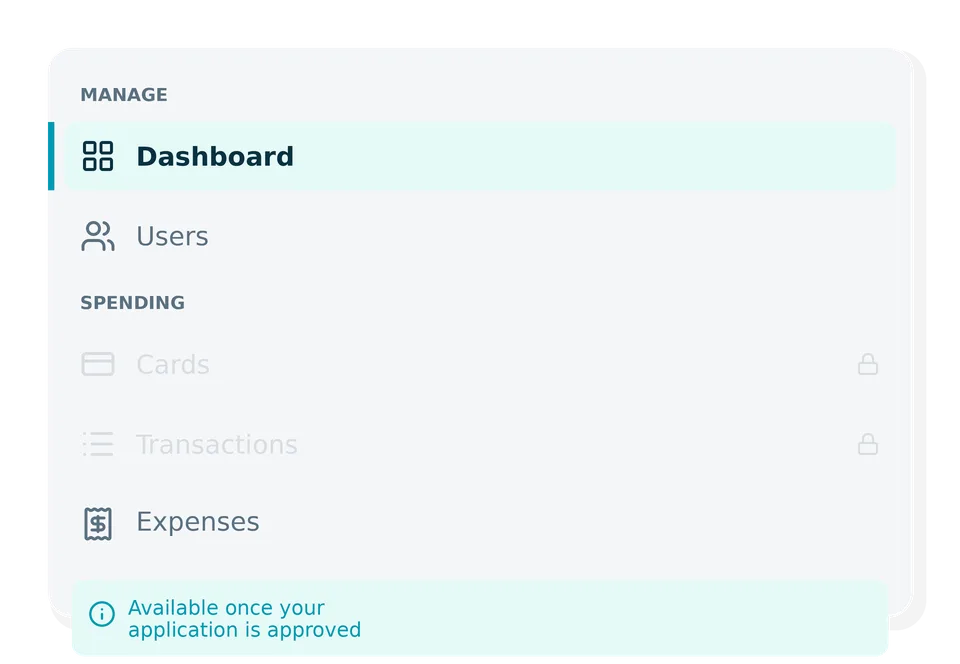
Users not yet approved for Smart Spend can now see the Cards and Transactions menu items in the sidebar in a disabled state, giving them a clear preview of what will be available once approved.
Typed eSignatures now display in the intended cursive style when opened in Adobe Acrobat, ensuring a consistent and professional appearance on all newly signed documents.
Client portal end users are now prompted to acknowledge the Terms and Conditions and Privacy Policy before proceeding, ensuring compliance and user awareness.
Clients and firm users can now submit intake forms that include document upload fields without errors, and uploaded documents appear correctly in the Documents section.
Global search now works for all firms, including those with unapproved online leads, surfacing results labeled "Pending Approval" or "Did Not Hire" as appropriate.
The Accounts Receivable Report now includes totals for Invoice Total, Amount Paid, and Amount Receivable in both PDF and CSV exports.
The Case Revenue Report now loads within seconds for firms with large datasets, eliminating the slowdowns and timeouts with large volumes of data.
Invoice emails can now be sent even if the PDF attachment fails to generate, so clients receive their invoices without delay.
The Group Summary section has been removed from grouped PDF exports across Case Revenue, Trust Account Summary, Electronic Payments, and other reports. Exported PDFs are now more concise and easier to digest.
In MyCase, responses from 8am IQ suggested prompts (Case Summary, Timeline, Statement of Facts, and Case Priority) now display with cleaner formatting, including section headers, bold labels, and dividers between sections for easier readability.
Applying or removing a case filter in the full-text search panel now automatically refreshes results — no more manually pressing Enter or clicking Search. Search behavior now works consistently across all filter types.
The Outstanding Balance Total on the Contacts page now correctly reflects the remaining balance after partial payments, giving firms an accurate view of what's owed.
Invoices paid using a trust balance now correctly show as paid, ensuring billing records stay accurate.
Users can now connect and sync their Google Calendar to DocketWise without errors.
Event plan deadline calculations now respect holidays, ensuring accurate scheduling and compliance with calendar rules.
Clients and firm users can now open documents in the client portal without errors, restoring dependable access to shared files.
I-907, G-28, and I-129 forms now submit and e-file with USCIS correctly, resolving issues that were causing filings to stall or fail mid-process.
The Matters by User report now loads reliably for firms with large datasets, resolving timeouts that were preventing access to the report.
CSV exports of tasks now include all assigned users, giving firms more complete visibility into task ownership and collaboration when reporting outside the platform.
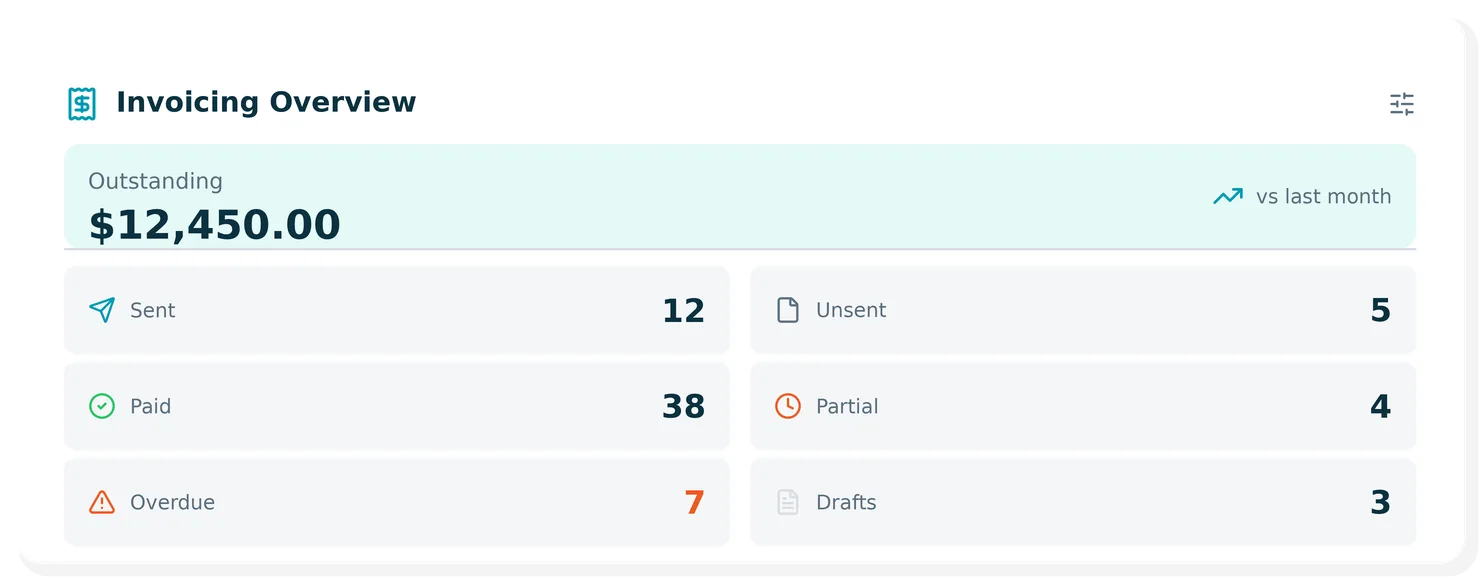
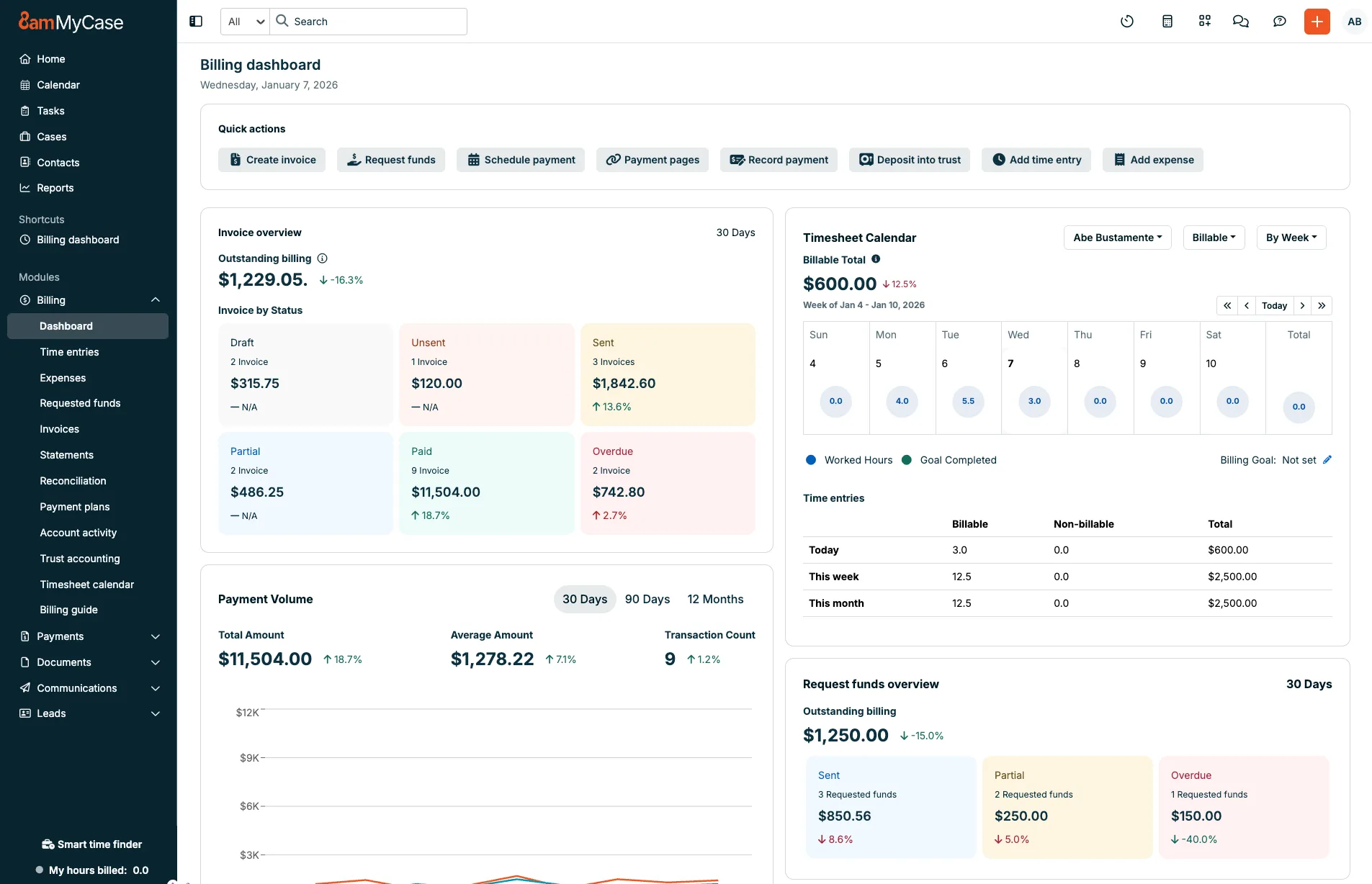
New invoicing overview added to dashboard showing invoice statuses including Sent, Unsent, Drafts, Paid, Partial, and Overdue, plus an Outstanding Billing summary.
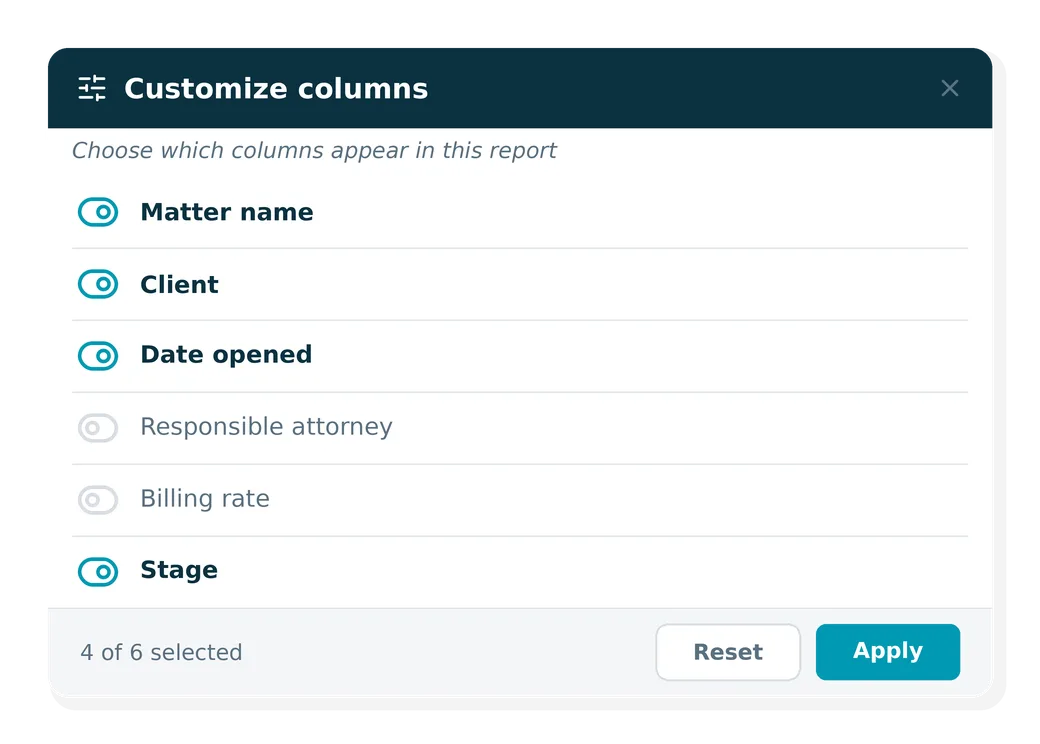
With the ability to tailor reports and dashboards in MyCase, firms have easy access to the specific insights they need to stay on top of revenue and revenue pipeline, trust accounting activity, productivity, profitability, and statute deadlines. This enables firm leaders to quickly turn data into actionable insights and measurable outcomes, without having to export into spreadsheets.
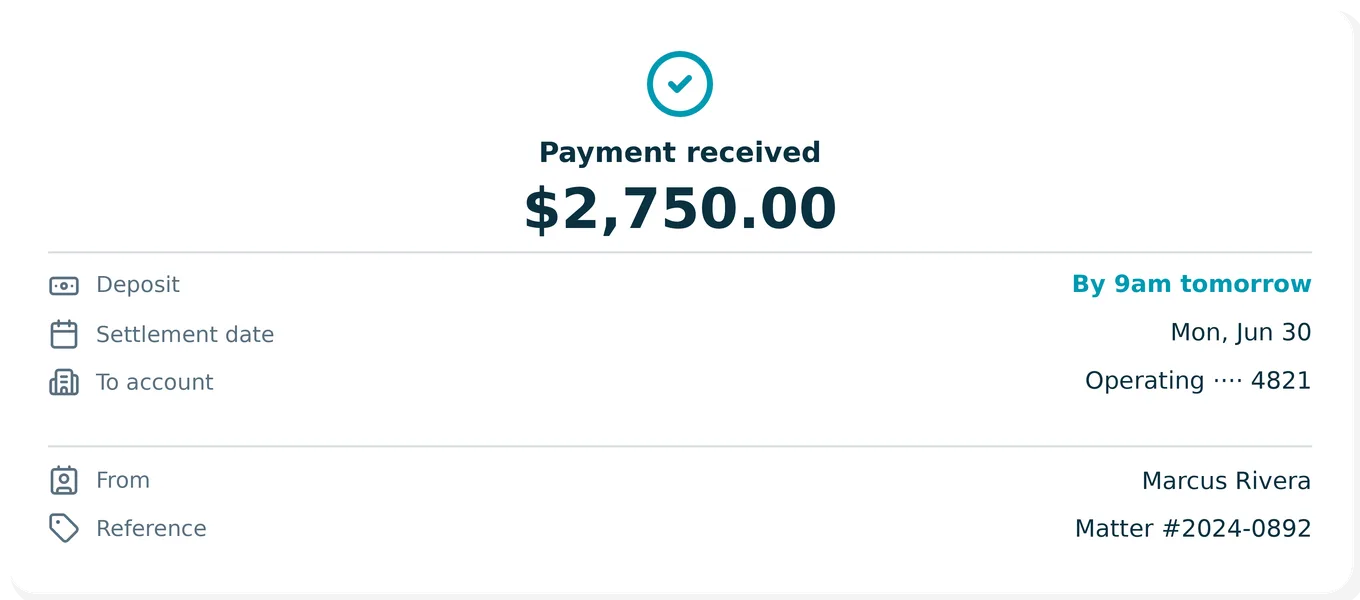
Next-day payments are expanding across 8am, making next-business-day deposits the standard experience for customers. Professionals get faster, more predictable access to revenue, with funds arriving by 9am the next business day and no changes to how they process payments.
Auto-fill court forms using MyCase matter data with CaseForm by Caseway. Fewer errors, less manual work, and court-ready forms saved back to the case.
Turn complex medical records into clear case strategy with Supio. Extract insights from medical and legal documents pulled from MyCase, and use AI to build chronologies and draft stronger demands.
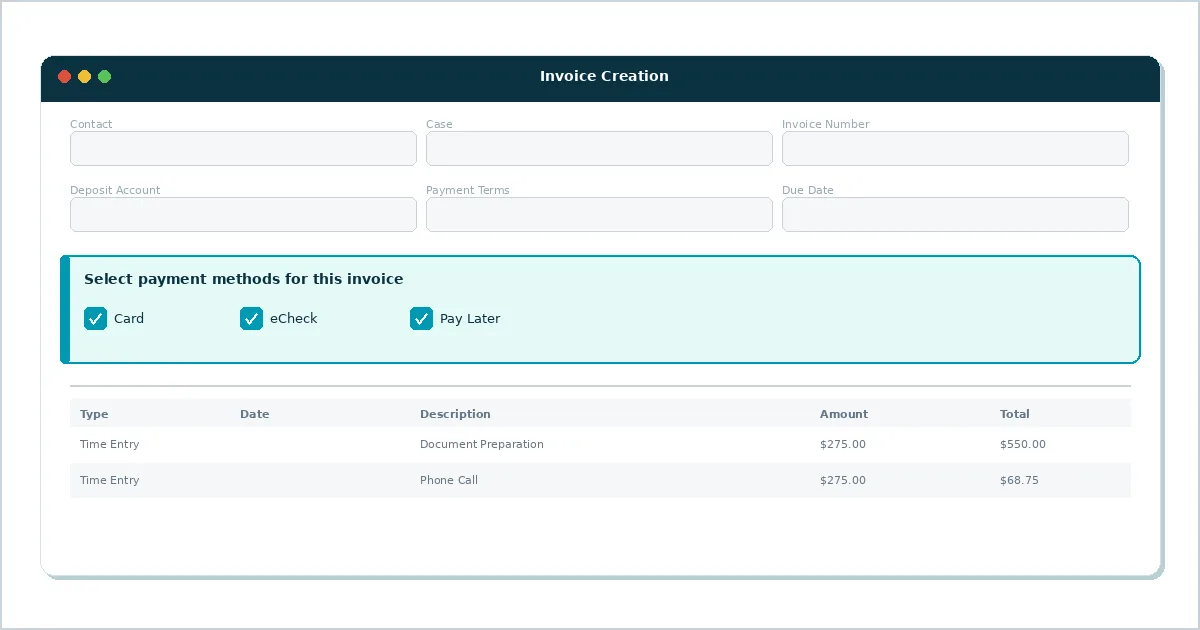
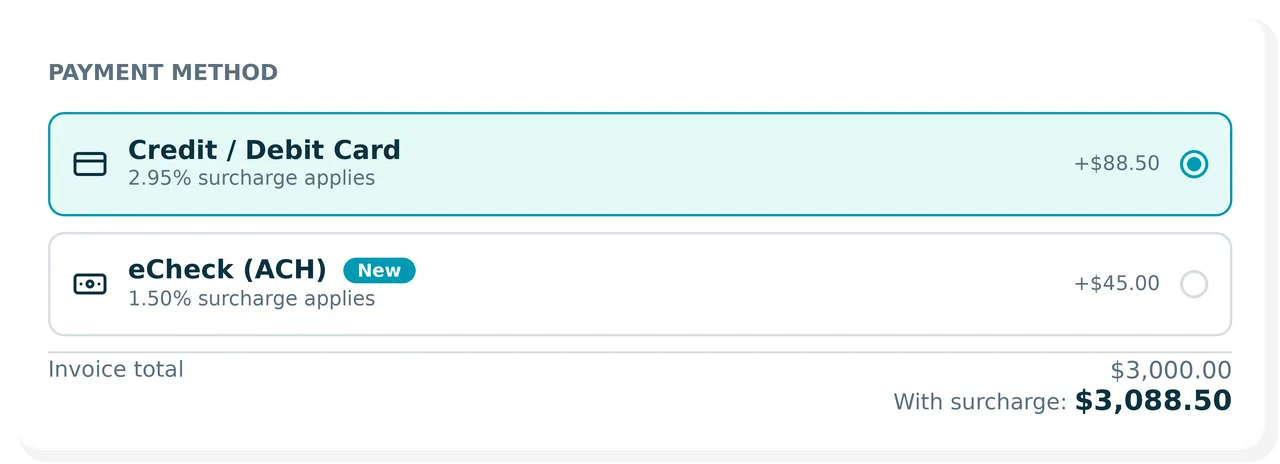
eCheck surcharge is now supported, allowing firms to apply compliant surcharges without interrupting their billing workflows.
The credit information card on the admin dashboard now displays "Total balance" when showing account credit info, to make it clearer how account payments affect displayed values. This change only applies to the admin user's dashboard view.
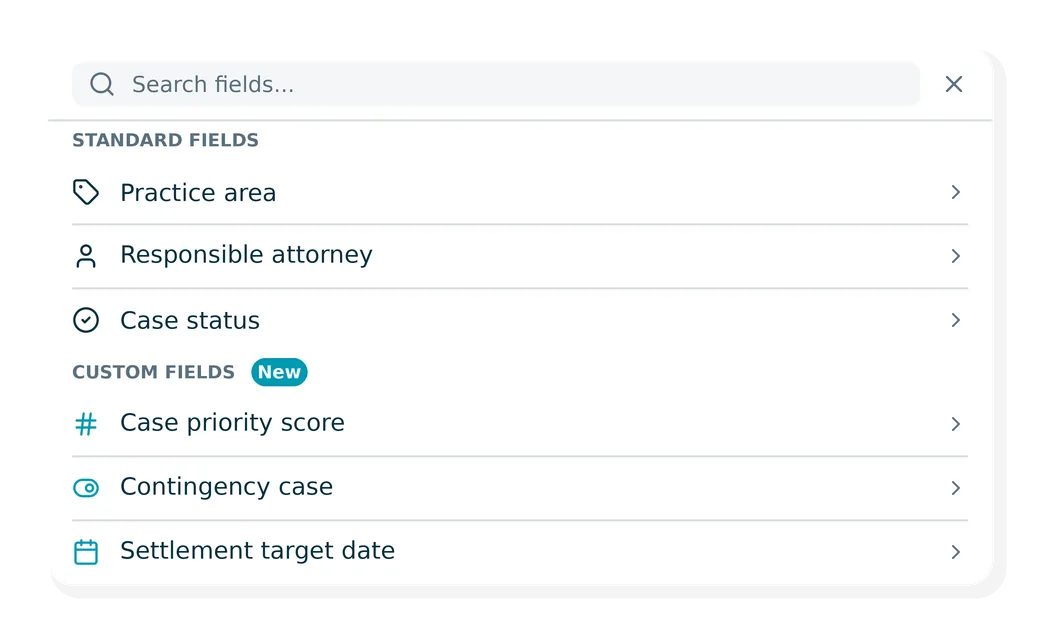
The "Add Filter" dropdown on the Case List Report now organizes filters into "Standard Fields" and "Custom Fields" groups, with Standard Fields shown first. This matches the existing behavior on the Columns tab and makes it easier to find common filters.
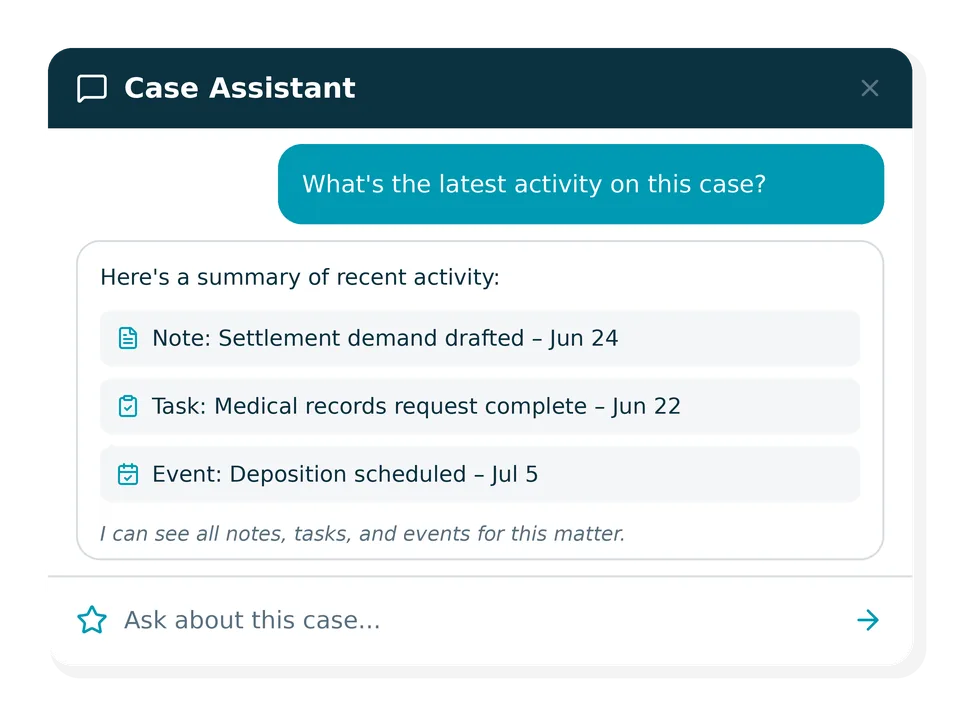
The 8am IQ case assistant chat sidebar now supports searching case notes, retrieving case events, and retrieving case tasks.
Duration values on the Time & Expense reports (Case, Firm, and User) now correctly reflect the firm's time display decimal settings across the in-app report, CSV export, and PDF export.
PDF export of Time & Expense reports no longer display duration as raw minutes (e.g., 15, 27). Duration is now displayed in decimal hours (e.g., 0.25, 0.45).
Previously, after completing an online refund, the page would reload and show the original transaction receipt. Now, after a successful online refund, users are automatically taken to the refund transaction's receipt page instead. Offline refunds are not affected.
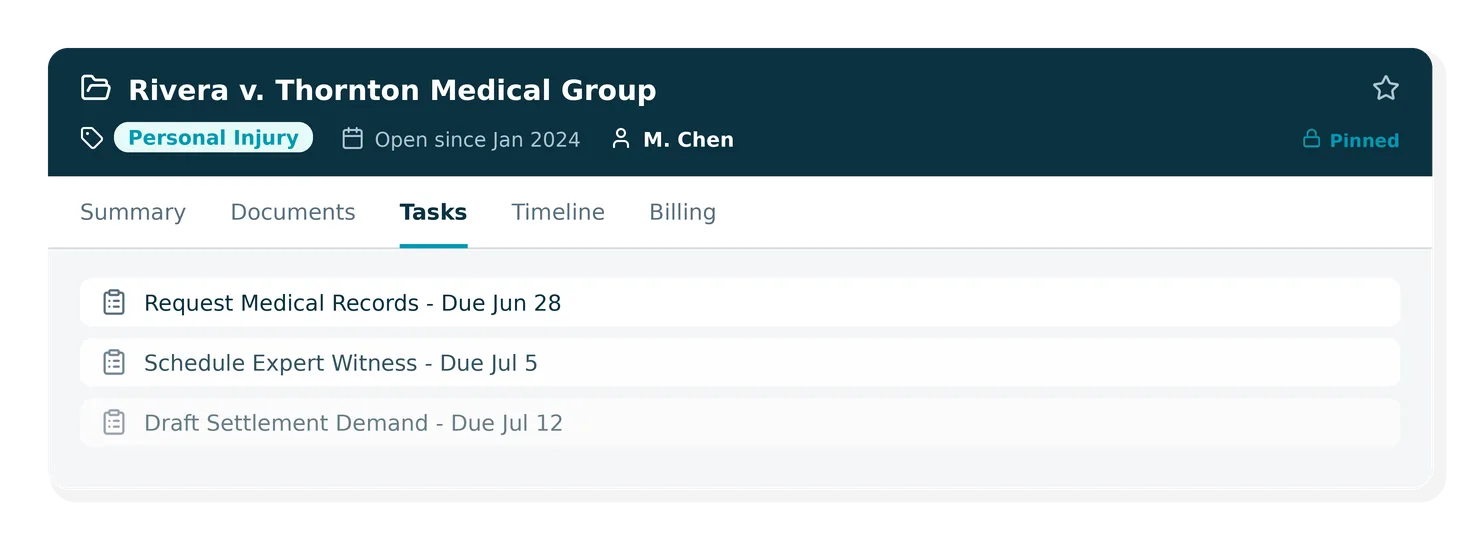
The case workspace has been updated so the case header stays visible while scrolling. This keeps key case details accessible as users work within any case tab.
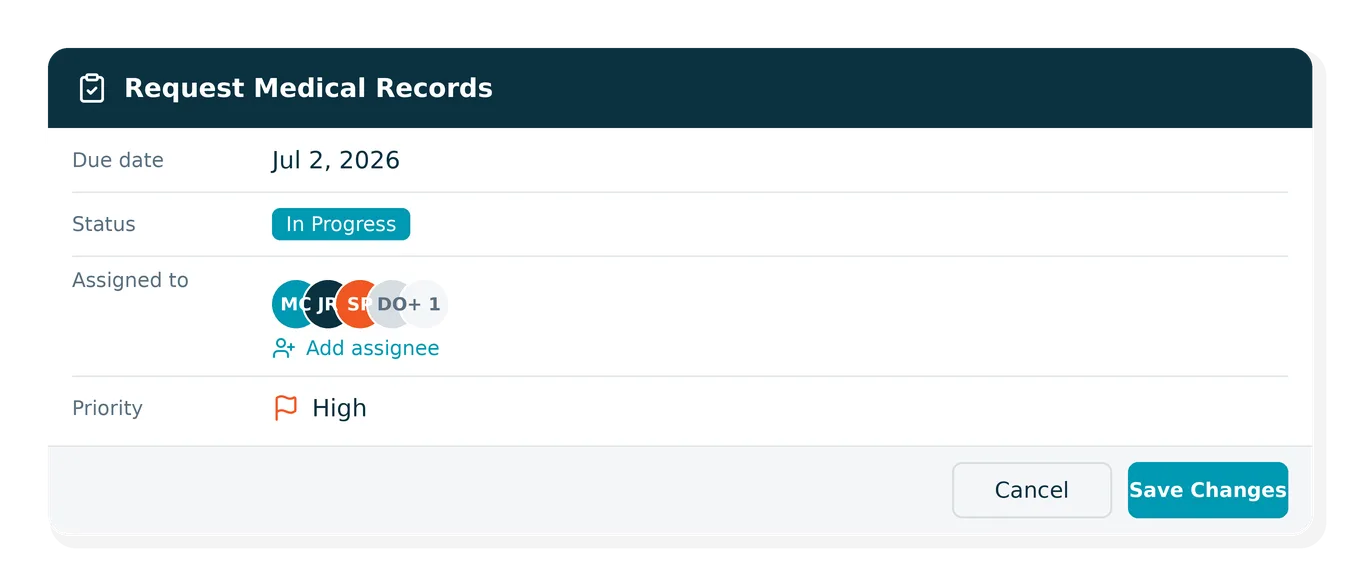
Task assignment now allows up to 10 caseworkers to be assigned to a single task, reducing the need to create duplicate tasks when work is shared across team members.
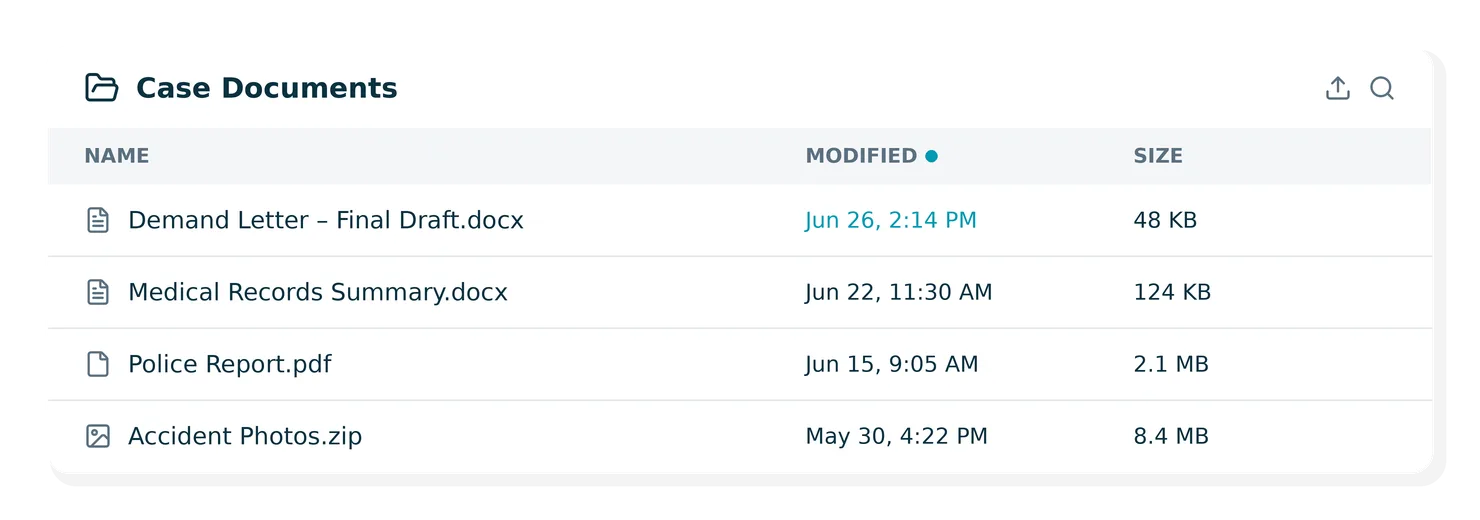
Document storage now includes a Last Modified Date column so teams can easily see when documents were most recently updated.
Text in the Case Review Report now displays with improved spacing and alignment for better readability.
Seeb AI integrates with CasePeer to automate client calls and case updates, reducing staff workload and improving client communication.

Automate medical and billing record requests with Arctrieval. Syncs directly with CasePeer so records, updates, and provider details show up in the related case—no manual tracking required.

Create scheduled payments directly from previous transactions, reducing manual entry when setting up recurring billing.
Firms can now edit or duplicate scheduled payments, making it faster to manage recurring billing and payment plans.
Previously, time entries summaries on the billing dashboard and home dashboard did not update automatically after adding, editing, or deleting time entries without a manual page refresh. Summary totals for today, this week, and this month now update automatically.
Resolved an issue impacting the Deposit Funds report to ensure accurate visibility into deposited transactions and reconciliation.
The ring charts displaying daily hours billed on the weekly and monthly timesheet calendars (on the home page and billing dashboard) have been enlarged for improved readability.
Previously, when searching for documents that had multiple versions, each version's filename appeared as a separate match in the search results. Now, only the current version's filename is shown, reducing clutter in search results.
Resolved an issue where time entries created from the Outlook add-in (both desktop and web) were not being saved to the case, even though Outlook indicated the email had been linked. Time entries from Outlook should now record reliably.
Fixed an issue where the notification count badge for reports in the sidebar was not updating after viewing a completed report. The badge now properly decrements when a report is viewed.
Fixed an issue where users could see a green validation checkmark on bank reconciliation but receive an error stating 'Register balance mismatch with selected journal entries' when attempting to save.
Fixed discrepancies in the Payment Volume dashboard where the total displayed didn't match the sum of daily amounts. This affected certain transaction types including PayPal, Venmo, Zelle, Cash App, and Wire transfers.
Percentage calculations in the billing dashboard now display 'N/A' instead of '0%' when calculations are invalid due to missing or invalid data. This provides clearer information about data availability.
The payment volume dashboard now includes month-to-date (MTD) and year-to-date (YTD) filter options accessible via a dropdown selector. The default view has changed from '30 Days' to 'Month to Date'.
Invoice tables for services and expenses now have improved formatting when printing or exporting to PDF. Columns for dates, amounts, and hours no longer wrap onto multiple lines, and tables now include vertical grid lines and shaded headers for better readability.
When processing credit card payments with surcharges, the bill's total amount will no longer be increased by the surcharge amount. The surcharge is still recorded on the payment but kept separate from the bill total.
Scheduled payments with no attached payments now display a Delete option instead of Cancel Schedule. This allows users to permanently remove schedules that have never processed a payment, while schedules with payment history continue to show the Cancel option.
Deposit Reports now display eCheck returns as separate line items with negative amounts to help merchants reconcile deposits with their bank statements. A new Status column shows ECHECK RETURN for ACH returns and RETURN for card returns, and batch totals now include return amounts.
A new modernized billing dashboard gives firms clearer visibility into billing, payments, and trust activity in one place. This update helps firms quickly understand what needs attention, track payment activity, and take action with greater confidence.
Capture every billable minute with Ajax. Automatically draft and sync time entries to MyCase as your team works across email, documents, calls, and meetings so you can stay focused on clients.
Analyze medical records faster with the Supio and CasePeer integration. Build chronologies, surface insights, and create evidence-backed demand letters.

Expanded general search for online payments, clearer transaction details, and sortable results by name, date, amount, and status.
Fixed a bug where saving chat responses as documents from 8am IQ resulted in blank documents. Documents now correctly include the assistant's response content.
When moving money between a case's trust account and the unallocated trust account, transactions will now be reflected in the Trust Account Activity report showing the amount moved and resulting balance.
Fixed an issue where the Accounting Category dropdown would sometimes appear empty when first accessing the expense management page for MyCase users with Accounting licenses. The dropdown now displays correctly without needing to refresh the page.
UTBMS code columns displayed incorrectly in Time & Expense productivity reports. Time entries now correctly show only UTBMS activity and task code columns, while expenses now correctly show only UTBMS expense code columns (when LEDES is enabled).
Previously, issuing a secondary card with a duplicate email resulted in an error in Smart Spend. Subsequent attempts to issue a card with a valid email would incorrectly display the previous error message even though the card was successfully issued.
The 1099 Vendor Report was missing some vendor transactions, particularly from manual journal entries. The report now includes all vendor payments for the selected date range, ensuring accurate tax reporting.
CSV bill import now accepts the correct header format from the downloaded template. Previously, imports were failing even when using the exact headers from the template, blocking bulk import functionality.
Added the ability to include entry descriptions in the User Time & Expenses report. When enabled, descriptions for Time Entries and Expenses are displayed.
8am IQ Case Assistant is a legal case assistant that surfaces key insights from your case data and client records, so you can find what you need faster, without clicking through files and tabs.
Get medical records without the wait with Yocierge. Request, track, and securely deliver client medical records so your team can focus on winning cases, not chasing paperwork.
Capture and convert more leads with the MyCase and Click Journey AI integration—24/7 AI intake, faster qualification, and automated follow-up.
Resolved an issue where exported deposit reports showed blank names for eCheck transactions.
Company names and links now show when a company was listed as the billing contact in the Aging Invoices Report.
Clicking the View button on transactions in the Company credit history tab returned no results. Users can now view transaction details, perform refunds, and delete deposits/withdrawals for Company contacts.
Creating time entries from Bills Dashboard Quick Actions now supports bulk time entry creation.
Saved Statute of Limitations reports that previously resulted in a routing error can now be opened properly from the Saved Reports list.
Full text search now correctly searches documents only when accessed from the quick search icon. Previously, it would search across all content types (emails, contacts, cases) instead of just documents.
8am solutions
Let’s talk about our tailored solutions, built to help you work smarter, grow faster, and win more.



